What Is A Reduce Only Order In Crypto Futures And When To Use It

A reduce only order is a futures order with one safety rule attached: it may shrink your open position, but it is never allowed to enlarge it or flip it to the other side. That single flag matters because exit orders are often placed in advance and can fire in an order you did not plan, sometimes after the position they were meant to close is already gone. In this article, Backcom.io explains what a reduce only order is in crypto futures, how it behaves on the exchange, when to switch it on, and the mistakes that still catch traders out.
1. What Is A Reduce Only Order In Crypto Futures?
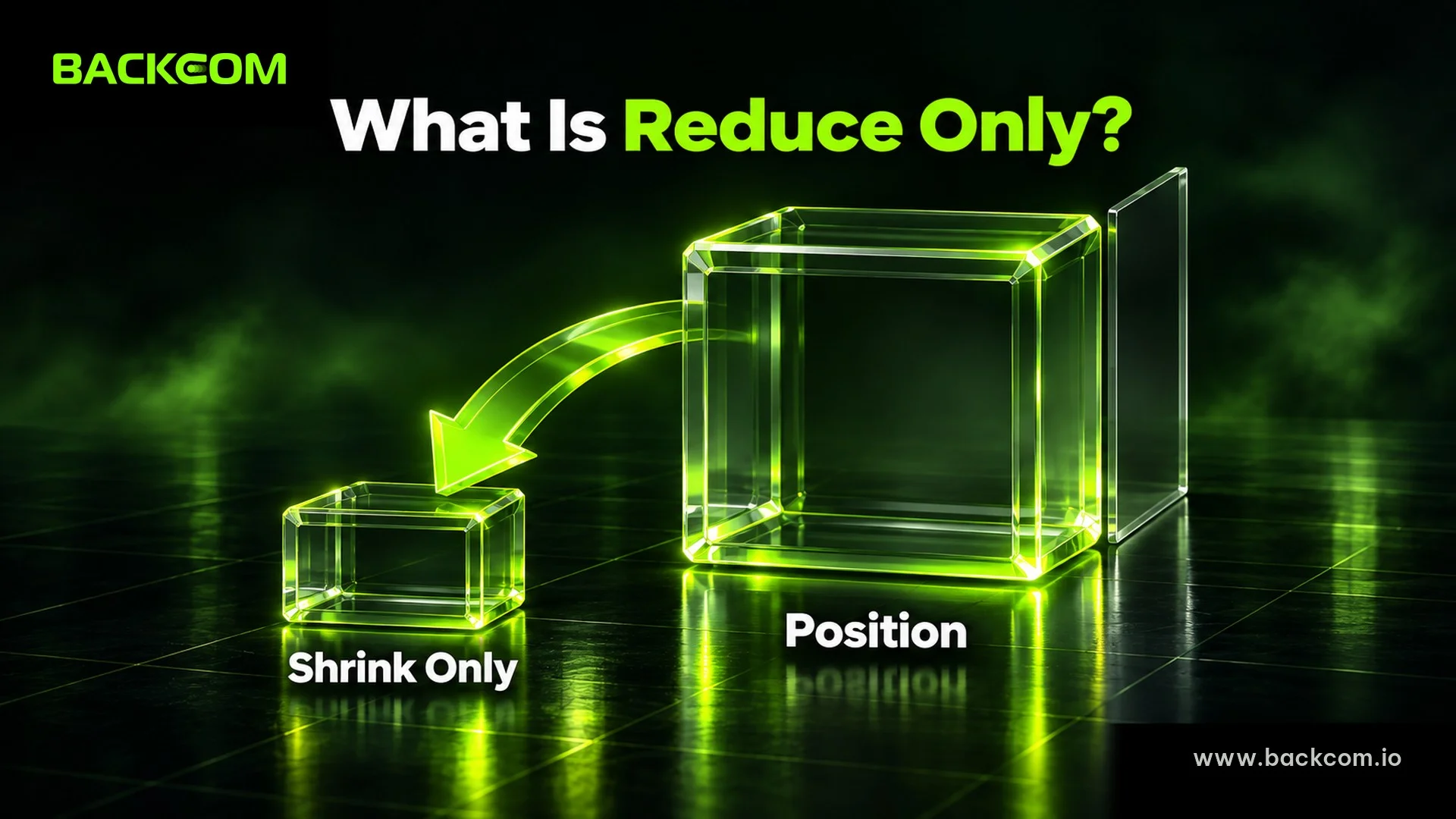
A reduce only order is an order that can only decrease the size of an existing position. On a long position it can only sell, and on a short position it can only buy. If filling the order would increase the position or turn it into a position on the opposite side, the exchange does not let that part through.
Bybit's API documentation puts it in one line: for the reduceOnly parameter, "true means your position can only reduce in size if this order is triggered" (Bybit V5 API docs). OKX describes the same switch as whether an order "can only reduce in position size" (OKX API docs).
Reduce Only Order Meaning In Plain Words
Three points make the reduce only order meaning easier to hold in your head:
- It is a flag, not an order type. You still choose limit, market or trigger. Reduce only is a checkbox or parameter added on top.
- It needs an open position. With no position to reduce, the order has nothing to act on, so check how your exchange treats it.
- It protects direction. A sell order that would normally open a short becomes a sell order that can only close a long.
The flag belongs to the group of tools covered in our overview of crypto order types. It is closely related to the exit orders in the guides on stop loss orders and take profit orders, because those are the orders where it is used most.
2. Why Do Futures Traders Need A Reduce Only Order?
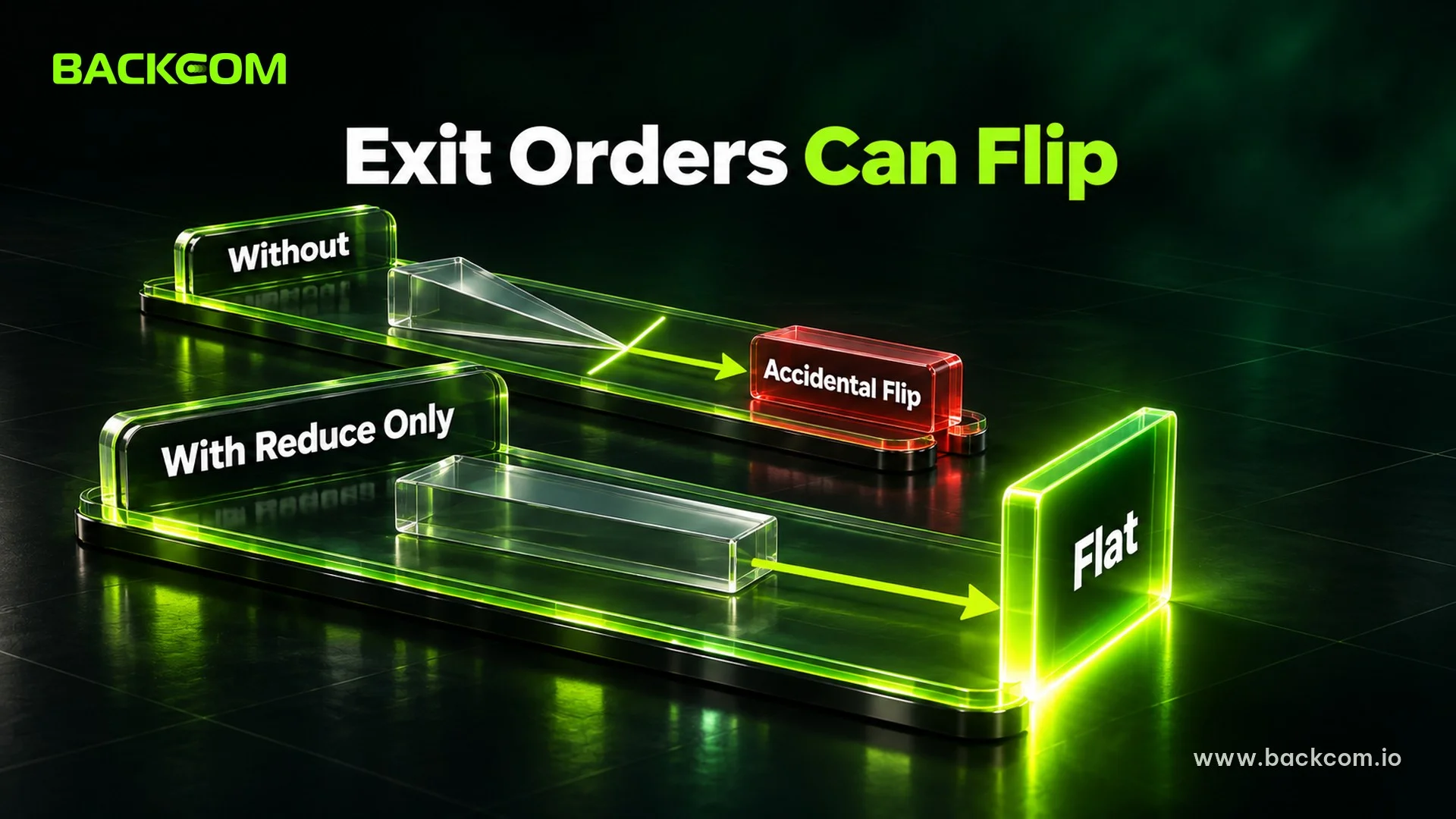
Futures traders use reduce only to stop an exit order from becoming an accidental entry. Without the flag, an order is just a buy or a sell, and the exchange does not know whether you meant it to close something.
Here is an illustrative example with round numbers. You hold a long position of 1 BTC. You place a limit sell of 0.4 BTC as a take profit and a stop-loss sell of 1 BTC lower down. Price rises, the take profit fills, and your position drops to 0.6 BTC. Price then reverses and the stop-loss for 1 BTC triggers.
| Scenario | Open position before stop fires | Stop sells | Result without reduce only | Result with reduce only |
|---|---|---|---|---|
| Take profit filled first | 0.6 BTC long | 1 BTC | Position closes, then 0.4 BTC short opens | Position closes, extra 0.4 BTC is not executed |
The extra 0.4 BTC short is not what you planned. You wanted to be flat, but you ended up with a new leveraged position and a loss that is still running. This is the failure the flag was built to prevent.
The same logic applies when a resting limit order stays in the book after you closed the position by hand, when several exit orders add up to more than the position, and when two orders fill within seconds before you can cancel the second.
A reduce only order does not make a trade safer in terms of price. It only makes sure the order closes risk rather than adding it.
3. How Does A Reduce Only Order Work On The Exchange?
A reduce only order is tied to your current position. The exchange compares the order size and direction with what you hold, then lets the order reduce the position and stops it from going further.
Reduce Only Order Futures Rules In Exchange Docs
The exact response depends on the platform, so read its documentation first. Two points are documented:
- Rejection when the size is too large. OKX states that if the order size exceeds the current position size, the entire order is rejected (OKX API docs). So a reduce only sell of 1 BTC against a 0.6 BTC position is not partly filled there; it is refused.
- Closing orders in long/short mode. OKX also notes that in long/short mode for futures and perpetual swaps, all closing orders apply the reduce only feature. In that mode, your order's side and position side already say that it is a close.
Other platforms may trim the order or cancel it when the position changes. Confirm these points on your own exchange, ideally with a small test order:
- What happens when the order is larger than the position: rejected, trimmed or filled partly.
- What happens when the position shrinks or closes while the order is still resting.
- Whether the flag works in both position modes (one-way and hedge).
- Whether it can be combined with the order types you use, such as limit, market or trigger.
A limit order with the flag can rest in the book for hours. If something else closes the position first, you may only find out what happened when you check your open orders.
4. What Is The Difference Between Reduce Only, Close Position And Post Only?
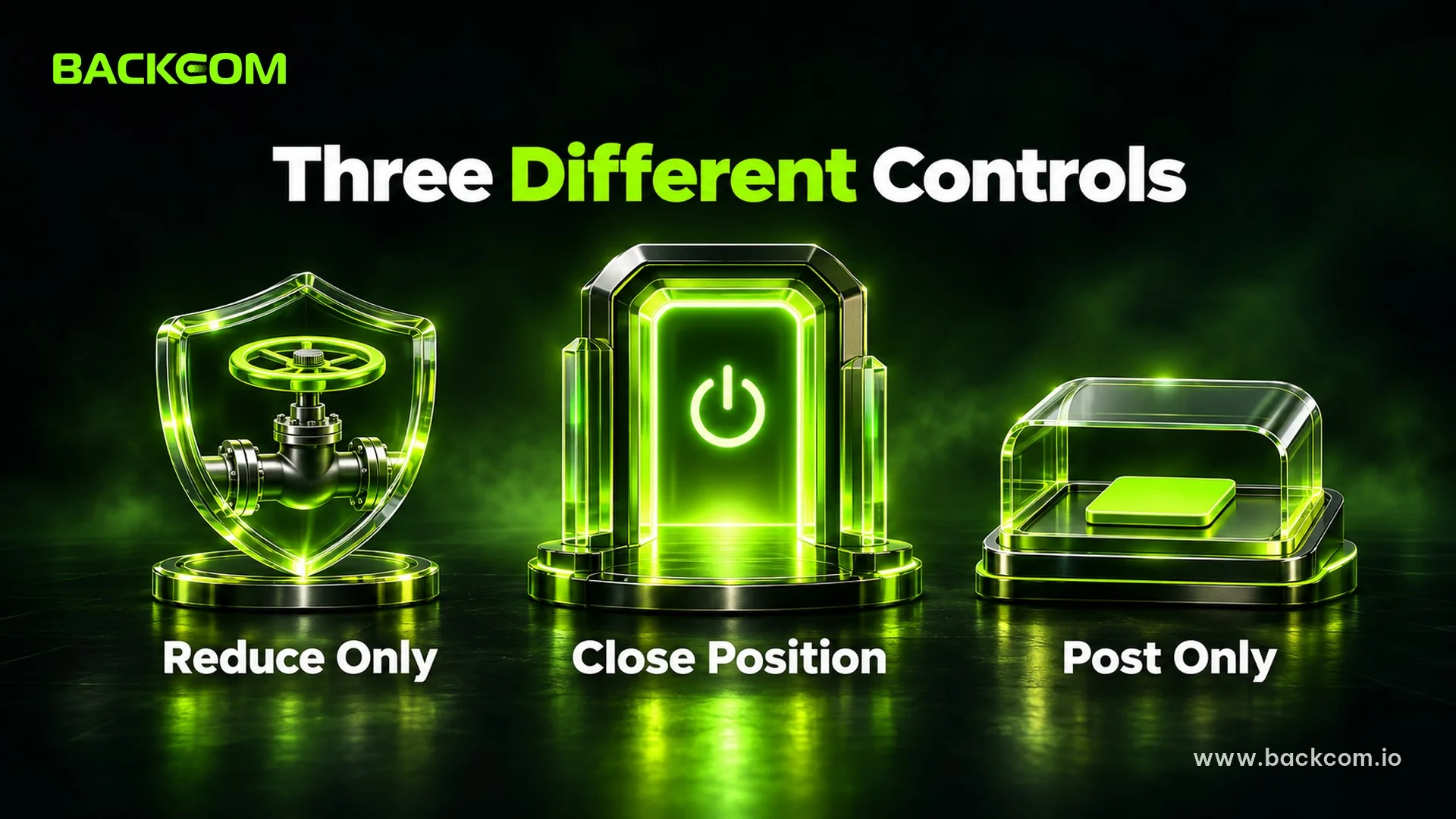
These three terms are often mixed up, but they answer different questions. Reduce only limits what an order may do to your position. Close position is an action that exits the position. Post only controls how the order enters the order book.
| Term | What it controls | Can it add to a position? | Typical use |
|---|---|---|---|
| Reduce only | Size and direction of the effect on the position | No | Exit orders placed in advance |
| Close position | Exits the whole position in one action | No | Flatten a trade quickly |
| Post only | Whether the order may match immediately | Yes, unless combined with another flag | Make sure you pay the maker fee |
Reduce Only Vs Close Position
A "close position" button usually sends a market order sized to your whole position. It is a one-off action, while reduce only vs close position comes down to this: reduce only is a rule you attach to orders that may sit in the book for a long time.
Post Only Vs Reduce Only
Post only vs reduce only is not a choice, because the two can be used together on a limit order. A post only reduce only sell of a long position says two things: add liquidity and never open a short. That is a common way to place a take profit that is charged the lower maker fee. Our guide to maker vs taker fees in crypto explains why the fee side adds up over many trades.
5. When Should You Use A Reduce Only Order?
You should use a reduce only order whenever the purpose of the order is to exit or trim, and especially when the order will rest in the market for some time. If the purpose is to open or add, the flag must stay off.
Typical cases include:
- Take profit limit orders. You hold a long position and place a limit sell above the entry. Switching reduce only on means the sell cannot open a short if the position is closed elsewhere.
- Scaling out in steps. You plan to close 30% at the first target, 30% at the second and the rest at the third. Each order is reduce only, so the total never exceeds what you hold.
- Stop-loss orders you place by hand. If your platform's stop form has a reduce only option, enabling it prevents a stop from flipping the position after a partial exit.
- Bots and API orders. Automated systems can send many orders in parallel. In Bybit's API documentation the flag is described as something you "must specify" as true when you are about to close or reduce a position, which shows how central it is to scripted exits.
When it is not suitable:
- Entries and adding to a position. A reduce only order cannot open a trade.
- Reversing a view. If you want to close a long and open a short in one move, a reduce only order will stop at flat. You would need a separate entry order.
- Orders that need take profit or stop-loss attached. On Bybit's create-order page, when reduce only is true, take profit and stop loss cannot be set on that order (Bybit V5 API docs). You place the exits as their own orders instead.
If you manage risk with a fixed position size, the position size calculator guide helps you decide how large each exit slice should be.
6. What Mistakes Do Traders Make With Reduce Only Orders?
Most problems come from assuming the flag solves more than it does. The five mistakes below are the ones to check first.
- Assuming it protects you from losses. The flag controls direction and size, not price. A reduce only stop can still execute with slippage, and a long position can still be liquidated if margin runs out. See the guide on slippage in crypto for how fast markets change fills.
- Forgetting resting orders. After you close a position manually, check the open orders list. A reduce only order may be cancelled by the platform, but you should not rely on that without verifying it.
- Sizing exit orders larger than the position. On a platform that rejects oversized orders, one wrong size can leave you with no stop at all.
- Mixing up position modes. Hedge mode and one-way mode treat closing orders differently on some platforms. Test the exact combination you use with a small order.
- Treating a rejected order as a filled one. A rejected reduce only order does not close anything. Watch the order status and keep a stop active until you see the position change.
7. How To Place A Reduce Only Order Step By Step
The wording and layout differ across exchanges, but the sequence is almost always the same. Practise on a small size before you rely on it with a large one.
- Open the futures order form and confirm the contract, margin mode and position mode.
- Check your position. Note the side and size, since the reduce only order must point the opposite way.
- Choose the order type. A limit order is common for take profit, while a trigger order is common for a stop.
- Enter price and quantity. Keep the quantity at or below the position size, or the slice you want to close.
- Tick "Reduce Only". On some platforms the box appears only after you pick a limit or market order. In API calls it is the reduceOnly parameter.
- Review the preview. The order summary should show a closing direction and no extra margin requirement.
- Submit and verify. Find the order in your open orders and confirm it carries the reduce only label.
The article on leverage in crypto trading lays out how leverage changes the margin you need and the risk you carry, and the explainer on perpetual futures covers the contract itself.
Frequently Asked Questions (FAQ) About Reduce Only Orders
Does A Reduce Only Order Guarantee That I Will Not Lose Money?
No. Reduce only controls the direction and size of an order, not the price at which it fills. A reduce only stop-loss can still fill at a worse price in a fast market, and your position can still be liquidated if margin runs out. The flag only prevents the order from opening or enlarging a position.
What Happens To A Reduce Only Order If My Position Is Already Closed?
It depends on the exchange. This is not covered by the documentation we cite, so you should read the platform's help pages and check your open orders after every close. Never assume a leftover order has been removed.
Can I Use Reduce Only And Post Only Together?
Many platforms let you use both on a limit order, but check yours. Post only makes sure the order adds liquidity and is not filled at once as a taker. Reduce only makes sure it can only close risk. Together they suit a resting take profit. Check that your exchange supports the pair, as not every form shows both options.
Does A Reduce Only Order Work With Take Profit And Stop Loss Settings?
Often not on the same order. On Bybit's create-order page, take profit and stop loss cannot be set when reduce only is true, so exits are placed as separate orders. Other platforms may handle bracket orders differently, so look at how your exchange describes it before you rely on it.
Is Reduce Only Available In Spot Trading?
No. Spot trading has no leveraged position to reduce, and you can only sell what you already hold. Reduce only is a futures and margin concept, where an order can accidentally open a new long or short.
Conclusion: Reduce Only Is A Seatbelt For Exit Orders
A reduce only order keeps an exit order from turning into an entry. Use it for take profit limits, scaled exits and any resting order meant to close risk, and leave it off when you want to open or add. It does not change price, slippage or liquidation risk, so keep your position size, margin and stop plan in place. Before you trust it, test on a small size how your exchange treats oversized orders and closed positions, then re-check your open orders after each fill.
Disclaimer: This content is compiled by Backcom.io for information only and is not investment advice. Crypto futures carry a high risk of loss, and leveraged positions can be liquidated. Rules differ by country and by exchange, so check the product terms and your local regulations before you trade.
Was this article helpful?
Join The Backcom.io Community
Get the latest on trading rebates, trading tips, and broker deals — and connect with thousands of traders worldwide.

Backcom App
Track Your Rebates Every Day
Every rebate is visible by broker and by day. Manage your wallet and withdrawals in one place.
Open Backcom App