Forex Rebate Comparison 2026 — Rebates Per Lot By Broker
Compare forex broker rebates per lot — Exness, XM, HFM, Vantage, IC Markets and more — then check payout timing and real cost after rebate before choosing.
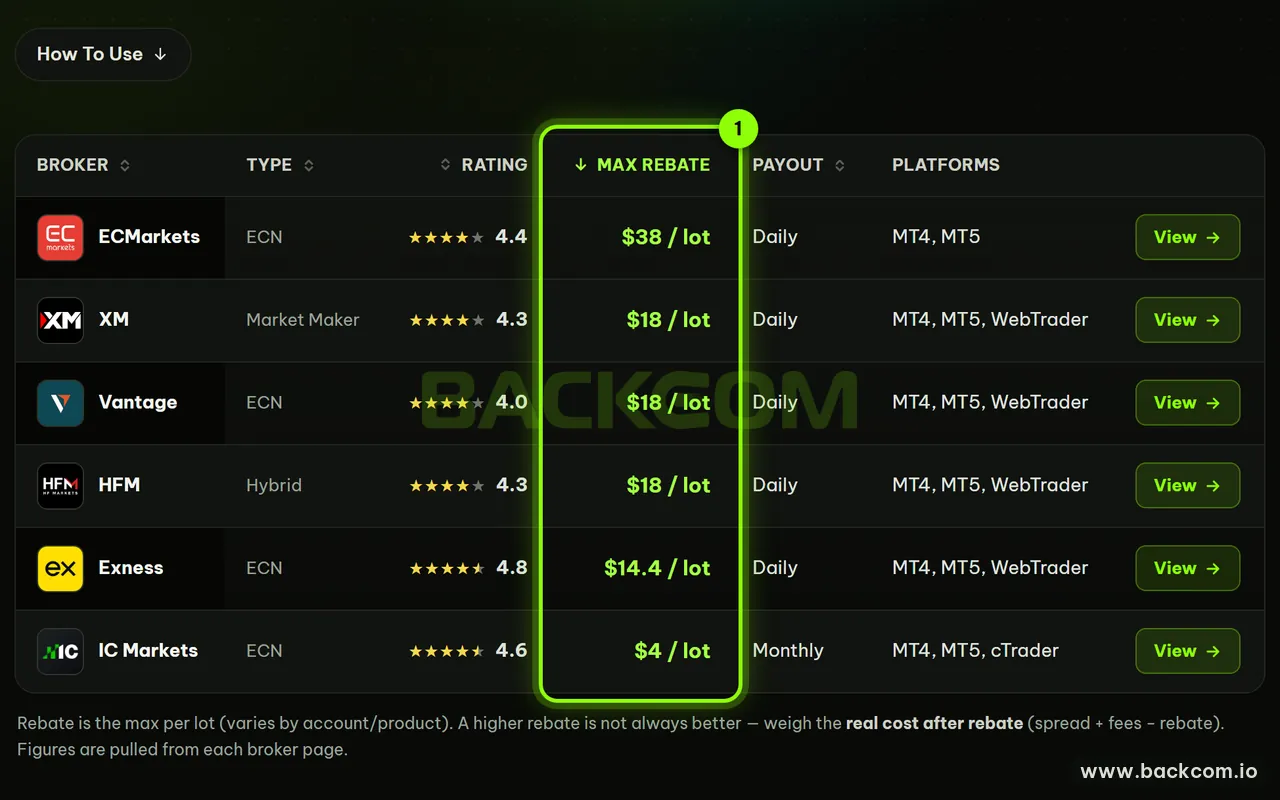
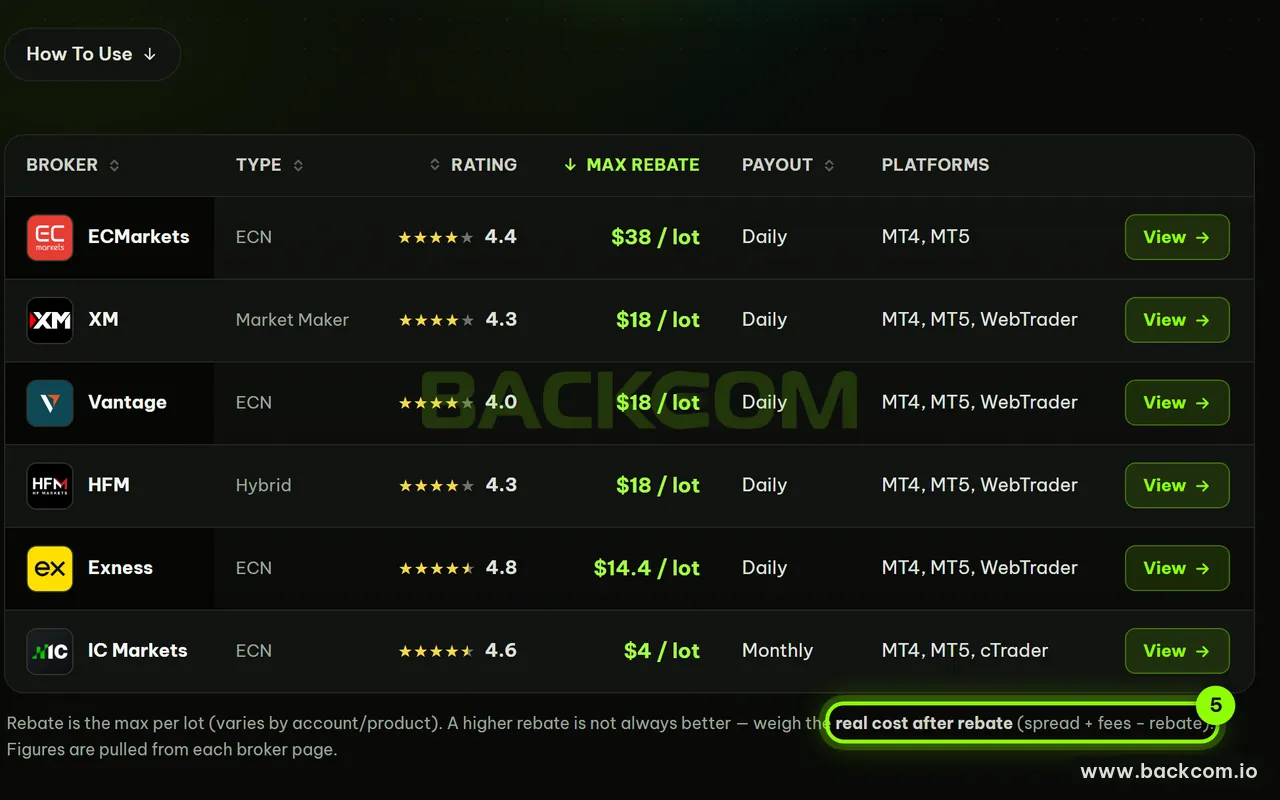
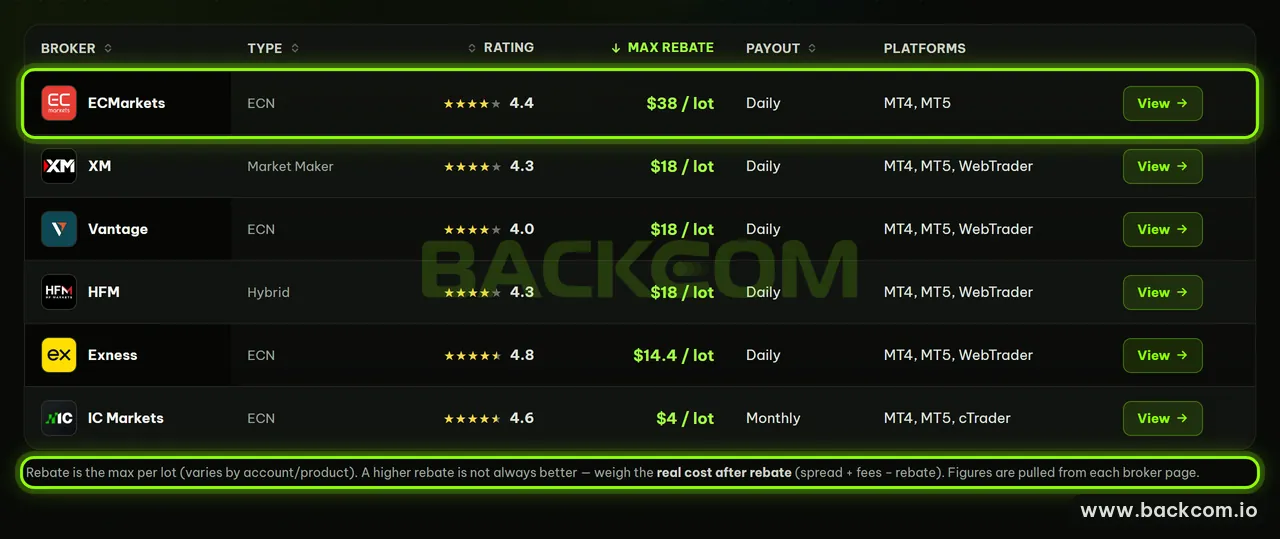
How To Use ECMarkets | ECN | 4.4 Rated 4.4 out of 5 | $38 / lot | View |
 XM | Market Maker | 4.3 Rated 4.3 out of 5 | $18 / lot | View |
 Vantage | ECN | 4.0 Rated 4.0 out of 5 | $18 / lot | View |
 HFM | Hybrid | 4.3 Rated 4.3 out of 5 | $18 / lot | View |
 Exness | ECN | 4.8 Rated 4.8 out of 5 | $14.4 / lot | View |
 IC Markets | ECN | 4.6 Rated 4.6 out of 5 | $4 / lot | View |
Rebate is the max per lot (varies by account/product). A higher rebate is not always better — weigh the real cost after rebate (spread + fees − rebate). Figures are pulled from each broker page.
How To Use The Rebate Comparison Table
The table puts the maximum per-lot rebate of every forex broker Backcom.io supports on one screen, so you can pick out the few worth a closer look. Use it to build a shortlist, then open each broker’s page to see the rate for your own instrument and account type.
Start With The Max Rebate Column
The table opens sorted by Max rebate, highest first, as the arrow on that heading shows. Click another column heading to re-sort by that column and click it again to reverse the order; sorting only changes the order you read in, it does not rank the brokers. Figures are in US dollars per standard lot and are the highest rate each broker publishes — usually for gold, metals or a high-markup link — not a quote for your own trades.
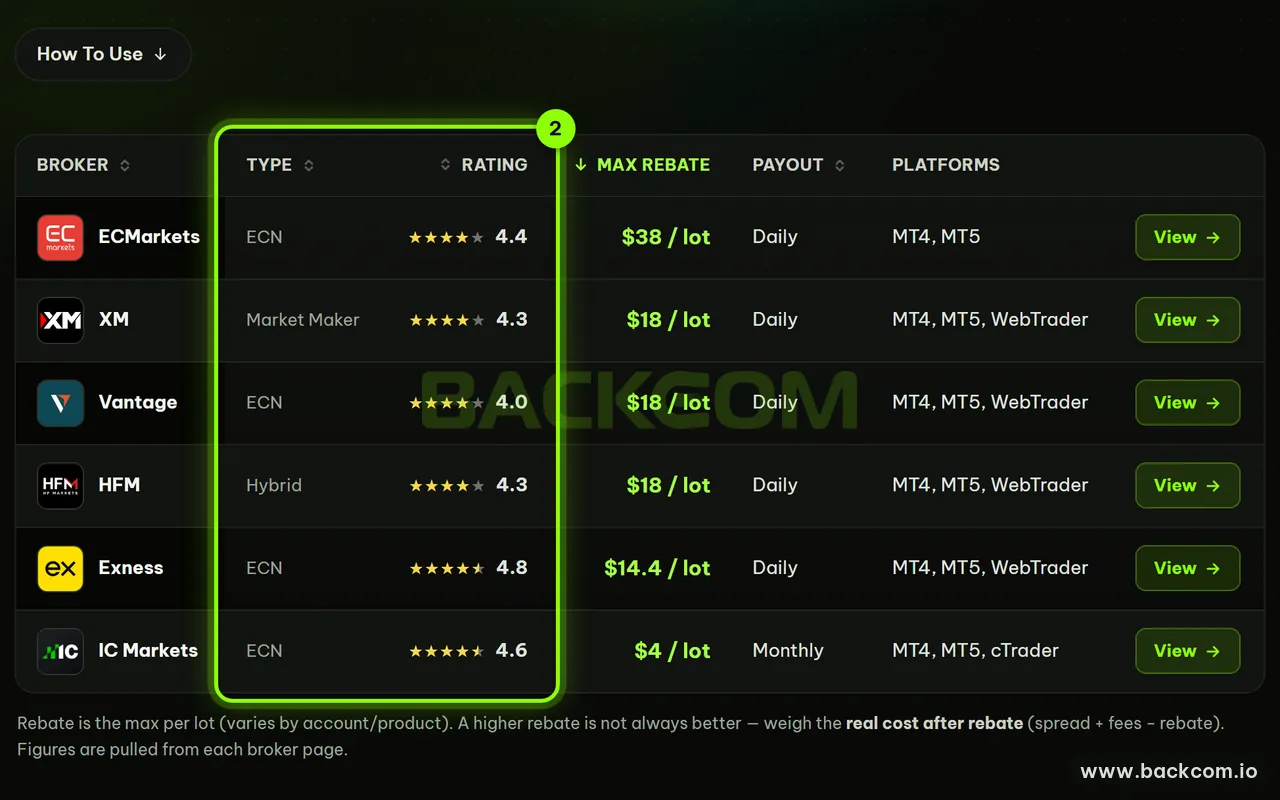
Check Broker Type And Rating
Type tells you whether the broker runs an ECN, Market Maker or Hybrid model, a clue to the spread and commission you will pay. Rating is Backcom.io’s own score out of five for regulation, costs, platforms and support; it has nothing to do with the size of the rebate.
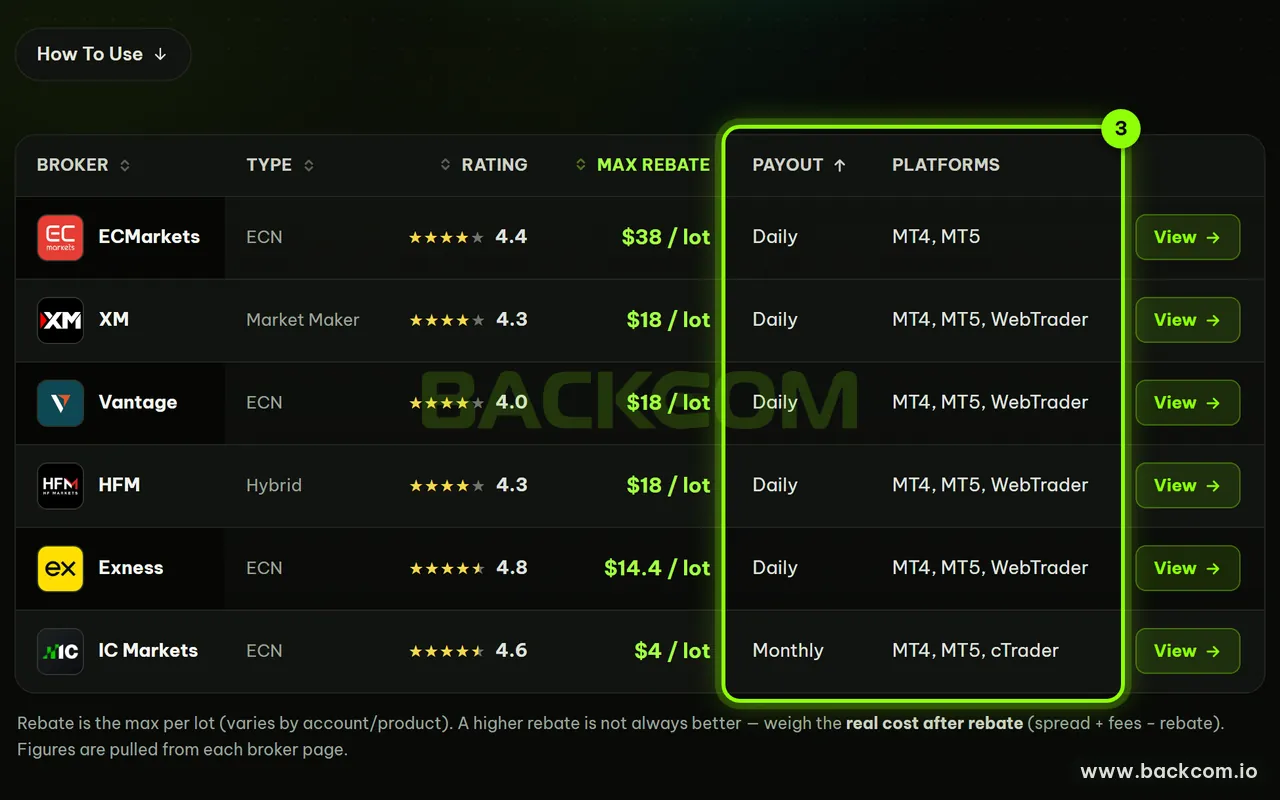
Look At Payout And Platforms
Payout shows how often the rebate is credited, daily or monthly — click its heading to bring the most frequent payers to the top — and Platforms lists MT4, MT5, WebTrader or cTrader. On narrow screens such as phones these two columns are hidden, and the broker column stays pinned while you swipe the table sideways.
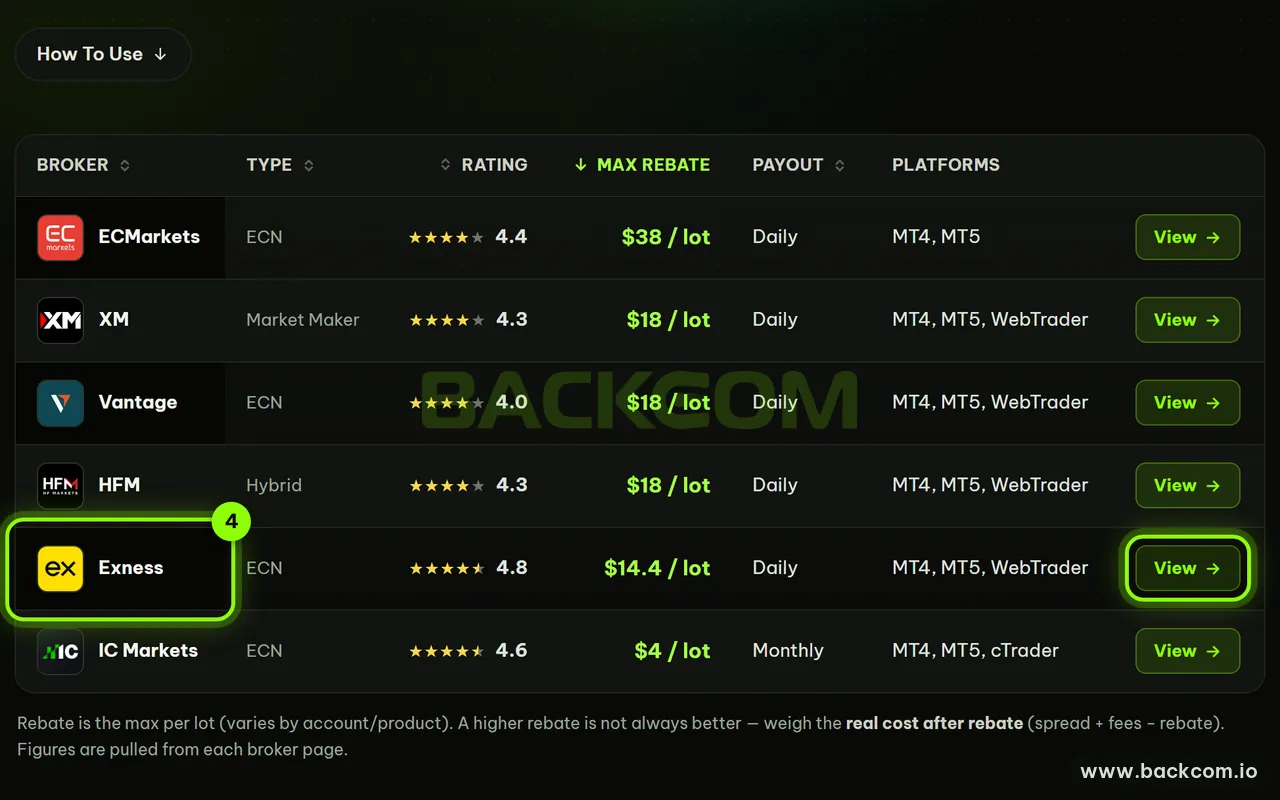
Open The Broker Page
Click the broker name or the View button at the end of the row to open that broker’s rebate page, with the full rate table by symbol and account type, a rebate calculator and the sign-up steps. Find the row for the instrument you actually trade instead of relying on the headline figure.
Compare Real Cost After Rebate
Compare your shortlist on real cost after rebate — spread plus commission minus rebate — for the same instrument and account type. A large rebate on a wide-spread account can cost more than a smaller rebate on a raw-spread account.
Open Or Link Your Account
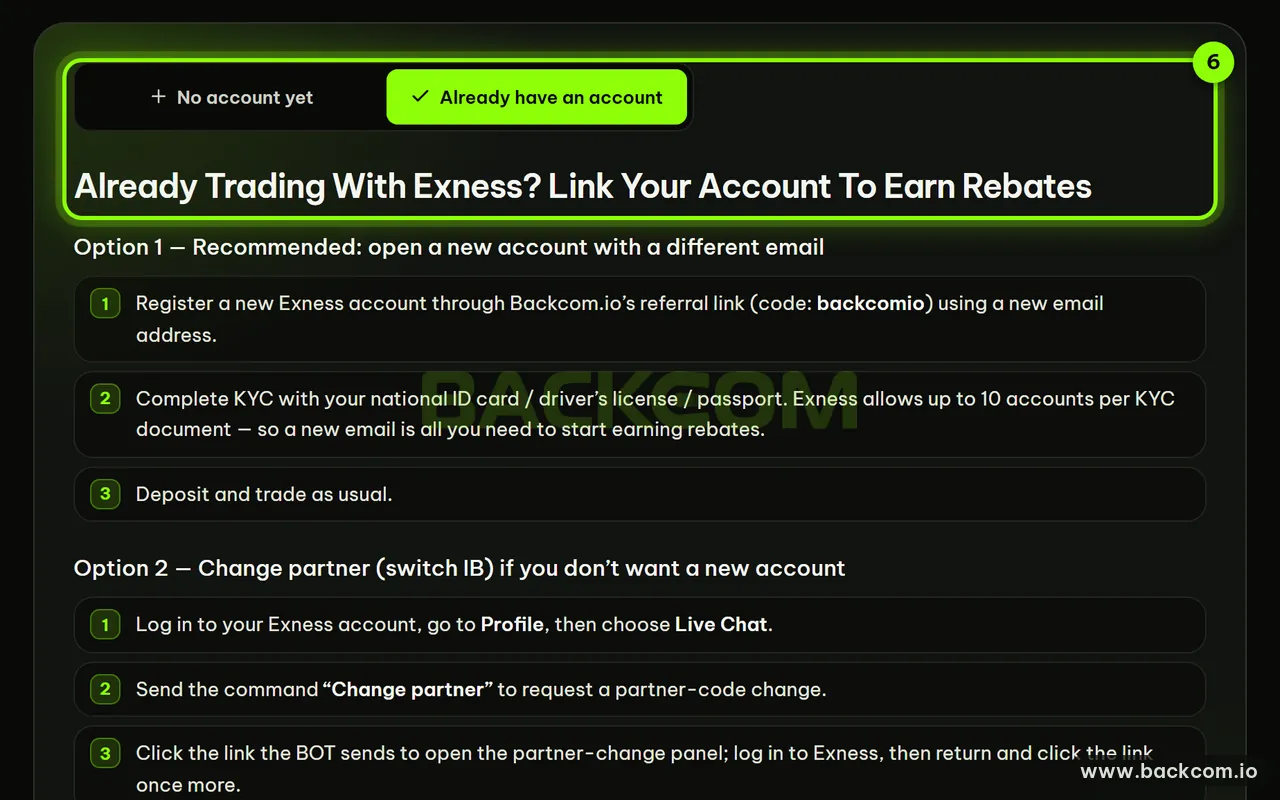
Once you have chosen, open the account through the Backcom.io link on the broker page so the rebate is tracked. Already trading there? Tap Already have an account on that page and follow the section that opens; the rules differ by broker, and some require a new account.
Tips
- Several brokers showing the same max rebate are not equal for you: the rate on major currency pairs is usually below the gold or silver rate. Always compare the instrument you trade.
- To estimate a month’s rebate, multiply your usual volume in standard lots by the rate for that instrument; on a cent account, divide the volume by 100 first. The position size calculator tells you how many lots each trade should be.
- A rebate is a share of the IB commission, paid on closed volume for winning and losing trades alike, and it does not change spread, leverage or execution. See what a forex rebate is and how it is calculated per lot.
- Crypto exchanges pay a percentage of trading fees rather than an amount per lot, so they are listed separately on the crypto exchange rebates page.
In short: the table above lists every forex broker Backcom.io works with, sorted by the rebate it publishes per lot, highest first. Each row is pulled from that broker's own page, which is why this article repeats none of those figures — a rate copied into prose goes stale in silence. What it does instead is explain where the money comes from, why two brokers quote wildly different numbers for the same trade, what each column means, and how to check the amount you were actually paid.
What A Rebate Is, And Where The Money Comes From
Every trade you close costs you something: a spread, a commission, or both. The broker keeps part of that cost and pays part of it out as a referral commission to the introducing broker (IB) whose link the account was opened under. Backcom.io is a registered IB with the brokers in the table and returns the larger share of that commission to the trader who generated it. That returned share is the rebate — elsewhere you will see it called cashback.
Two consequences follow from that mechanism, and they are the two worth remembering:
- It is paid on volume, not on profit. A closed lot generates the same rebate whether the trade made money or lost it. Nothing about the rebate depends on being right.
- It does not change your trading conditions. Spread, commission, leverage and execution are properties of the account type you opened, not of who introduced you. The rebate is a share of a commission the broker was going to pay to someone regardless.
Why No Two Brokers Quote The Same Rate
A single number per broker can only ever be a headline, because the rate that will actually apply to you is the product of four independent things:
- The broker's revenue model. An ECN broker earns a fixed commission on a near-raw spread; a market maker earns the spread itself. There is simply more or less to share depending on which it is. The Type column in the table tells you which.
- The account type. A raw-spread or zero-spread account leaves a thin commission to divide. A standard account with a wider built-in markup leaves much more.
- The link, or tier, you opened under. Several brokers in the table run a ladder of links for the same account family: each step widens the spread a little and raises the rebate in exchange. Which step you are on is fixed when the account is opened, and on most brokers it cannot be changed afterwards without opening a new account.
- The instrument. Gold, silver, oil, indices and crypto CFDs almost never carry the same rate as the major currency pairs. On some brokers the gap between the cheapest and the most generous instrument is larger than the gap between two brokers.
So the honest way to read the table is as a shortlist, not as a price list. Two clicks later, on the broker's own page, you get the full matrix: instrument by account type by link tier.
How To Read The Comparison Table
- Broker — the name links to that broker's rebate page. That page, not this one, carries the complete rate matrix.
- Type — ECN, Market Maker or Hybrid. Read it together with the rebate: it is the clue to what a generous rebate is likely to be costing you in spread.
- Rating — Backcom.io's own composite score out of five for regulation, costs, platforms and support. It is an editorial judgement, not a measurement, and it has nothing to do with the size of the rebate.
- Max rebate — the headline rate the broker publishes, per standard lot. Read the next two sections before you treat this as a quote.
- Payout — how often the rebate is credited. Most brokers in the table credit it daily; at least one settles once a month, which matters if you care when the money arrives rather than how much of it there is.
- Platforms — MT4, MT5, WebTrader or cTrader, whichever that broker supports.
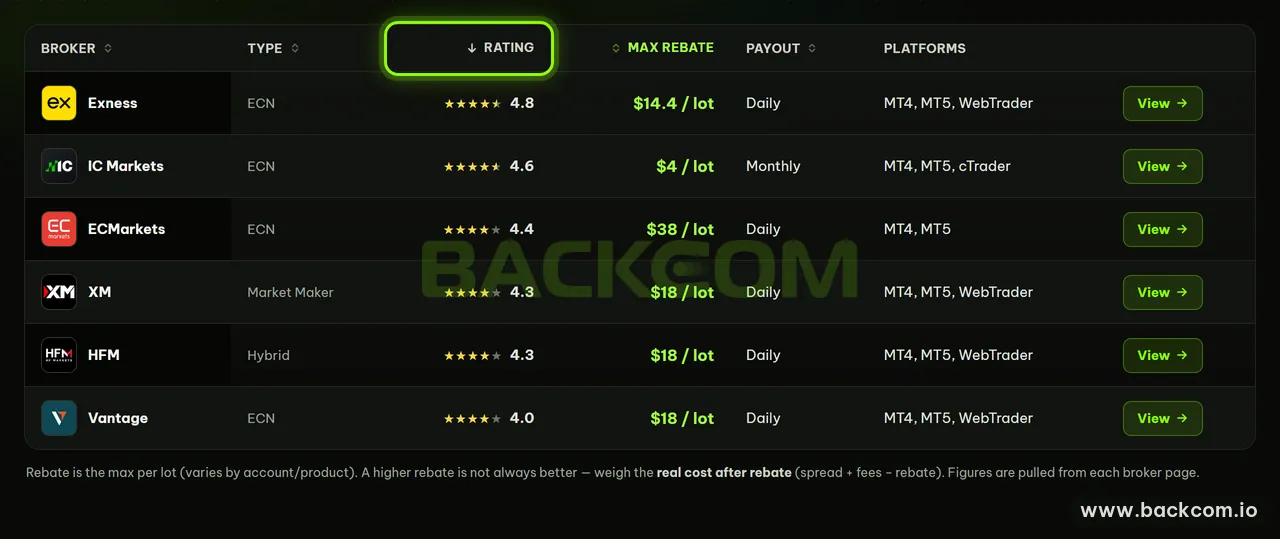
The table opens sorted by Max rebate, highest first, and the arrow on a heading marks the column and direction currently in use. Click Broker, Type, Rating, Max rebate or Payout to re-sort by that column, and click the same heading again to reverse it. Payout sorts by how often the rebate is credited — daily, then weekly, then monthly — not alphabetically. Sorting only changes the order you read the rows in: it is not a ranking, because no single column compares brokers on equal terms. On a phone the Payout and Platforms columns are hidden to save space, and the broker column stays pinned on the left while you swipe sideways; the View button opens the full details either way.
The Units Are Where Readers Go Wrong
This is the most common mistake in rebate comparison, and it is not the reader's fault: the industry quotes the same thing in at least five units, and they are not interchangeable.
- Money per standard lot — the unit used in the table above. One standard lot is 100,000 units of the base currency. This is the only unit in which two forex brokers can be compared directly, and even then only for the same instrument.
- A share of the spread, quoted as a percentage — some brokers return a proportion of the spread instead of a fixed amount. Any per-lot figure shown for such a broker is an estimate at a typical spread: when the spread widens the amount per lot goes up, and when it narrows it goes down. That is not an error in the table; the underlying unit is simply not a fixed price.
- A percentage of the trading fee — how crypto exchanges quote it. There is no lot on a spot exchange, so a crypto percentage and a forex amount per lot cannot be compared at all, in either direction.
- Pips — a rebate expressed as a fraction of a pip off the spread. For a pair quoted in US dollars, one pip on one standard lot is about ten dollars, so a pip figure converts roughly by that factor. "Roughly" is load-bearing: pip value depends on the quote currency, so the factor is not constant across pairs.
- Money per million traded — used outside retail forex and by some rebate sites. One million units is ten standard lots, so a per-million figure is about ten times the per-lot equivalent. Divide by ten before comparing it with the table above.
The cent-account trap. On a cent account one cent lot is one hundredth of a standard lot, while rebates are calculated on standard lots. Raw cent-account volume therefore has to be divided by one hundred before it is multiplied by a per-lot rate; skip that step and the expected rebate comes out a hundred times too large. This is a real accounting error we have had to correct in our own reporting tools, not a hypothetical one.
What “Max Rebate” Does Not Mean
The last column is a headline, and headlines in this industry are built to be flattering. Three things it does not mean:
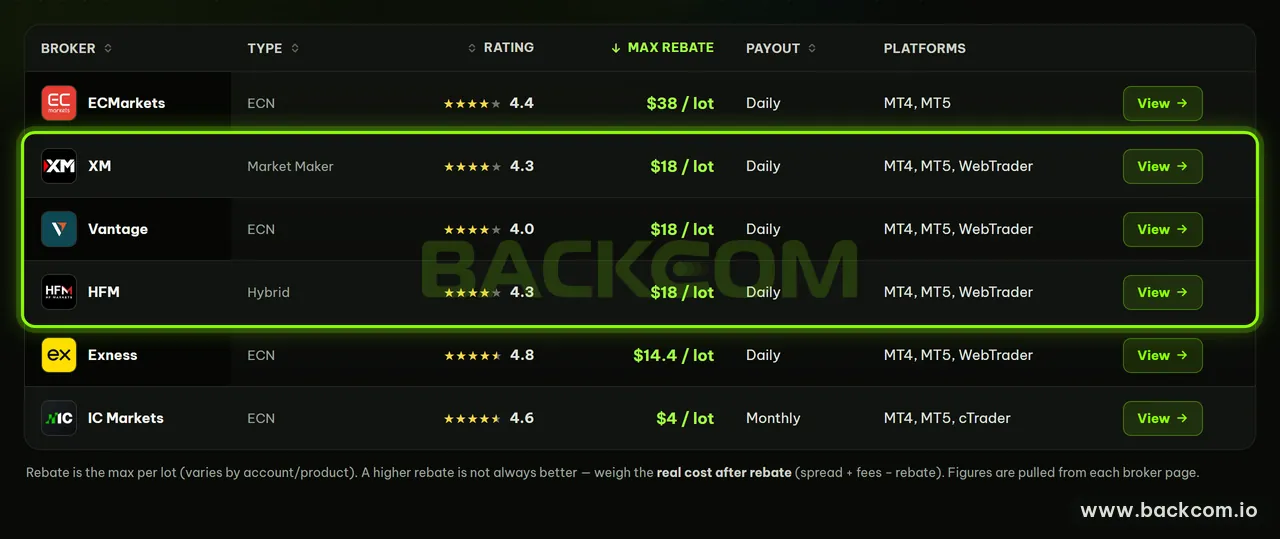
- It is not the rate you will receive. A published maximum is usually the rate for gold or another metal, on the broker's most generous link tier. If you trade major currency pairs on a standard link, your rate normally sits well below it.
- It is not a ceiling either. On some brokers an individual symbol inside their own detail table sits above the figure they publish as the maximum. The headline is whatever that broker chose to advertise, not the largest cell in their matrix.
- It is not comparable across units. If one row's underlying unit is a share of the spread and another's is a fixed amount per lot, sorting by the column ranks an estimate against a price.
Use the column as a sort key to build a shortlist. Then open the broker page and find the row for the instrument you actually trade, on the account type you actually intend to open.
Real Cost After Rebate Is The Only Fair Comparison
The number that decides whether a broker is cheap for you is not the rebate. It is:
real cost after rebate = spread + commission − rebate
measured on the instrument you trade, on the account type you will open. A large rebate on a wide-markup account can leave you worse off than a modest rebate on a raw-spread account, because the markup you pay on every lot outweighs the extra rebate you receive on it. That is why the table opens sorted by rebate rather than claiming to sort by value — the order is a starting point, not an answer.
And plainly, because it matters: a rebate lowers the cost of trading you were going to do anyway. It does not change the direction of a trade, it cannot turn a losing strategy into a profitable one, and trading extra volume to collect rebate costs more in spread than the rebate returns.
For a worked comparison of the two account families most traders choose between, see raw spread vs standard account: which costs less.
How To Choose A Broker From The Table
The table builds the shortlist; your own trading decides between the names on it. These five questions, asked in this order, narrow it down quickly:
- What do you trade most? Gold, silver, oil, indices and major currency pairs usually carry different rates at the same broker. Open the broker page and read the row for that instrument in its rate table, not the headline figure.
- Many lots a day, or a few trades held for days? For a high-volume scalper, the cost per lot — spread plus commission minus rebate — decides almost everything. For a swing trader holding overnight, swap matters as much as the rebate.
- Which account type suits you? Raw-spread accounts typically charge a separate commission and pay a smaller rebate; standard accounts build a wider spread in and pay a larger one. Only real cost after rebate, at your own volume, tells you which is cheaper.
- When and where do you need the money? Check the Payout column for daily or monthly crediting and the Platforms column for MT4, MT5, WebTrader or cTrader.
- Will your account qualify? The account has to be opened through Backcom.io's referral link, or moved to Backcom.io as introducing broker where the broker allows it, with identity verification completed. An account already attached to another IB usually needs a transfer or a new account; each broker page spells out its own conditions. If the IB relationship itself is unfamiliar, what an IB is in forex explains it.
There is no broker that is best for everyone. A broker that is cheap for a gold scalper can be expensive for someone holding currency pairs for weeks, which is why the table opens sorted by the published rate, lets you re-sort it by the column you care about, and stops there rather than declaring a winner.
Estimating What The Rebate Is Worth To You
The estimate is one line of arithmetic: monthly rebate ≈ standard lots closed in the month × the per-lot rate for that instrument on your account type. If you trade several instruments, work each group separately and add them up, because metals and currency pairs rarely share a rate.
Suppose you close an average of two lots of gold a day over 20 trading days: that is 40 standard lots a month, and 40 multiplied by the gold rate for your account type on the broker page is your estimate. On a cent account, divide the cent-lot volume by one hundred first. The forex rebate calculator guide walks through the same sum across several brokers, and what a forex rebate is and how to calculate it per lot covers the mechanics in more depth.
The lot count itself should come from your risk, not from the rebate you would like to earn. The position size calculator turns your balance, risk percentage and stop loss into that number for each trade.
How To Check What You Were Paid
You do not have to take anyone's word for the amount. The calculation is arithmetic you can do from your own statement:
- Export the closed trades for the period from your MT4 or MT5 account history, and total the volume in lots for each symbol separately.
- If the account is a cent account, divide that volume by one hundred to get standard lots.
- On the broker's own rebate page, find the rate for that symbol group, on your account type, on the link tier your account was opened under.
- Multiply lots by rate, symbol group by symbol group, and compare the total with what was credited.
If the two do not match, work through these causes in order:
- The period boundary. Broker reports cut the day at the broker's own server-time boundary, not at midnight in your city. A position closed near that boundary often lands in the next report rather than the one you are checking. Work in UTC, or in the server time your statement shows — never in local time.
- An open position. Rebate accrues when a position closes. Volume still open at the cut-off has not been paid yet, and is not missing.
- The wrong symbol group. Applying a metals rate to currency volume, or the reverse, is the most common arithmetic error by a wide margin.
- The wrong account type or link tier. Check the account against the tier you actually opened, not the tier you would have preferred.
- The account is not attached to the link. Rule this out first if the credited amount is zero rather than merely different; support can confirm which date the link took effect.
Where to go next: open any broker from the table to see its full rate matrix, or browse the whole list of forex brokers with rebates. Crypto exchange rebates are quoted in a different unit entirely and are listed separately on the crypto exchange rebates page.