What Is A Post Only Order In Crypto: Maker Fees And When To Use It


What is a post only order? It is a limit order with one extra rule: it must rest on the order book as a maker, and if it would fill immediately as a taker, the exchange rejects or cancels it instead, so you never pay taker fees by accident but also never get filled instantly. In this article, Backcom.io explains the meaning, how it differs from a normal limit order, the fee maths, why orders get rejected and when the setting is worth using.
What Is A Post Only Order In Crypto?
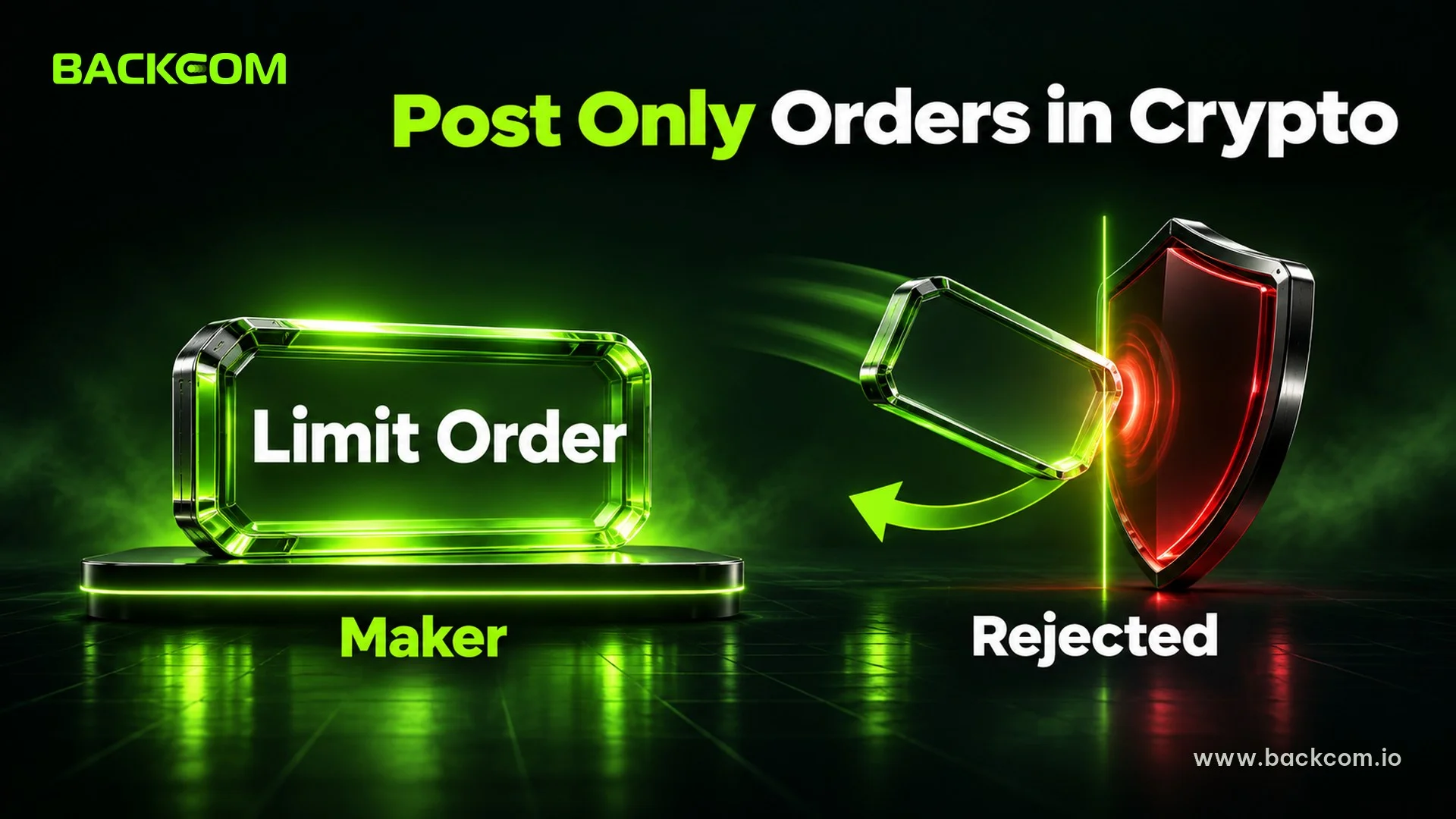
A post-only order is a limit order that is only allowed to add liquidity to the order book. "Post" means the order is posted to the book and waits there, while "Only" means that is the sole thing it may do, so if the price you set crosses the opposite side of the book, the order would trade at once, the exchange refuses it.
Exchanges describe this in their own terms:
- Binance spot calls it LIMIT_MAKER: "a LIMIT order that will be rejected if the order immediately matches and trades as a taker", also known as a post-only order. See the Binance Spot API trading endpoints.
- Bybit offers PostOnly as a time-in-force option: if the order would be filled immediately when submitted, it is cancelled. See the Bybit V5 create order documentation.
The wording differs ("rejected" or "cancelled"), but the result is the same, which is no taker fill, and because terminology and settings vary by platform you should read the order ticket on the exchange you use.
Post Only Order Meaning In One Sentence
A post-only order guarantees you are the maker or you do not trade, and that guarantee is the whole reason the option exists.
How Does A Post-Only Order Work?
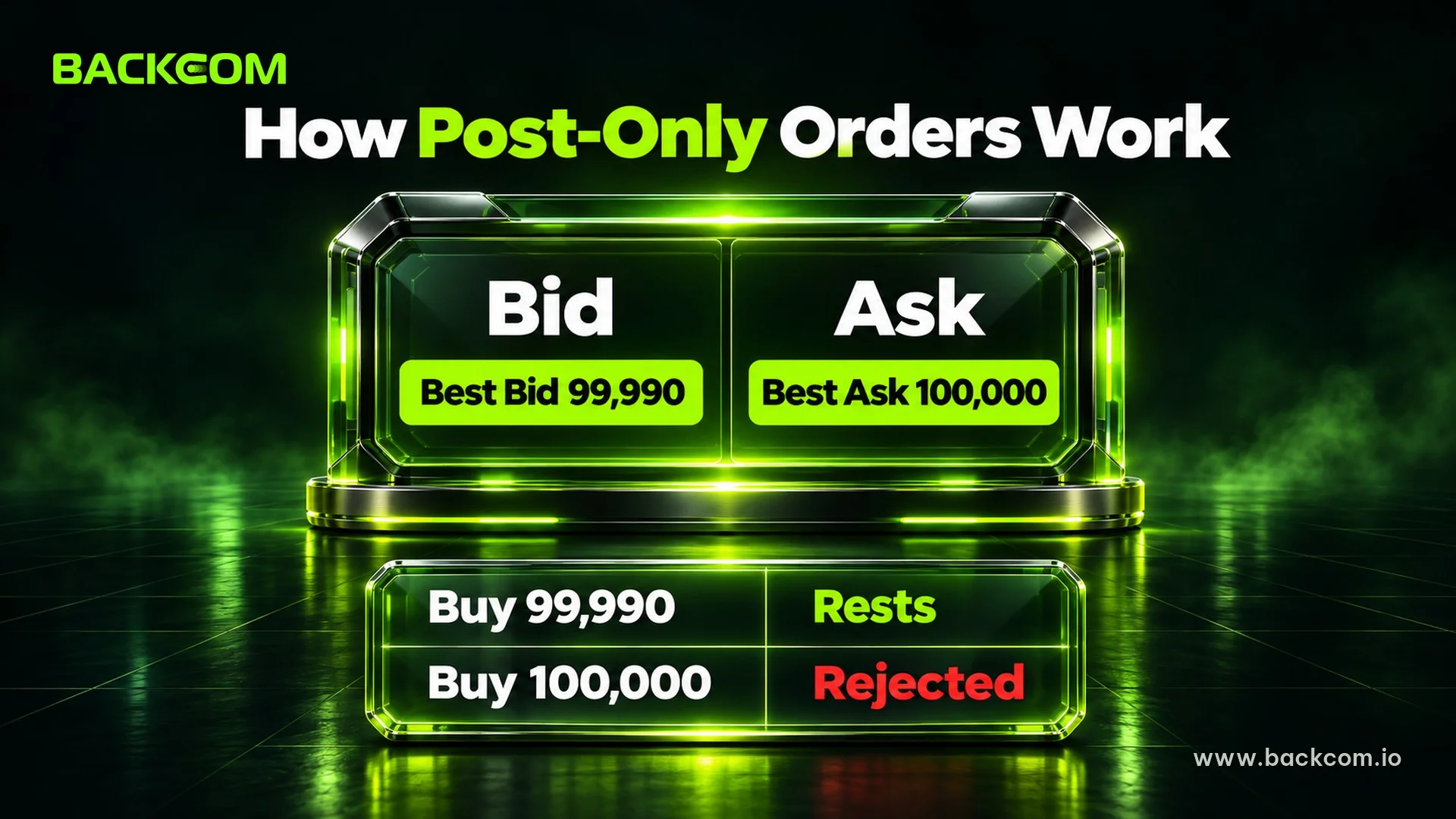
A post-only order works by checking your price against the current best bid and ask at the moment it arrives. If it can rest, it is placed in the queue. If it would match, it is turned away.
Take a BTC/USDT book where the best bid is 99,990 and the best ask is 100,000 (hypothetical numbers):
| Your order | Price vs book | What happens |
|---|---|---|
| Post-only buy at 99,990 | Equals the best bid | Rests in the book as a maker |
| Post-only buy at 99,980 | Below the best bid | Rests one level below the best bid as a maker |
| Post-only buy at 100,000 | Equals the best ask | Would match instantly, so it is rejected |
| Post-only sell at 100,010 | Above the best ask | Rests in the book as a maker |
| Post-only sell at 99,990 | Equals the best bid | Would match instantly, so it is rejected |
Hypothetical book for illustration, not a live quote.
Once the order rests, it behaves like any limit order: it fills when a counterparty trades against it, stays open until you cancel it, and loses queue priority if you change the price. If you want the background on limit, market and stop orders, read crypto order types explained.
What Happens If The Market Moves While The Order Is In Flight?
Prices change in milliseconds, and Bybit's documentation notes that if the matching system cannot enter the order into the book because the market price changed, the order is cancelled, so a post-only order can be valid when you click and rejected when it reaches the engine, which is normal behaviour in a fast market.
Post Only Vs Limit Order: What Is The Difference?
Post only vs limit order comes down to one question: what happens when your price is aggressive enough to trade immediately? A plain limit order trades at the better price available and pays the taker fee on that part. A post-only order refuses to trade and is rejected.
| Feature | Standard limit order | Post-only order |
|---|---|---|
| Can fill immediately | Yes, if the price crosses the book | No, it is rejected instead |
| Fee class when it rests | Maker | Maker |
| Fee class if it would cross | Taker | No trade, so no taker fee |
| Certainty of a fill | Higher | Lower |
| Certainty of the fee class | Not guaranteed | Guaranteed maker |
The trade-off is simple, because the standard limit order protects your fill while the post-only order protects your fee class. If you want the fill at almost any cost, use a market order or a regular limit order. If you want the cheaper fee and can wait, use post-only.
Some platforms call the same setting "maker-only" or "maker-or-cancel". In the documentation cited here, Binance spot rejects the order and Bybit cancels it, and neither changes your price, so you have to place the order again yourself.
What Is The Post Only Maker Fee Advantage?
The post only maker fee advantage is that your trade, if it happens, is charged the lower maker rate instead of the taker rate. On most venues the maker rate is lower than the taker rate. The exact numbers depend on the exchange, the product and your tier, so look at your own fee schedule. For the mechanics, see maker vs taker fees in crypto.
Post Only Maker Fee Example With Hypothetical Rates
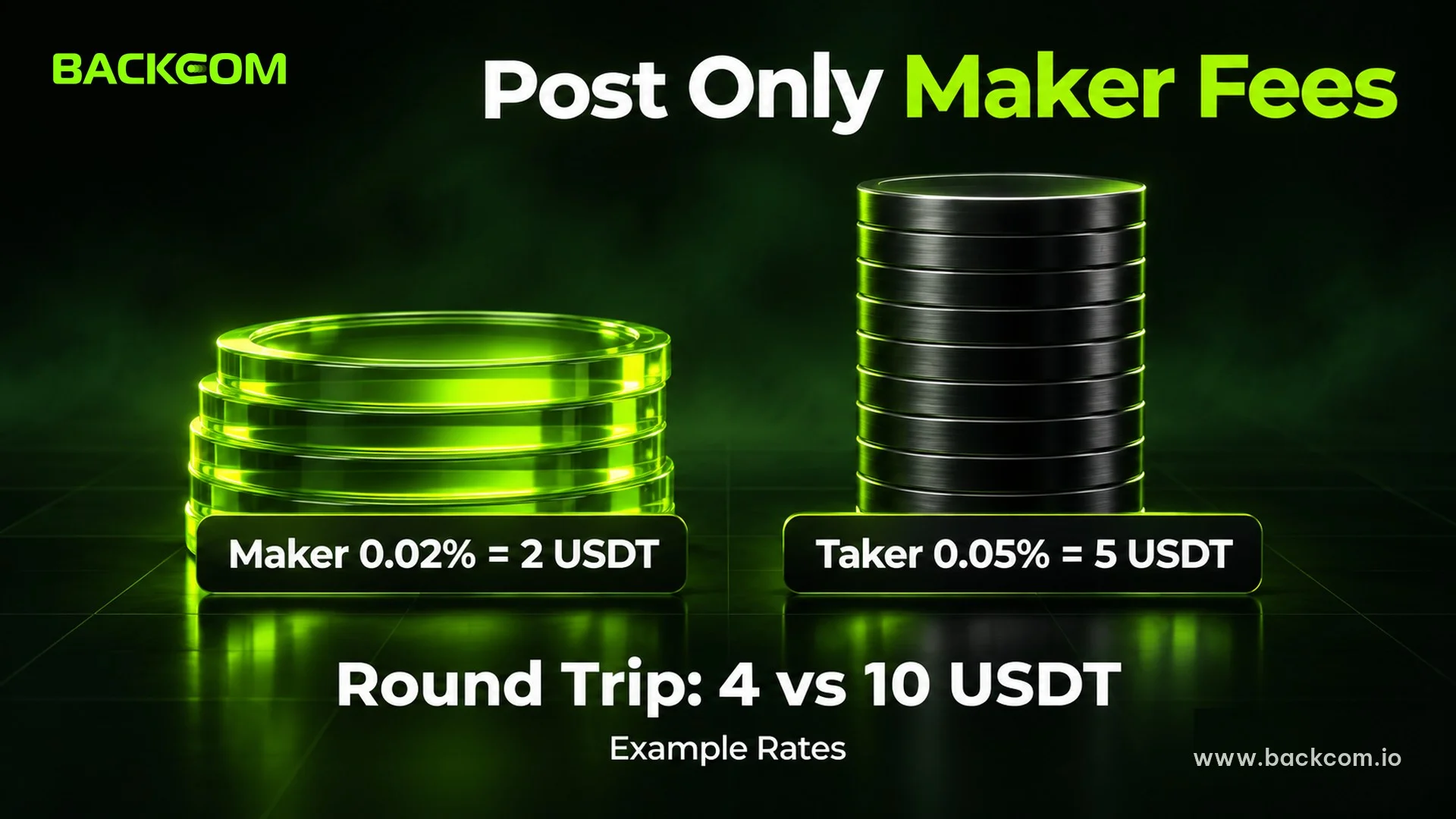
The numbers below are illustrative, not any exchange's live fees. Assume a futures account with a 0.02% maker fee and a 0.05% taker fee, trading a position worth 10,000 USDT notional.
Fee = Notional Value × Fee Rate
| Action | Rate | Fee on 10,000 USDT |
|---|---|---|
| Entry as maker (post-only) | 0.02% | 2.00 USDT |
| Entry as taker (market order) | 0.05% | 5.00 USDT |
| Exit as maker | 0.02% | 2.00 USDT |
| Exit as taker | 0.05% | 5.00 USDT |
A full round trip as a maker on both sides costs 4 USDT, while as a taker on both sides it costs 10 USDT, and the 6 USDT difference is 0.06% of the position. That sounds small, yet a trader who makes 20 round trips a week on the same size would save roughly 120 USDT in a week.
Illustrative figures only. Check your exchange's current fee schedule before relying on any rate.
For a fuller walk-through of costs, use how to calculate crypto futures trading fees.
Does Post-Only Always Save Money?
No. Saving a fee is not the same as saving money. If you wait for a maker fill and the price runs away, you may miss a move worth far more than the fee gap. A 0.03% fee saving is irrelevant if the trade you wanted would have gained 1%. Post-only is a tool for cost control and does not make your entries any better.
What Does Post Only Rejected Mean, And Why Does It Happen?
A post only rejected message means your order would have traded immediately, so the exchange refused it to protect the maker guarantee, which is the system working as designed. The usual causes are these:
- Your price crosses the book. A buy at or above the best ask, or a sell at or below the best bid, matches instantly.
- The market moved after you clicked. A fast tick can push the book through your price before the order arrives.
- The book is thin. In a low-liquidity market, the spread jumps around and a "safe" price becomes aggressive within a second. Read what liquidity means for slippage and fees for why.
- You used a market order with post-only. Bybit's list of reject reasons includes the code EC_MarketOrderCannotBePostOnly, because a market order is by definition a taker.
Rejection reasons are named differently on each exchange. In Bybit's enumerations, one reason is described as "your post only order would have executed as a taker, and so was rejected." See the Bybit V5 enumerations.
What To Do After A Post-Only Rejection
- Refresh the book. Look at the current best bid and ask.
- Move the price away from the touch. For a buy, place it at or below the best bid. For a sell, at or above the best ask.
- Decide whether you still want the maker fee. If the fill matters more, switch to a standard limit or market order and accept the taker fee.
Does A Rejected Post-Only Order Cost A Fee?
A rejected order does not trade, so no trade fee arises, and Binance's futures help page confirms that a rejected post-only order is not recorded in the order history. See Summary of Failed Orders in Binance Futures (updated 9 November 2026). Since a rejected order never executes, there is no trade for a trading fee to apply to, and any other per-order charges would appear in your exchange's fee schedule.
There is a different kind of cost for automated traders: rate limits. Kraken states that rejected post-only orders are initially accepted and then automatically cancelled, which incurs 1 point for placing and 8 points for the cancellation, 9 in total. See Kraken trading rate limits (updated 29 October 2026). A bot that keeps sending post-only orders at an aggressive price can burn through its allowance quickly.
When Should You Use A Post-Only Order?
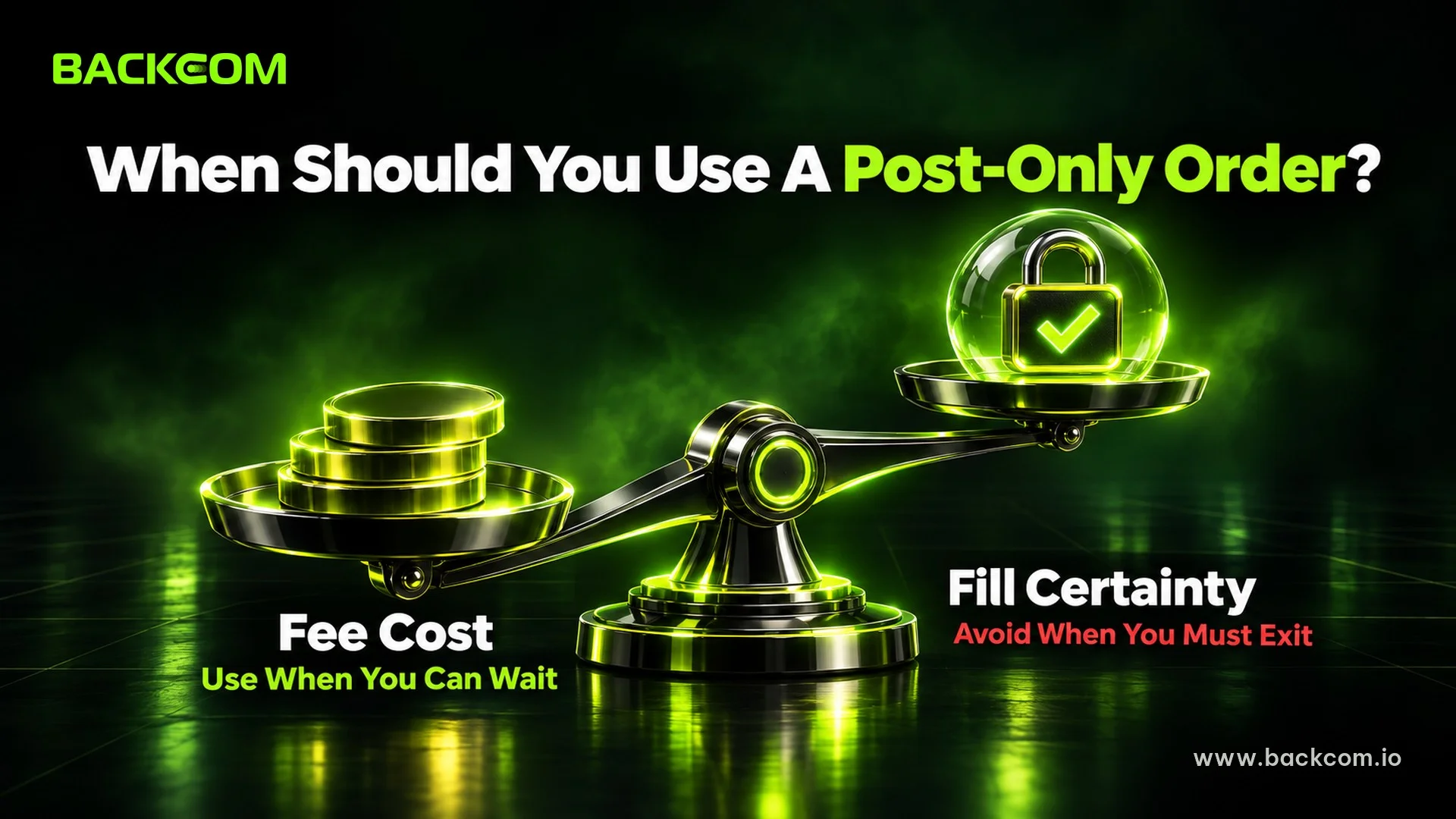
Use a post-only order when the fee class matters more than speed, and these are the situations where it fits best:
- Patient entries. You want to buy a dip at a chosen level and are happy to wait.
- Scaling into or out of a position. A ladder of resting orders at several prices, each paying the maker rate.
- Frequent, high-volume trading. Small fee differences add up when you place many orders.
- Taking profit at a target. A resting sell above the market is naturally a maker order. For setups, see crypto take profit orders.
- Avoiding accidental market-taking. On a fast-moving screen, it stops a fat-finger price from crossing the book.
When Should You Avoid It?
Avoid post-only in the situations below, where getting filled is the priority:
- Stop-loss exits. If you must get out, a rejected order leaves you in the trade. Use a stop that triggers a market or limit order instead. See crypto stop loss explained and trailing stop orders in crypto.
- Fast breakouts. The price may never come back to your resting level.
- Liquidation risk. If margin is shrinking, speed matters more than a fee discount.
- Closing size in thin markets. A rejection loop wastes seconds you do not have.
A related point: a post-only order does not remove slippage risk on your exit if you later have to switch to a market order. The two ideas work together. Read what slippage is in crypto to see how the cost of immediacy shows up.
How Do You Place A Post-Only Order Step By Step?
The layout differs by exchange, but the steps are nearly always the same, so use the list below as a general guide.
- Choose Limit as the order type. Post-only is not available on market orders.
- Enter your price and size. Set the price on the correct side of the book: below the best ask for a buy, above the best bid for a sell.
- Tick Post Only. On many platforms it is a checkbox under the price field, or an option in the time-in-force menu.
- Review the fee class. Some tickets show an estimated maker fee.
- Submit and check the status. It should show as open. If it shows rejected or cancelled, adjust the price and retry.
On API platforms the setting is a parameter: timeInForce: PostOnly on Bybit, or the LIMIT_MAKER order type on Binance spot. Test with a small size first so that you learn how your exchange labels rejections before you trade larger.
Frequently Asked Questions (FAQ) About Post-Only Orders
Is A Post-Only Order The Same As A Limit Order?
Not quite, because a post-only order is a limit order with an added condition: it must rest on the book as a maker, whereas a standard limit order can fill immediately if its price crosses the book and a post-only order is rejected in that case.
Will A Post-Only Order Always Get Filled?
No, because it only fills if the market trades at your price and the queue ahead of you can delay it, so a post-only order protects the fee class rather than the fill, and a regular order is more reliable if you need the position.
Does A Post-Only Order Guarantee A Lower Fee?
It guarantees the maker fee class if the order trades, because it cannot execute as a taker. Whether that rate is actually lower depends on your exchange and tier, since fee schedules differ. Always check your own schedule.
Can I Use Post-Only On A Stop Or Market Order?
Usually not. Market orders are takers by design, and Bybit's reject reasons include EC_MarketOrderCannotBePostOnly. Stop orders trigger into another order, so support varies. Check the options on your order ticket.
Conclusion: Use Post-Only When You Can Afford To Wait
What is a post only order? It is a limit order that must be a maker or must not trade. That makes it a clean way to control fees, and a poor choice when getting filled is urgent. In the hypothetical example, a maker round trip cost 4 USDT against 10 USDT as a taker on a 10,000 USDT position.
Match the order to the job. Use post-only for patient entries and targets, and a standard order when you must be in or out. For the next step, compare the full set of options in crypto order types explained.
Disclaimer: This content is compiled by Backcom.io for information only and is not investment advice. Crypto trading carries a high risk of loss. The fee rates and prices above are illustrative and do not predict future results.
Was this article helpful?
Join The Backcom.io Community
Get the latest on trading rebates, trading tips, and broker deals — and connect with thousands of traders worldwide.

Backcom App
Track Your Rebates Every Day
Every rebate is visible by broker and by day. Manage your wallet and withdrawals in one place.
Open Backcom App