Fake Forex Broker Website: 5 Signs To Spot A Fake Broker Domain


A fake forex broker website rarely looks sloppy. A cloned page usually copies the real broker's logo, colours and login form down to the last pixel. The only thing that gives it away is the part most traders never read: the domain name in the address bar. One extra letter, a stray hyphen or an unfamiliar ending is enough to hand your password and verification code to someone else.
According to the US Commodity Futures Trading Commission (CFTC), most forex and crypto fraud begins on social media or in messaging apps. Those are exactly the places where traders receive links every day.
In this article, Backcom.io walks you through 5 signs of a fake broker domain, how to check when a domain was created and whether a licence is genuine, and what to do right away if you have already typed a password into a suspicious page.
1. What Is A Fake Forex Broker Website And How Does A Cloned Broker Site Work?
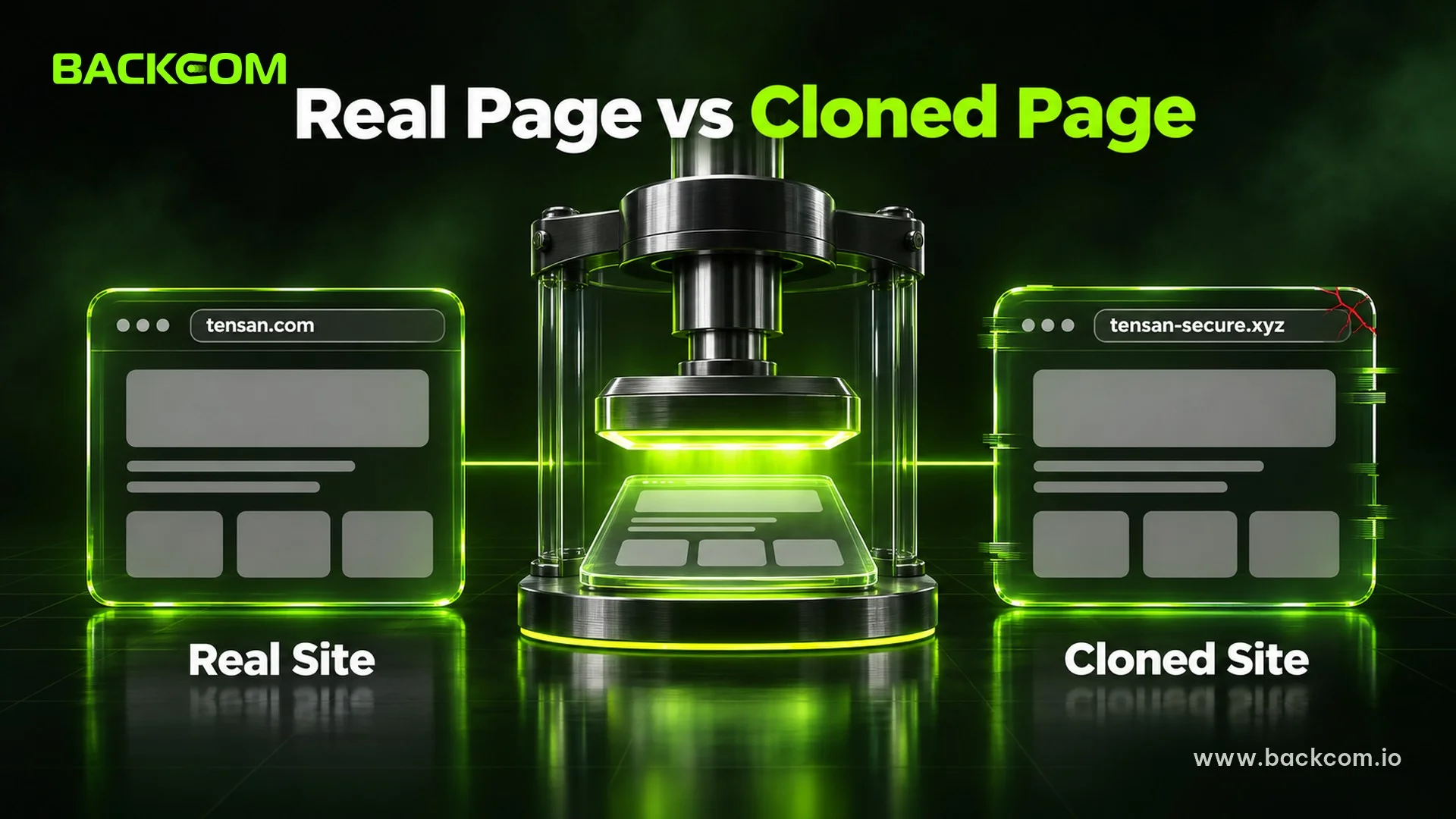
A cloned broker site is a website built by a third party that copies a real broker's interface so you believe you are in the right place. The link that leads there is the fake forex broker website link. Its goal is to collect login details and two-factor codes, or to persuade you to deposit into an account controlled by the scammer.
This is not the same as a scam broker. A scam broker is a company that poses as a broker and keeps client money, which is covered in our guide to signs of a forex broker scam. With a cloned site the real broker still exists, and you are simply clicking on a copy of it.
The most common types of fake page are:
- Fake login pages: identical to the client area, built only to harvest your email, password and verification code.
- Fake sign-up pages: promise a deposit bonus, then ask for personal documents.
- Fake deposit pages: show the scammer's wallet address or bank account instead of the broker's.
- Fake warning pages: claim to be a regulator and list a phone number for you to call.
They slip through because a phone's address bar shows only a short slice of the link. Instead of trusting the feeling that "this page looks familiar", check it against the five signs below.
2. Sign 1: How To Spot A Fake Broker Domain That Is Off By A Few Characters
A fake broker domain is often only slightly different from the real address. Google's Chrome Help describes this exact trick: a deceptive page tries to fool you with a URL that is slightly changed from a known safe site, and Chrome shows a "Did you mean" warning when an address looks like it belongs to a different site than the one you expected. See the source: Chrome Help on deceptive and dangerous sites.
Take an imaginary broker whose real address is tensan.com. Typical look-alikes include:
tensann.com: one letter too many or too few.tens4n.com: a letter swapped for a similar-looking digit.tensan-login.com: a suffix such as "login", "secure" or a country code.tensan.co: same name, different ending.rnin place ofm, or a lowercaselin place of a capitalI: nearly identical in many fonts.
The human eye skips typos in familiar words, so "reading more carefully" is not enough. A sturdier habit is to compare against the address you saved the first time you reached the broker through an official channel. If it differs by even one character, treat it as unofficial.
3. Sign 2: Is The Root Of The Domain Really The Broker's Brand?
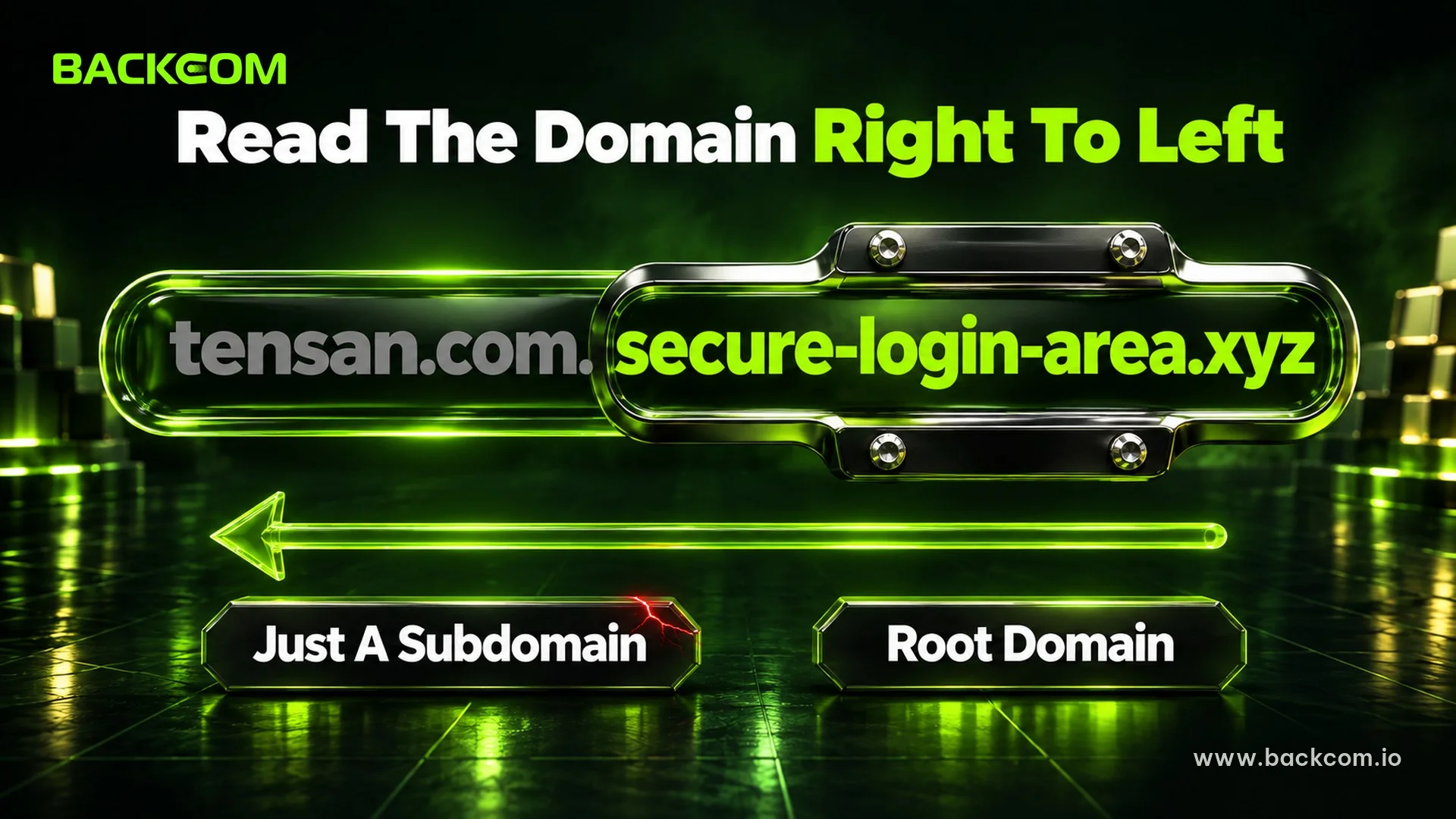
The part that decides ownership of a web address is the block just before the ending (.com, .net, or a two-part ending such as .co.uk), counted before the first single slash. Anything to the left of that block is a subdomain, which the owner of the root can name freely. Consider this address:
tensan.com.secure-login-area.xyz/login
Your eye stops at tensan.com at the start, but the real root is secure-login-area.xyz. Whoever owns that root can create any subdomain they like. The correct way to read an address is from right to left, ignoring everything after the first single slash and taking the ending plus exactly one block before it.
Be careful in the other direction too. The CFTC advises suspicion of sites that look like well-known brands or do not end in .com, yet a genuine broker can use other endings and often runs several domains for its homepage, client area and partner programme. So you need to compare with an official page you have already verified, rather than judge by the ending alone. See the source: CFTC's 10 signs of a scam crypto or forex trading website.
4. Sign 3: Is The Domain Brand New While Claiming Years Of History?
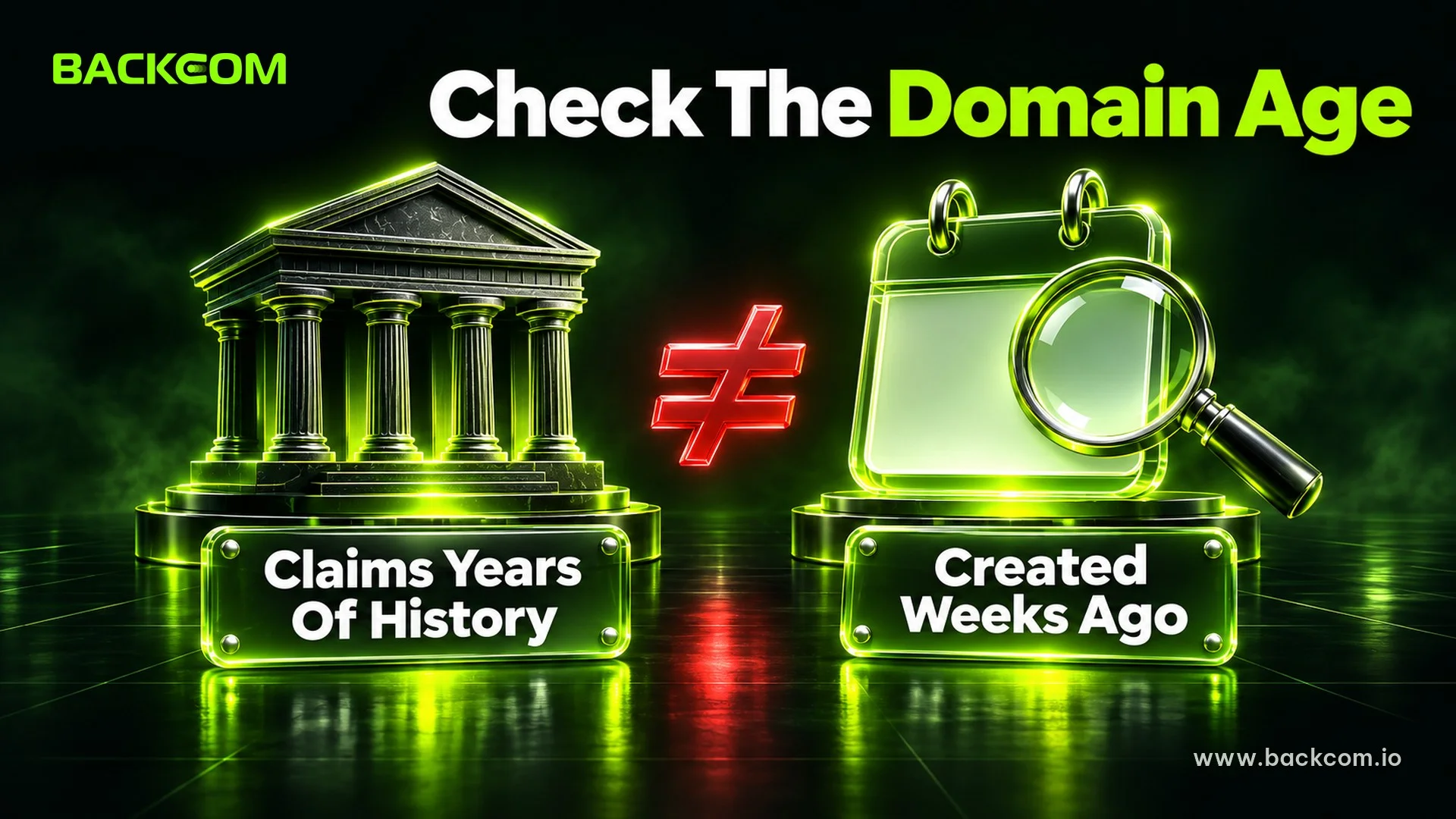
A scam page can copy a design in hours, but it cannot copy the age of a domain. The CFTC describes the check: look up the registration at lookup.icann.org, and the result shows when the web address was created. If a company claims to have operated for years but its domain was registered only a few weeks ago, that is a sign of fraud. The steps are short:
- Open ICANN Lookup by typing the address yourself, not by tapping a link in a message.
- Paste the root domain you identified in sign 2, not the full URL.
- Find the creation (registration) date shown in the result.
- Compare it with how long the page claims to have been in business.
ICANN notes that some owner details may be hidden for privacy, so the main purpose of this step is the creation date. A new domain is not automatically fake, and an old one is not automatically safe. The date is only one piece of the puzzle.
The CFTC also suggests a very cheap extra step: search the domain name together with "scam", "fraud" or "reviews". If someone has already reported the page, the answer often appears in the first few results.
5. Sign 4: Do The Licence And The Website Match The Regulator's Register?
Fake pages often print a legal name and licence number in the footer. Anyone can copy a string of text. Australia's regulator ASIC warns that scammers increasingly use the details of real companies when registering websites, and that contact details on an impostor site often differ from those in ASIC's registers. The right check is a reverse check:
- Note the legal entity name and licence number shown on the page.
- Type the address of the licensing authority's register yourself, for example Search ASIC's registers for Australian licences, or NFA BASIC for entities registered in the United States.
- Compare entity name, licence status, website and contact details with what the page displays.
- Treat any mismatch as a red flag.
Each regulator has its own lookup, and our guide on how to check a forex broker licence walks through the steps for the FCA, CySEC, FSCA and ASIC. The CFTC points out that registration alone does not protect you from fraud, but most fraud is run by unregistered people and platforms. A matching licence is necessary, not sufficient.
ASIC has also seen scammers add fake "scam warning" banners with the scammer's own phone number. A banner on the very page you doubt can never serve as verification.
6. Sign 5: Where Does A Forex Broker Phishing Link Come From?
The domain is only half the story. The other half is how the link reached you. A forex broker phishing link, including a fake Exness login link, usually arrives through a channel you did not choose. The US Federal Trade Commission (FTC) notes that phishing messages often tell a story to trick you into clicking a link or opening an attachment. For forex traders the familiar scripts are:
- A message saying "your account is locked" or "verify within 24 hours" with a link attached.
- A "support admin" messaging you privately in a chat group, promising a quick fix if you tap their link.
- A deposit bonus or trading contest announced from a domain you have never seen.
- A social media ad or top search result leading to a sign-up page styled like a familiar broker.
The FTC stresses that legitimate companies will not email or text a link to update your payment information, and advises using a phone number or website you know is real instead of the details in a suspicious message. For a forex broker, any account notice can be checked by opening the app or client area you saved yourself. See the source: FTC guidance on recognising phishing scams.
7. How To Verify A Forex Broker Website In 60 Seconds
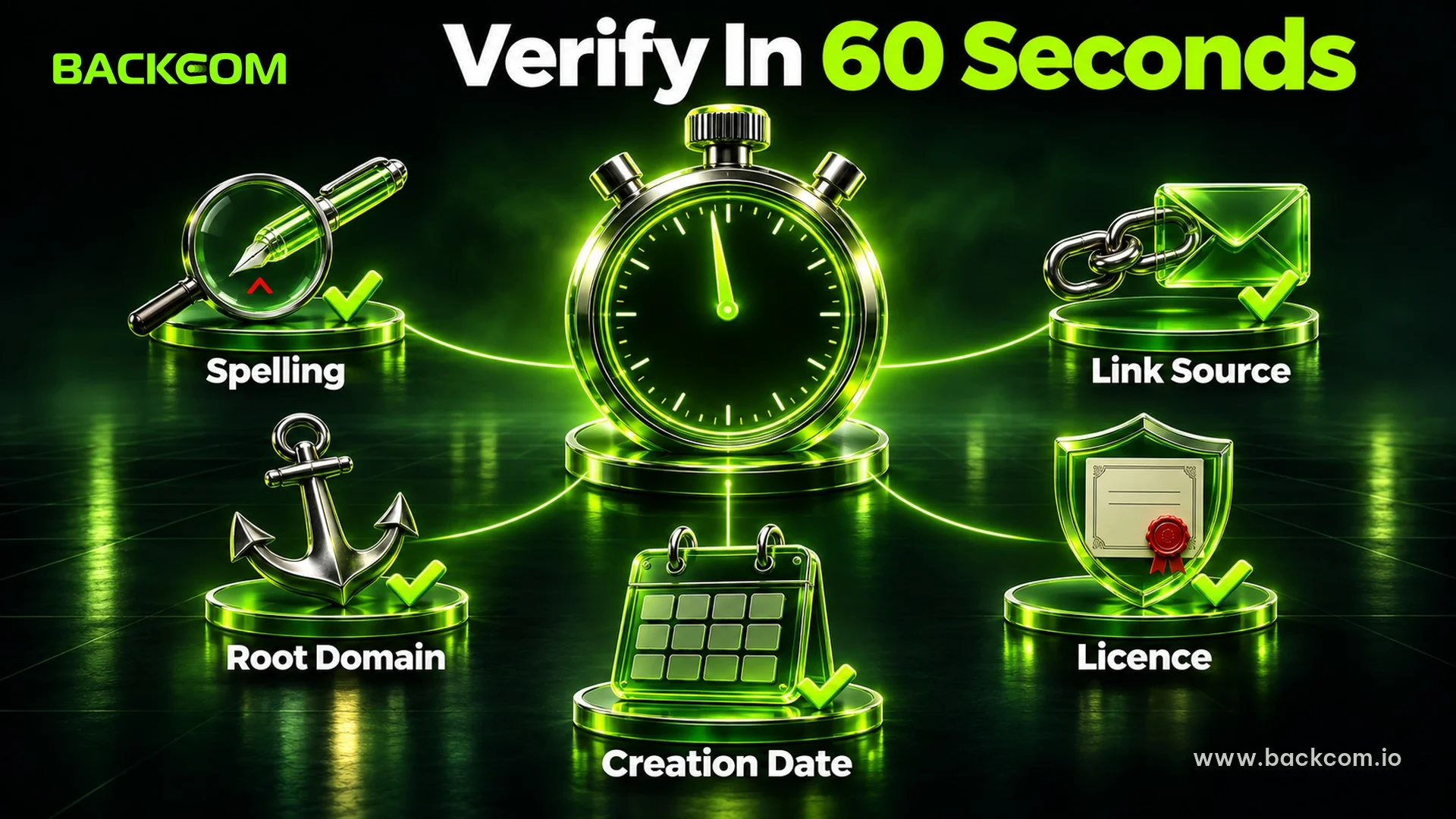
Signs 1, 2 and 5 can be checked in about 60 seconds from the address bar and the message itself, enough to rule out suspicious links early. Signs 3 and 4 take a few more minutes in ICANN Lookup and the regulator's register.
| Sign | Question To Answer | Tool |
|---|---|---|
| 1. Domain spelling | Does it differ from your saved address by even one character? | Verified bookmark |
| 2. Root domain | What sits before the ending and before the first slash? | Read right to left |
| 3. Creation date | Does it match the years the broker claims? | ICANN Lookup |
| 4. Licence | Do entity name, status and website match the register? | Regulator's register |
| 5. Link source | Did the link come from a message, chat group or odd ad? | Open the app or bookmark yourself |
Based on CFTC, ASIC and FTC guidance as at 23 November 2026. Each authority's lookup process may change, so check it again before relying on it.
One sign out of place means stop and verify through another channel. Two or more means treat the page as fake until the broker confirms otherwise through a support channel inside an account you logged into before.
8. What To Do If You Clicked A Fake Link Or Typed A Password
If you have already entered details into a suspicious page, speed matters more than perfection. Work through these steps in order:
- Stop typing: close the tab and do not enter any more codes. A two-factor code typed into an unknown page should be treated as exposed.
- Go to the real site through a bookmark or the official app, then change your client-area password at once.
- Turn on or recheck multi-factor authentication. The FTC notes that it makes it harder for someone with a stolen password to get in.
- Change the email password used to register with the broker, and any other place that shares the same password.
- Change your MT4/MT5 trading password, then check logged-in devices, pending withdrawals and saved withdrawal addresses.
- Contact the broker's support through a channel inside an account you opened before, not through a phone number or link on the suspicious page.
- Scan your device if you downloaded a file or app, as the FTC advises when you suspect malware.
If you have already sent money, keep the evidence: screenshots of the page, the address, the transaction ID and the messages. Then report it to your bank or wallet provider and to the competent authority where you live.
9. How Can You Reach A Broker's Site Without Guessing The Link?
The surest way to avoid a fake link is to stop judging links at all. A simple routine looks like this:
- Save a bookmark for the client area after you have run the five checks once, then enter only through that bookmark.
- Install the broker's app and MT5 from the official app store and check the publisher name.
- When you need a new sign-up link, take it from a page you have already checked rather than from a message or an ad.
For Exness, you can see the trading conditions and the rebate currently offered on the Exness page, along with the guides on how to open an Exness account and how to log in to Exness on MT4/MT5. Backcom.io is an independent introducing broker (IB/affiliate) of Exness; rebates are paid from the commission the broker pays Backcom.io. See the risk disclaimer for details.
When a broker's site will not open, odd links appear most often. Read how to fix a forex broker website blocked on your phone to find the official channel, or see how to access broker sites with the 1.1.1.1 app instead of looking for mirror links.
Frequently Asked Questions (FAQ) About Fake Forex Broker Websites
Does A Padlock Mean The Broker's Website Is Real?
No. The HTTPS padlock only shows that the connection is encrypted, not that the site is run by the broker. A cloned page can display a padlock too. So read the root domain and check the licence instead of relying on the icon in the address bar.
Is A Newly Registered Domain Always A Fake?
Not necessarily, because real brokers sometimes launch new domains. What is suspicious is a page that claims years of history while its domain was registered only weeks ago, as the CFTC describes. In that case, check the licence and the link source as well.
Not just because it appears on the page. ASIC has recorded scammers using fake warning banners with their own phone numbers to build trust. Find a support number or regulator contact through an independent channel, and never call a number shown on the page you doubt.
Should I Click A Login Link Sent Through Telegram?
No. Even if the sender claims to be support or an admin, open the app or saved bookmark yourself to reach the client area. A real account notice will show up there.
Conclusion: Check The Domain Before Entering Any Details
A fake forex broker website wins through speed, not technical skill: the page looks right, the message sounds urgent, and you click before reading the domain. The five signs, which are domain spelling, root domain, creation date, licence and link source, can all be checked in a few minutes with free tools and regulator registers.
Look at three layers together: is the address right, does the page match the register, and where did the link come from. One layer out of place is reason enough to stop. If you are still choosing a broker, read our 7 criteria for choosing a reputable forex broker.
Disclaimer: This content is compiled by Backcom.io for information only and is not investment advice, a trading recommendation or legal advice. Forex and CFD trading carries a high level of risk and you can lose all of your capital. CFTC, ASIC, FTC and Google guidance is cited as at 23 November 2026 and may change, so check the original source before acting.
Was this article helpful?
Join The Backcom.io Community
Get the latest on trading rebates, trading tips, and broker deals — and connect with thousands of traders worldwide.

Backcom App
Track Your Rebates Every Day
Every rebate is visible by broker and by day. Manage your wallet and withdrawals in one place.
Open Backcom App