Forex Broker Website Blocked On Your Phone: How To Check The Cause And Use Official Channels

You open your phone and the forex broker website is blocked: the page spins forever or throws an error, while your open trades keep moving with the market. Most traders react by trying every trick they can find, including ones that are riskier than the original problem.
In practice, not every access error is a block. Many cases are simply an MT5 app that will not connect to the broker because of a wrong server, a wrong password or a weak mobile signal, so the right fix starts with finding the real cause. In this article, Backcom.io walks through the checks in order: identify the cause, use the broker's official channels, spot fake sites and know when to call support.
1. What Does A Forex Broker Website Blocked On Your Phone Actually Mean?
A forex broker website blocked error means you cannot open the broker's site or app from a particular network, even though the broker itself is running normally. The fault sits on the path between your device and the broker's servers, not in your account or your balance.
Phones hit this more often than computers because traders switch between home Wi-Fi, public Wi-Fi and mobile data. Each network handles access differently, so the same page can load on one connection and fail on another.
Three groups of causes are common:
- A network-level block: the broker's site will not load on a specific carrier or Wi-Fi network.
- A login error: the app opens but reports a wrong account, password or server.
- A broker-side problem: maintenance or heavy load makes the page temporarily unresponsive.
Only the first group is a true block. The other two can usually be fixed if you check things in the right order, as the sections below show.
2. Why Is A Broker Website Not Loading On Mobile? A Step-By-Step Check
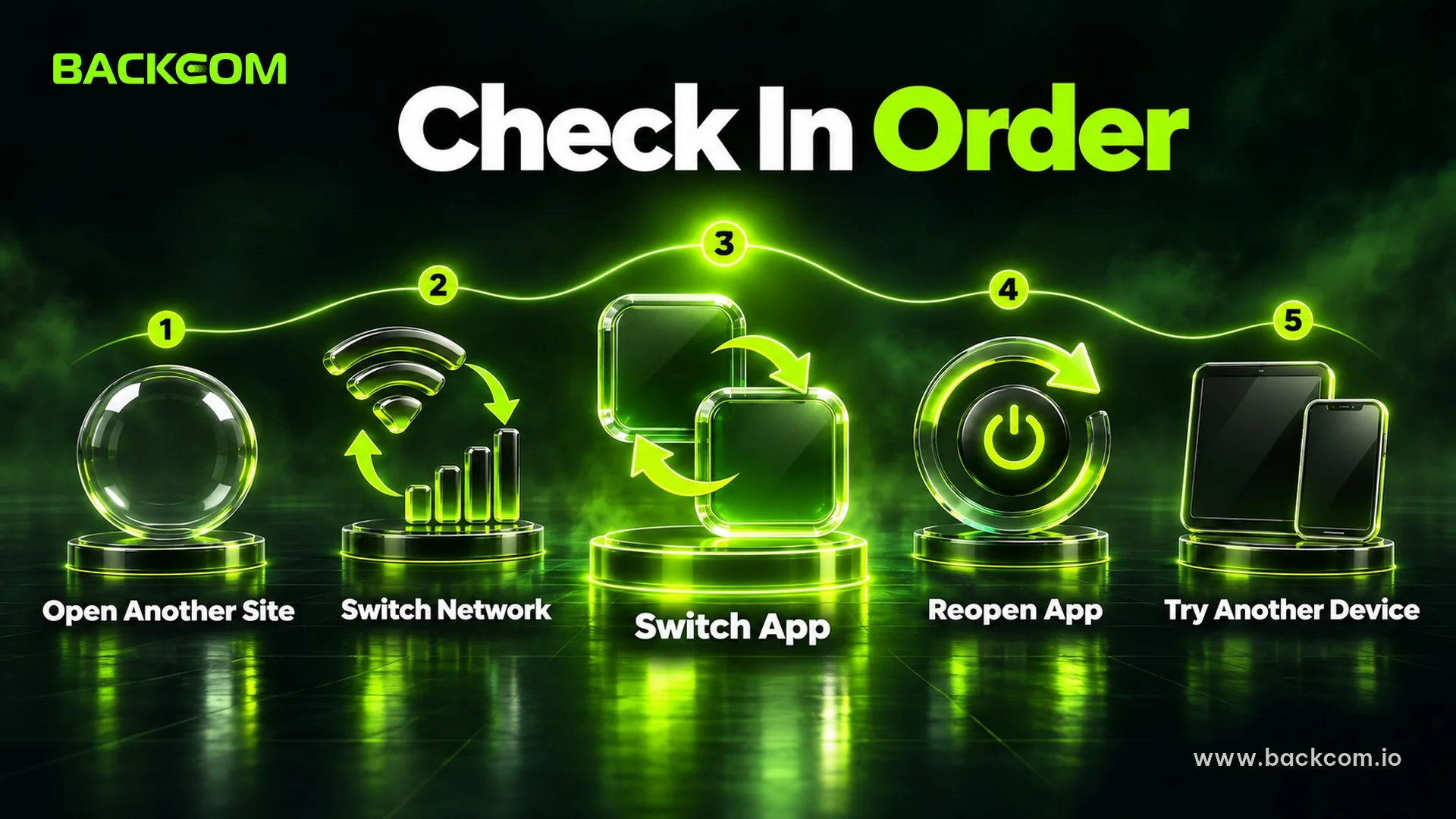
The most reliable way to separate a block from a network fault is to change one thing at a time and watch the result. Work through these steps and stop as soon as the error disappears:
- Open a different site: if news pages or videos load normally, your phone has internet and the problem sits on the route to the broker.
- Switch networks: move from Wi-Fi to mobile data or the other way round, then repeat the exact action that failed.
- Switch apps: if the website will not open, try the broker's official app or MT5, and the reverse.
- Close the app fully and reopen it: swipe it away, restart the phone and log in again.
- Try another device: if another device on the same network also fails, suspect the network; if only your phone fails, suspect the app or the login.
Once you have run all five, compare what you see with the table below.
| Symptom | Likely cause | What to do first |
|---|---|---|
| Website spins and times out | Network problem or access block | Switch networks, try the official app |
| Fails on Wi-Fi, works on mobile data | The network you are on | Use the other network for now |
| MT5 shows "Invalid account" | Wrong login details | Check account number, password and server |
| MT5 shows "No connection" | Wrong server or network | Re-select the correct server, switch networks |
| Every device and every network fails | Possible broker maintenance | Check official notices, contact support |
This table is a general guide as at 17 November 2026. Each broker words its errors differently, so check the guidance of the broker you actually use.
If switching networks and devices does not help and only the broker's own pages fail, a network-level block becomes more likely. In that case, follow the official channels in section 4 rather than experimenting with unknown tools.
3. Why Does The MT5 App Not Connect When The Network Is Fine?
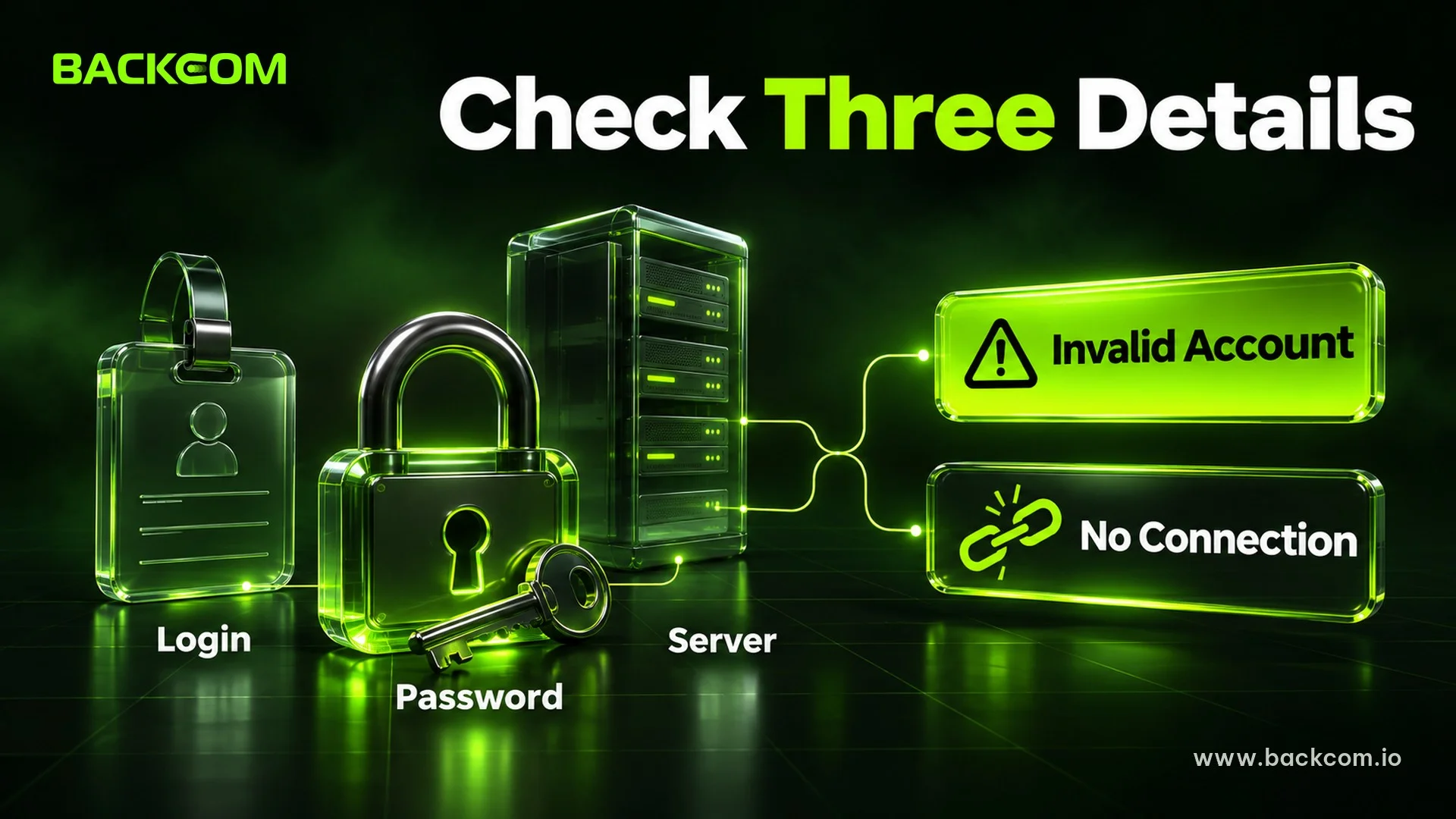
An MT5 app not connect problem is, in most cases, caused by one of three login details being wrong. MetaTrader 5 needs exactly three things: your account number (Login), your password (Password) and the server (Server).
MetaQuotes, the developer of MT5, describes these three items and separates two kinds of password: the master password gives full access, while the investor password is view-only. You can read the official description on the MetaTrader 5 help page for logging in to a trade account.
Two messages appear most often, and they point to different problems:
- Invalid account: the login details are wrong, meaning the account number, password or server.
- No connection: usually the wrong server was chosen, or the connection itself is unstable.
Many brokers publish guidance with the same logic. For example, IG's MT5 connection troubleshooting page tells users to check the MT5 account number, use the MT5 password rather than the client-portal password, and then re-select the correct server.
Check The Server And Password In This Order
Re-type each item by hand instead of pasting it:
- Account number: the numeric login from your account-opening email, not the email address you sign in with.
- Trading password: different from the password for the broker's client area, so check the email or reset it in the client area.
- Server name: it must match every character of the name the broker sent, because live and demo servers have different names.
- Account type: MT4 and MT5 are separate platforms, and details for one will not work on the other.
- Extra spaces: pasting a password from a note often adds a space at the start or the end.
If the right server is missing from the list, reopen the broker search inside MT5 and type the broker's name to refresh it. If you trade with Exness, the server and account details are on the Exness broker page, and the guide to logging in to Exness on MT4 and MT5 covers the steps. If you are new to the platforms, read about the differences between MT4 and MT5 to confirm you are using the right account type.
4. How To Reach A Blocked Forex Broker Through Official Channels
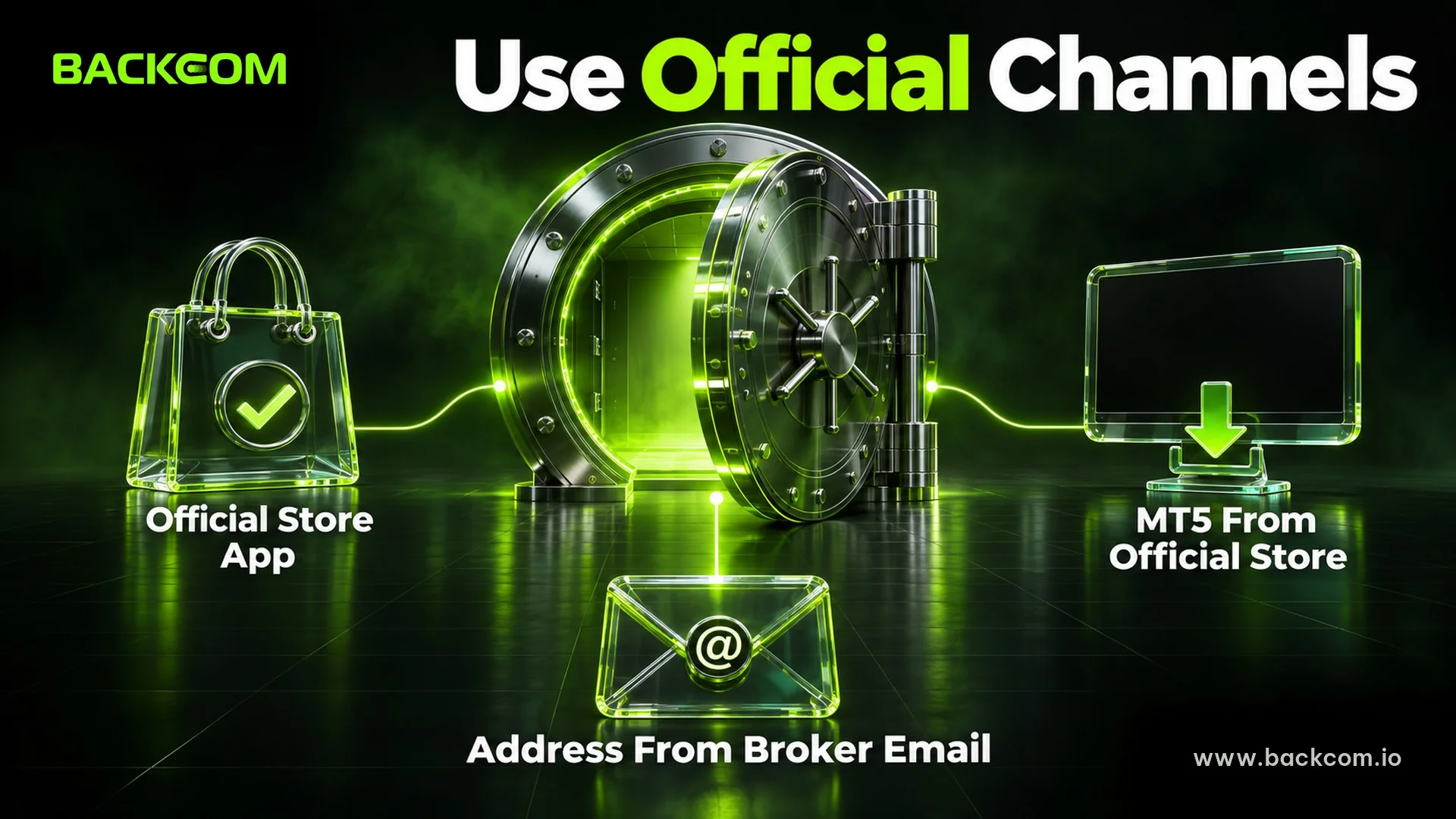
The safest way back into your account is to use the channels the broker itself publishes for clients. These three channels can all be traced back to their source.
Official Broker App Vs Website: Which To Use First
Many brokers offer their own app for balances, deposits and withdrawals. Download it from the App Store or Google Play by searching for the exact publisher name the broker lists on its official site, never from an installer link sent in a message.
Before installing, check three points:
- Publisher name: it matches the legal entity or brand shown on the broker's official site.
- Downloads and reviews: a genuine app usually has many users, while a fake one is often new with few reviews.
- Permissions requested: a trading app does not need to read your messages or contacts.
MT5 Installed From An Official Store
For MT5, install the MetaTrader 5 app published by MetaQuotes from the official store, then pick your broker in the list or enter the server the broker gave you. This does not depend on the broker's website loading, because MT5 connects straight to the trading server.
As a result, a trader who cannot open the website can often still view and close trades, provided the three login details from section 3 are correct and the trading server is not disrupted at the same time.
The Web Address From The Broker's Own Records
Your account-opening email and your client area hold the official address. Save it in a note when you open the account instead of searching for it again every time something fails.
If you need to look it up, cross-check it against the list of reviewed brokers. The simplest route is still to open it from the broker's old email.
Some traders try changing DNS or using a private network tool when a site is blocked. That approach is covered in a separate guide on accessing broker sites with the 1.1.1.1 app, while this article stays with official channels and does not teach those tools.
5. Forex Broker Blocked In My Country: How To Spot Fake Sites And Apps
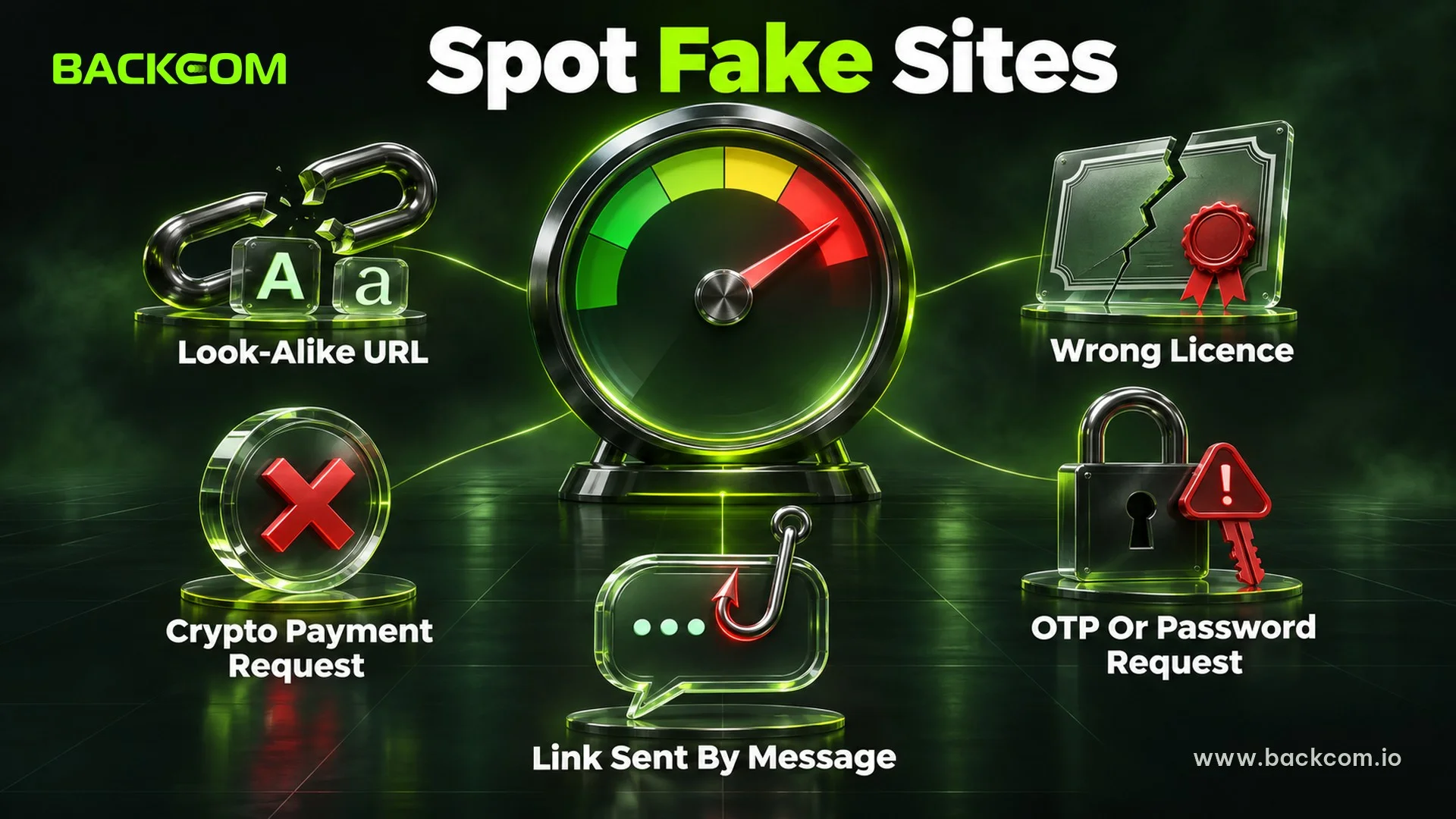
When you are in a hurry to log in, scammers appear at exactly the right moment: a trader searching "forex broker blocked in my country" is the perfect target for fake links. The simple rule is never to enter a password on any page whose source you cannot verify.
Australia's regulator ASIC describes the signs of investment scam and phishing websites on its page about its website takedown capability. According to ASIC, since July 2023 it has coordinated the removal of tens of thousands of investment scam and phishing websites.
Warning signs worth noting include:
- A URL that does not match the content: the page looks like the broker but the address differs by a few characters.
- A licence number that belongs to another entity: the name is similar but the company details do not match the regulator's register.
- A request to pay in digital assets: a genuine broker does not ask you to send money to an unfamiliar wallet.
- A "backup" link sent by message: genuine brokers do not privately message clients a new login link.
- A request for an OTP or password: genuine staff never ask for these.
For each sign, stop and verify through an official channel before going further. The guide to signs of a forex broker scam goes deeper into checking licences, and the 7 criteria for a reputable forex broker helps you re-evaluate a broker you doubt.
One rule to keep: if a link makes you enter your trading password immediately, close it and start again from the email or client area you saved.
6. Contact Forex Broker Support When You Cannot Get In: What To Prepare
You should contact support after completing sections 2 and 3 if the error remains. The more complete your message, the faster support can act, because they will not need to ask for each detail again.
Prepare these items:
- Account number: give only the account number and the verification details support asks for, never your password.
- A screenshot of the error: include the message and the server name you selected.
- Device and operating system: for example iPhone or Android and the version you run.
- Network type: Wi-Fi or mobile data, and whether you already switched.
- When it started: the date, the time and the action you took just before the error.
When you reach out, use only the contact details in your confirmation email or client area, and never a phone number sent by a stranger.
7. What Happens To Your Account And Open Trades Meanwhile?
Being unable to open the broker's website does not change your balance or your trades. Open positions stay on the broker's trading server and keep following price moves as usual.
While you fix access, do three things:
- Check trades through MT5: if MT5 logs in, review open positions and the current profit or loss.
- Check your stop loss: stop-loss and take-profit levels are normally stored on the broker's server, but the exact conditions depend on the broker, so confirm with support.
- Do not open new trades on an unsteady connection: an order sent on a shaky signal can be delayed or filled at a worse price.
Do not rush to move money to an unfamiliar channel either. Make any withdrawal request from your broker's client area.
Frequently Asked Questions (FAQ) About A Forex Broker Website Being Blocked
Does A Blocked Forex Broker Website Make Me Lose Money?
No, being unable to open the website does not by itself cost you money. Your balance and trades stay in the broker's system, you just have trouble acting on them for a while. The real risks are open trades moving with the market and entering a password on a fake page.
Can I Trust A Backup Broker Link On Telegram?
Not straight away. A backup link from a stranger or an unknown group is the most common scam when a broker is blocked. Use only the address in your confirmation email or client area, and never enter a password or OTP on a page whose source you cannot check.
Is A VPN Or DNS Change Safe?
Safety depends on the provider, because your login data passes through a third party, so it should not be your default. This article does not teach those tools, and the lower-risk route is the official channels in section 4. If you are curious, read the guide on accessing broker sites with the 1.1.1.1 app and weigh the risks yourself.
What Should I Do If MT5 Says Invalid Account?
This is usually a typing problem rather than a block. Re-enter the account number, trading password and server name by hand using your confirmation email, then reset the password in the client area if it still fails.
Conclusion: The Safest Way To Reach A Blocked Forex Broker On Your Phone
When a forex broker website is blocked, follow the order: separate a network block from a login error, check the three MT5 details, use the official app and address, then contact support if needed. Traders should keep three things in view together: the real cause of the error, the safety of the channel being used and the state of open trades.
If you are looking for a broker with clear support channels and transparent trading conditions, see the list of brokers and rebate terms. Backcom.io is an independent introducing broker (IB/affiliate) of the brokers listed; rebates are paid from the commission the broker pays Backcom.io, as explained in the risk disclaimer.
Disclaimer: This content is compiled by Backcom.io for information and reference only and is not investment advice, a trading recommendation or legal advice. Forex trading carries a high level of risk and you may lose all of your capital. Rules on accessing foreign financial services can change, so you should check them yourself and take responsibility for your own decisions.
Was this article helpful?
Join The Backcom.io Community
Get the latest on trading rebates, trading tips, and broker deals — and connect with thousands of traders worldwide.

Backcom App
Track Your Rebates Every Day
Every rebate is visible by broker and by day. Manage your wallet and withdrawals in one place.
Open Backcom App