XM Inactivity Fee: How Much, When It Starts And How To Avoid It


An XM account left alone for a few months does not just sit there. It can be charged. According to the XM Help Center, the XM inactivity fee is 10 USD per month, or your entire available balance if it is under 10 USD, and it only starts once an account has had no activity for more than 90 days.
The part people overlook is what comes with it. When an account turns dormant, any remaining bonuses, promotional credits and XMCs are removed automatically, and the account can later be archived and cannot be reopened.
In this article, Backcom.io walks through the fee, the 90-day rule, what counts as activity, when an account is archived, a worked example at four balance levels and the steps traders can take to avoid being charged. Figures come from the XM Help Center and Client Agreement, checked on 13 November 2026.
1. How Much Is The XM Inactivity Fee?
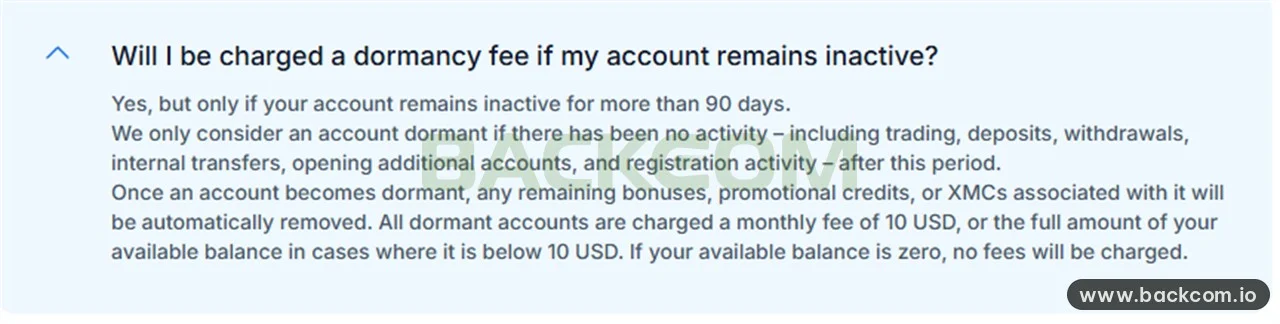
The XM inactivity fee (the broker calls it a dormancy fee) is an automatic monthly charge on an account that has had no activity for more than 90 days: 10 USD per month, or the full available balance if that balance is below 10 USD. If the available balance is zero, no fee is charged.
The Help Center answer ties three consequences to the dormant status:
- Monthly charge: 10 USD a month, or the whole available balance when it is under 10 USD.
- Rewards removed: every remaining bonus, promotional credit and XMC linked to the account is deleted automatically.
- No charge at zero: if the available balance is 0, the broker takes nothing.
XM calls it a monthly fee, but Clause 79.3 of the Client Agreement says the account is regarded as archived once the fee has been applied. So you should not count on an account surviving several rounds of charges.
Read it directly in the XM Help Center. The XM page on Backcom.io also lists long inactivity as a possible cost, see the XM broker page.
2. What Counts As Activity Under The XM 90 Days Inactivity Rule?
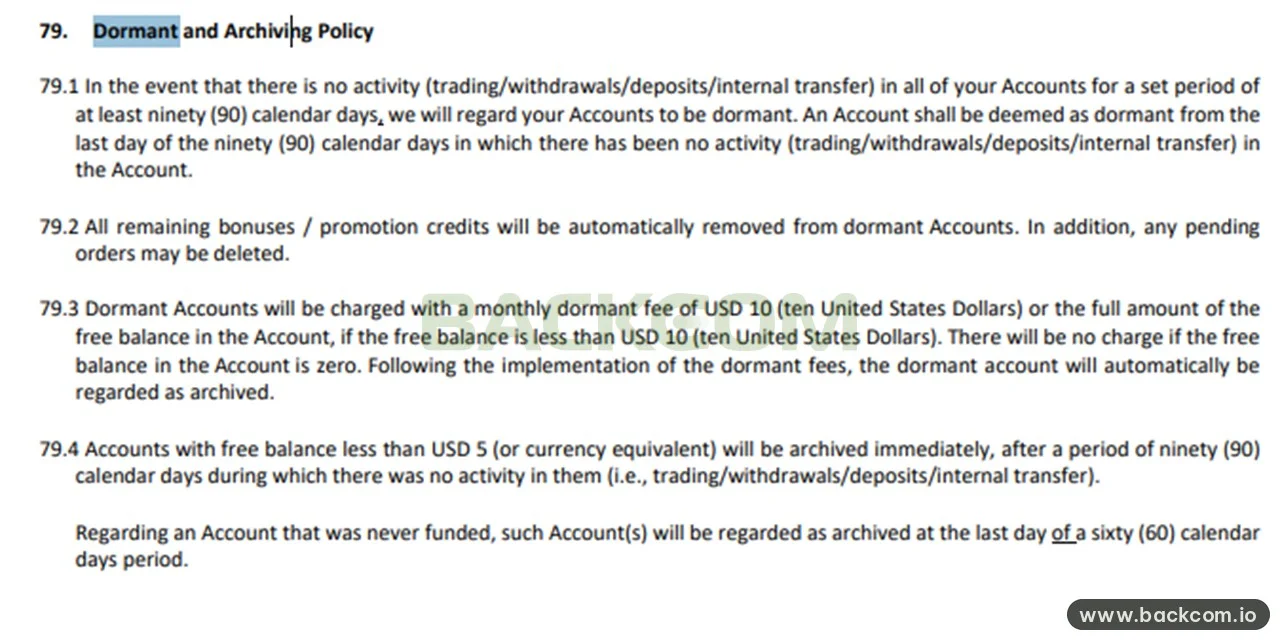
The XM 90 days inactivity rule is wider than the word "trading" suggests. Clause 79.1 of the Client Agreement says that if there is no activity (trading, withdrawals, deposits, internal transfers) for at least 90 calendar days, the account is regarded as dormant from the last day of that 90-day period.
The Help Center lists a few more actions. The table below combines both sources:
| Action | Counts as activity | Source |
|---|---|---|
| Trading (opening or closing orders) | Yes | Help Center and Clause 79.1 |
| Deposits | Yes | Help Center and Clause 79.1 |
| Withdrawals | Yes | Help Center and Clause 79.1 |
| Internal transfers | Yes | Help Center and Clause 79.1 |
| Opening an additional account | Yes | Help Center |
| Registration activity | Yes | Help Center |
Based on the XM Help Center and Client Agreement as at 13 November 2026. Terms can change and differ by the XM entity your account is registered with, so check them again before relying on them.
Three points matter when you count the days:
- Calendar days: the 90 days include weekends and holidays, not just trading sessions.
- Any activity resets the clock: if your last action is on 14 November 2026, day 90 is 12 February 2027.
- Pending orders can go: Clause 79.2 says pending orders on a dormant account may be deleted along with the remaining bonuses.
The two documents are worded slightly differently. The Client Agreement looks at activity across all of your accounts, while the Help Center talks about an inactive account. The cautious reading is to give each account its own activity instead of relying on another account that is still active.
3. Is An XM Account Archived After 90 Days, And Can You Reopen It?

An XM account archived is the final state. XM states that once a trading account is archived it cannot be reopened, and that if you have no active account left to trade on you can simply open a new one.
The Client Agreement and Help Center describe four routes to archiving:
- Zero balance for over 90 days: the Help Center says an account that stays at zero for more than 90 days is archived.
- After the dormant fee is applied: Clause 79.3 states that a dormant account is automatically regarded as archived once the fee has been implemented.
- Free balance under 5 USD: Clause 79.4 allows archiving immediately after 90 days with no activity.
- Never funded: an account that was never funded is archived on the last day of a 60-calendar-day period.
The 60-day limit for unfunded accounts is shorter than the 90-day one, so anyone who opens a live account and waits for the right moment to deposit should note it.
Your profile is not lost with the account. XM answers that traders who verified their profile before and had accounts archived do not need to verify again. The route XM gives for an archived account is to open a new one, so you trade on a new account with a new account number, and your EA and MT4 or MT5 settings have to be attached again.
If you need to compare account types before reopening, the XM account types guide sets out Standard, Micro and Zero side by side.
4. How Much Does An XM Dormant Account Pay In Fees At 4, 8, 25 And 100 USD?
An XM dormant account is charged under one rule, which only differs by whether the balance reaches 10 USD:
Monthly fee = 10 USD, or the entire available balance if it is under 10 USD
The table applies that rule, plus Clauses 79.3 and 79.4, to five balance levels:
| Available balance | First fee charged | Status under the Client Agreement |
|---|---|---|
| 0 USD | 0 USD | No fee; archived if left at zero over 90 days |
| 4 USD | Not stated in Clause 79.4 | Archived immediately after 90 days (Clause 79.4) |
| 8 USD | 8 USD (entire balance) | Emptied, then regarded as archived under Clause 79.3 |
| 25 USD | 10 USD | 10 USD charged; by the wording of Clause 79.3 then regarded as archived, and the source does not say how the rest of the balance is handled |
| 100 USD | 10 USD | 10 USD charged; by the wording of Clause 79.3 then regarded as archived, and the source does not say how the rest of the balance is handled |
Based on the XM Client Agreement as at 13 November 2026. Fees and time limits can change, so check them again before leaving an account unused.
Clause 79.3 links archiving to the moment the fee is applied. So a balance above 10 USD should not be assumed to lose only 10 USD at a time until it runs out. The safer move is to withdraw unused funds, or create a valid activity, before day 90 rather than wait to see how the rest of the balance is handled.
On a very small account the fee takes almost everything. Someone who deposits 8 USD to try the broker and forgets it can lose all 8 USD in a single charge, so trial money is better used or withdrawn early. How much to deposit in the first place is covered in how much money you need to trade forex.
5. How To Avoid XM Inactivity Fee, Step By Step
To avoid the XM inactivity fee you do not need a trick, only one valid activity on the account before the 90-day clock runs out. The steps below follow the list of activities XM publishes.
- Record the last activity date of each account. Open Transactions History in the Members Area, pick the account and note the latest deposit, withdrawal or transfer. Trade history is in MT4 or MT5.
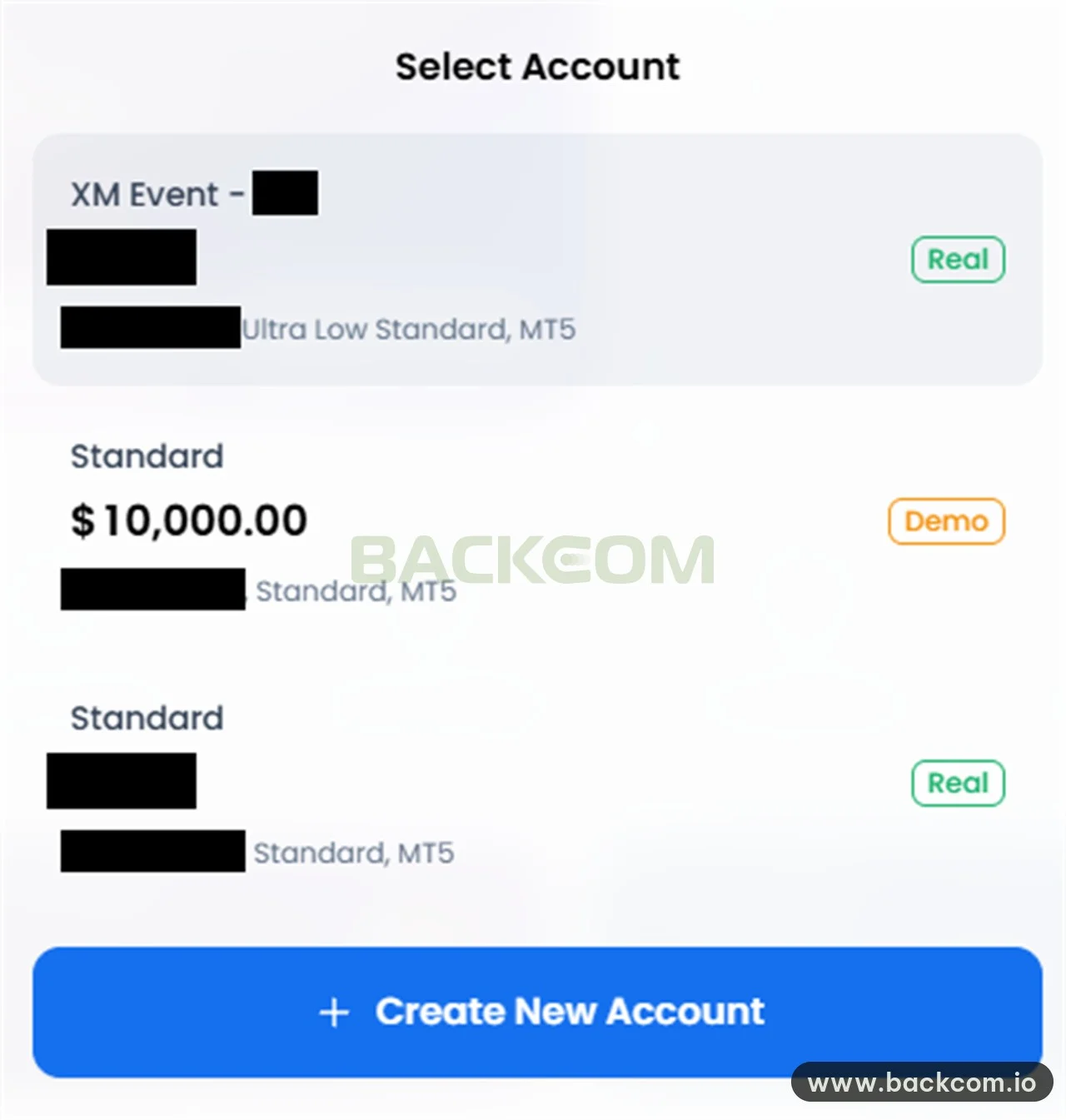
- Set a reminder for day 60 to 75. The account list in the Members Area only shows a Real or Demo label, with no Active, Dormant or Archived status, so you have to track the dates yourself.
- Create a valid activity before day 90. Open and close an order, deposit or withdraw an amount, or make an internal transfer between two of your own XM accounts. Pick the action that costs you least.
- Withdraw the whole balance if you are done with the account. A zero balance is not charged, but an account left at zero for over 90 days is archived, so this is a deliberate way to close it.
- Use or withdraw bonuses and XMCs before day 90. They are deleted automatically once the account is dormant and cannot be recovered.
If you hold several accounts, run these steps for each one. Two Real accounts in the same list are still two separate clocks under the cautious reading in section 2.
6. Where Do You Check The Last Activity Date Of An XM Account?
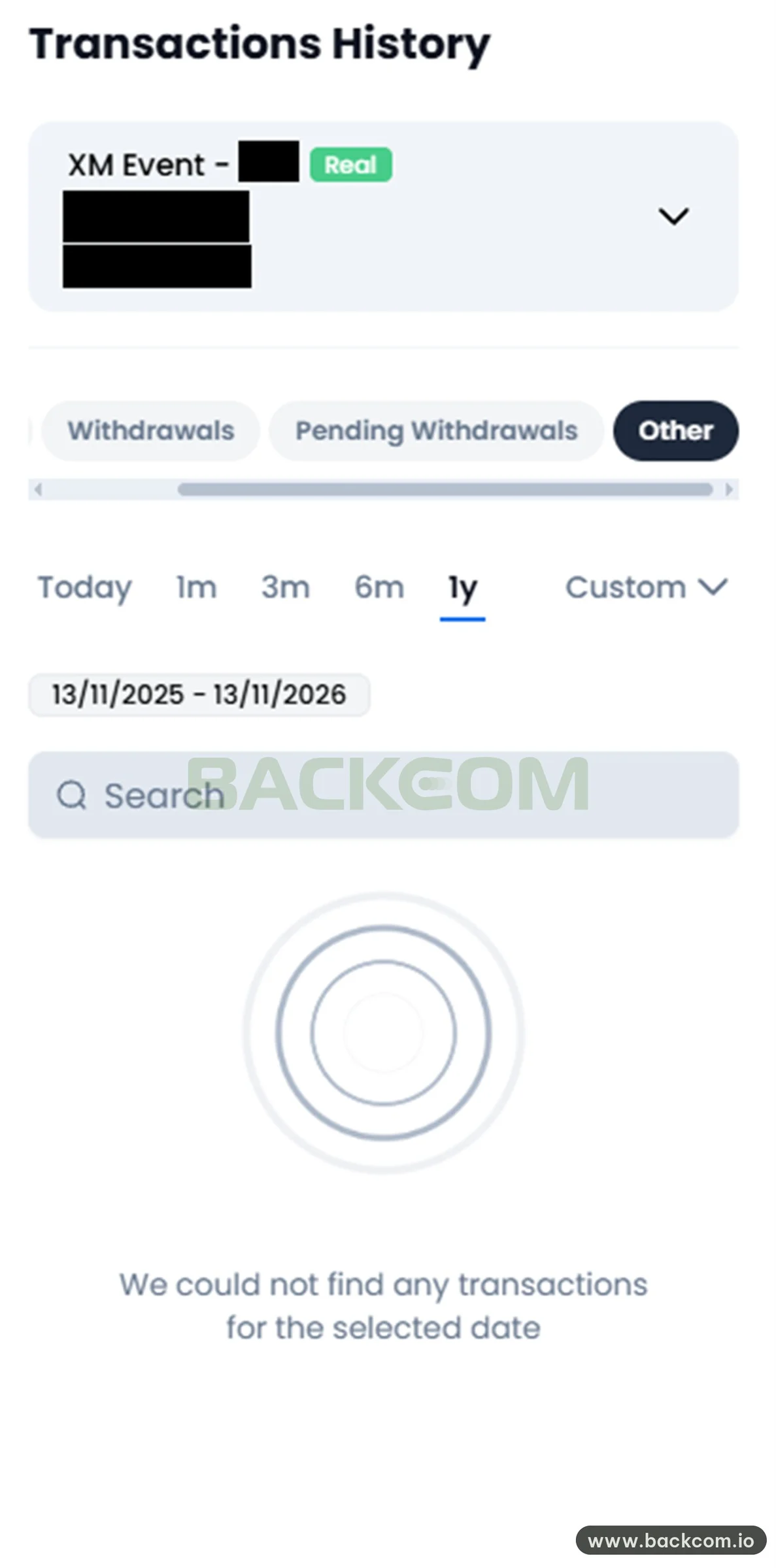
The last activity date of each account is in Transactions History in the XM Members Area. The screen splits entries into groups such as Withdrawals, Pending Withdrawals and Other, plus the filters Today, 1m, 3m, 6m, 1y or Custom and a Search box.
The quickest check takes three actions:
- Pick the right account: each account has its own history, so select every Real account from the drop-down in turn.
- Run each group over 1y: a year is wide enough to show your latest deposit, withdrawal or transfer.
- Add 90 calendar days: your last activity date plus 90 days is when the account starts to be regarded as dormant.
When an account has no entries in the selected range, XM shows "We could not find any transactions for the selected date". That is only an empty state and does not tell you whether the account is still active or already archived. Orders are checked separately in the MT4 or MT5 history.
If you see a charge that you believe is wrong, send XM support the account number, the date of your last activity and Clause 79 of the Client Agreement so they can reconcile the dates.
Frequently Asked Questions (FAQ) About XM Inactivity Fee
Is The XM Inactivity Fee Charged When The Balance Is Zero?
No. The Help Center and Clause 79.3 both say that no fee is charged when the available balance is zero. Even so, an account left at zero for more than 90 days is archived and cannot be reopened, so anyone who wants to keep the account needs one valid activity in every 90-day period.
Does A Withdrawal Count As Activity On An XM Account?
Yes. Withdrawals, deposits, internal transfers and trading are all in the list of activities in Clause 79.1. The Help Center also counts opening an additional account and registration activity. Pick the action that costs you least and note the date you did it.
Are Bonuses And XMCs Lost When An XM Account Becomes Dormant?
Yes. The Help Center says remaining bonuses, promotional credits and XMCs are removed automatically when the account becomes dormant. Clause 79.2 says bonuses and promotion credits are removed and adds that pending orders may be deleted. Use or withdraw rewards before the 90-day mark.
Do You Have To Verify Again After An XM Account Is Archived?
No. XM says that if you verified your profile before and your trading accounts were archived, you do not have to go through verification again. An archived account cannot be reopened, though, so you open a new account and set up your trading platform again.
Conclusion
The XM inactivity fee comes down to three numbers: the 90-calendar-day mark, 10 USD a month or the whole balance below 10 USD, and bonuses and XMCs removed at the same moment. Traders should weigh three things together: which actions count, the balance on hand and the last activity date of every account.
In one line: note the last activity date, remind yourself around day 60 to 75, then deposit, withdraw, transfer or trade before day 90, or withdraw the whole balance if the account is no longer needed. For an account that was never funded, the limit to watch is 60 days.
If you are considering a new XM account, you can check the rebate rate and conditions on the XM rebate page and the XM trading fees guide for the real cost of each lot. Backcom.io is an independent introducing broker (IB/affiliate) of XM; rebates are paid from the commission XM pays this partner, see the risk disclaimer.
Disclaimer: This content is compiled by Backcom.io for information only and is not investment advice, a trading recommendation or legal advice. XM terms and fees can change over time and by entity, so check them with XM before you decide.
Was this article helpful?
Join The Backcom.io Community
Get the latest on trading rebates, trading tips, and broker deals — and connect with thousands of traders worldwide.

Backcom App
Track Your Rebates Every Day
Every rebate is visible by broker and by day. Manage your wallet and withdrawals in one place.
Open Backcom App