Hedge Mode Vs One Way Mode In Crypto Futures: Which Position Mode To Use

Last updated: 22 November 2026
Hedge mode vs one way mode is a setting that decides what happens when you open a long and a short on the same crypto futures contract. In one-way mode the two trades net into a single position. In hedge mode they stay open side by side, each with its own entry price, size and profit or loss. The choice changes how orders close and how many fees you pay. In this article, Backcom.io explains both modes, compares them in a table, walks through the same trades in each mode with simple numbers and gives a short checklist for choosing.
1. What Is One-Way Mode In Crypto Futures?
One-way mode lets you hold a position in only one direction on a given contract at any time. Binance describes it as holding positions "in one direction under one Futures contract". OKX words it the same way: you hold one direction at a time, and an order in the opposite direction closes or reduces the existing position instead of opening a new one.
This is the simplest model. Bybit's API documentation states "System default: one-way mode", so a new account normally starts here.
How One-Way Mode Futures Positions Net Out
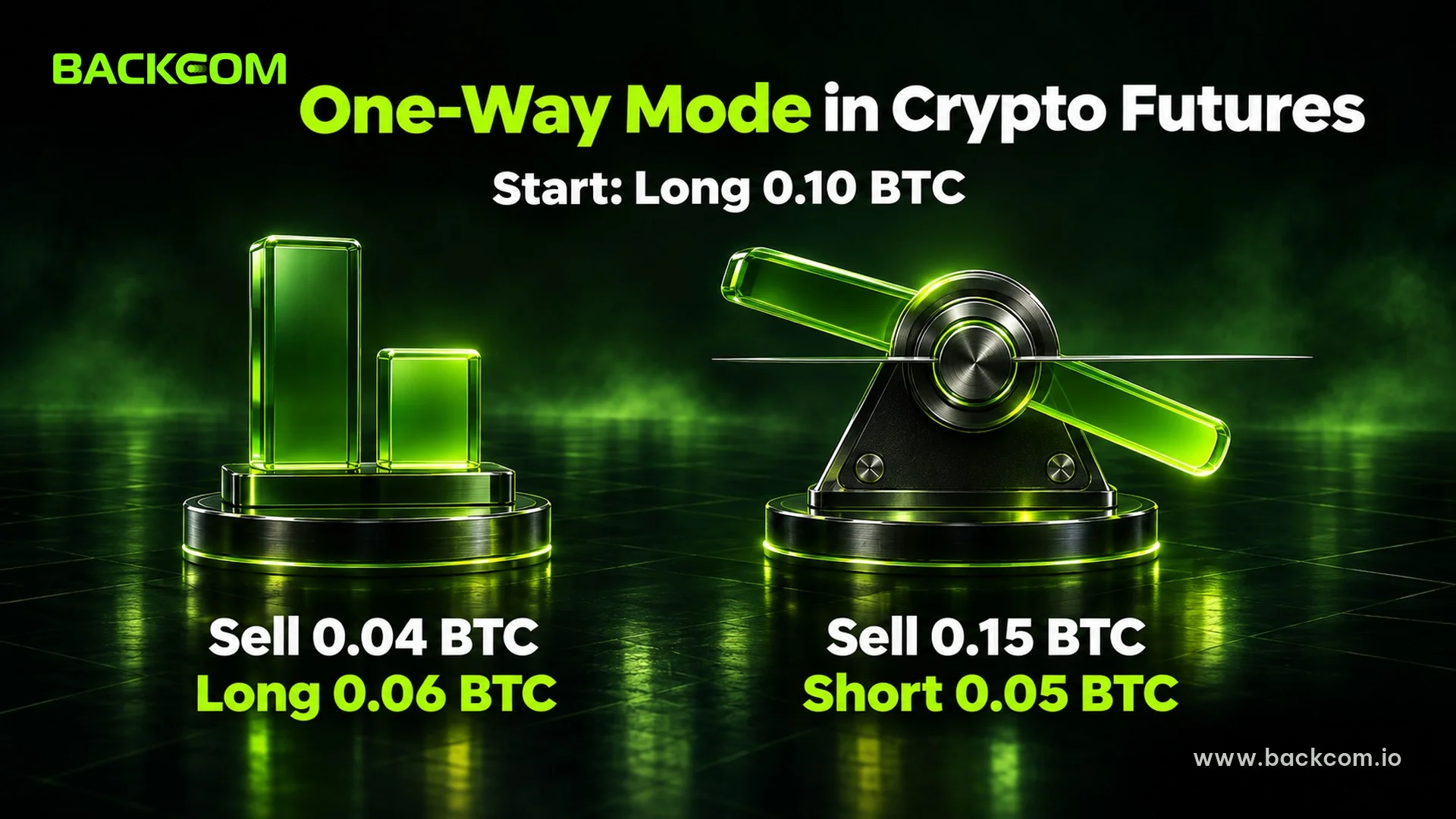
Say you are long 0.10 BTC on a BTCUSDT perpetual contract. In one-way mode, a sell order for 0.04 BTC does not open a short. It reduces the long to 0.06 BTC. A sell order for 0.15 BTC closes the whole long and leaves a short of 0.05 BTC, because the extra size flips the position through zero.
One order can close a trade and open the opposite one in a single step. If you meant only to exit, a reduce-only order prevents the flip. Our guide to crypto order types covers reduce-only and the other order flags in more detail.
2. What Is Hedge Mode In Crypto Futures?

Hedge mode lets you hold a long and a short on the same contract at the same moment. Binance says that in hedge mode you can "simultaneously hold positions in both long and short directions under the same Futures contract". OKX calls its version two-way mode and adds that positions in opposite directions "don't close each other". Bybit's API calls the same setting "Both Sides", against "Merged Single" for one-way mode.
The two sides behave like two separate positions sharing one wallet. Each has its own average entry price, profit and loss, and stop loss. To end either side you need an order that targets that side directly.
How Hedge Mode Crypto Futures Positions Work
Take the same trader with a long of 0.10 BTC. In hedge mode a sell order can be sent as "open short" or as "close long", and the exchange needs to know which one you mean. On Binance's USDⓈ-M futures API, for example, the positionSide parameter must be sent in hedge mode and takes the value LONG or SHORT, while in one-way mode it defaults to BOTH. The new-order documentation for the same API also states that the reduceOnly flag cannot be sent in hedge mode, because the side already tells the system which position the order belongs to.
On OKX, hedge mode also unlocks one extra feature: the help centre states that placing orders by initial margin, also called placing orders by cost, is not supported in one-way mode.
3. Hedge Mode Vs One Way Mode: Side-By-Side Comparison
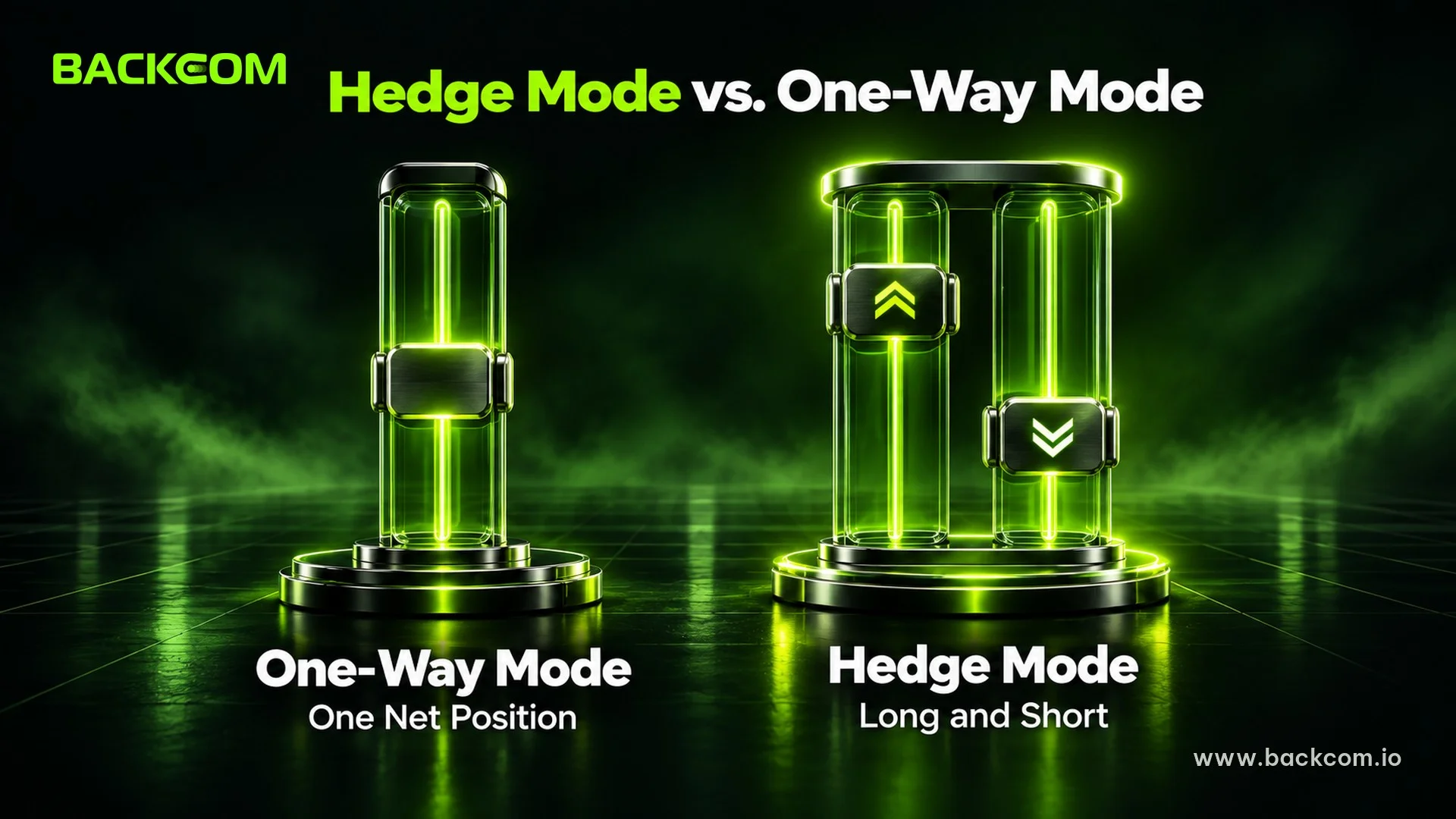
A hedge mode vs one way mode comparison comes down to one question: do you need two independent positions on one contract? The table summarises the practical differences. It describes the general design that Binance, Bybit and OKX share. Exact screens, order names and limits differ by exchange and by product, so check the current rules where you trade.
| Item | One-way mode | Hedge mode |
|---|---|---|
| Positions per contract | One net position (long or short) | One long and one short at the same time |
| Opposite order | Reduces, closes or flips the position | Opens a separate position unless you choose "close" |
| Entry price | One average entry price | One average entry price per side |
| Closing a trade | Any order against the position | An order aimed at the specific side |
| Stop loss and take profit | One set for the net position | Separate sets for each side |
| Number of fills to flatten | Usually fewer | More, because both sides close separately |
| Fee exposure | Charged on each fill, with offsetting orders netting the position | Charged on each side's opening and closing |
| Best suited to | Simple directional trading | Hedging, grid strategies, two-way bots |
| Main risk | Accidental flip through zero | Forgetting one side is still open |
Reference summary based on the exchange documentation listed in this article as at 22 November 2026. Settings, defaults and margin rules can change, so confirm them on your exchange before trading.
4. How Do Binance, Bybit And OKX Handle Position Mode?
All three major derivatives exchanges offer both modes, but the wording and the switch rules differ. The points below come from each exchange's own documentation.
Binance Hedge Mode
On Binance, you open the settings icon, choose Features and then Position Mode. The help centre warns that the mode "cannot be adjusted while you have open positions or open orders". The developer documentation adds that the setting applies to every symbol, not to a single contract, and that USDⓈ-M and COIN-M futures share the same dualSidePosition setting. If either side has an open order or position, the change request is rejected.
Bybit Hedge Mode
Bybit's V5 API lists both one-way and hedge mode for USDT perpetual, USDC perpetual and inverse contracts. The default is one-way mode, and the documentation lets you switch by symbol or by coin. When you switch by coin, symbols that already hold a position or an open order are skipped, so a bulk switch can leave you with a mix of modes. Confirm the mode of each pair after switching.
OKX Position Mode
OKX offers one-way and two-way (hedge) mode under Settings, Trading Mode, Position Mode. Its help centre describes one-way mode as suitable for beginners. In two-way mode, orders of the same side, type and currency merge automatically into one position, and separate positions on the same side are not supported.
One-way mode is also called net mode (OKX API) or merged single mode (Bybit API). Hedge mode is also called long/short mode, two-way mode or "both sides".
5. A Worked Example: The Same Trades In Both Modes
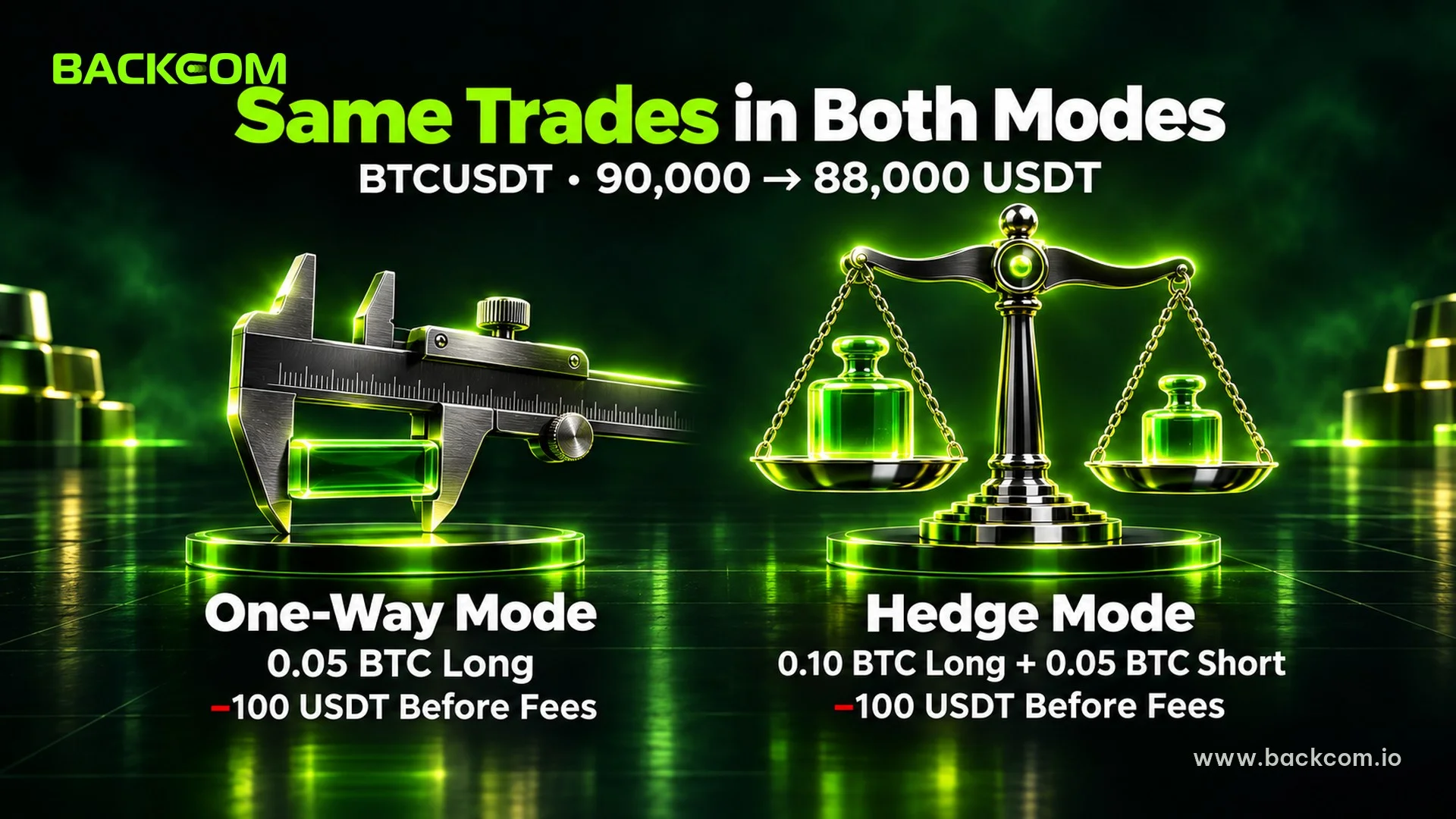
The numbers below are hypothetical and use a BTCUSDT perpetual contract. They are not a forecast and not a recommendation. The assumed taker fee is 0.05% per fill, chosen only to keep the arithmetic easy. It is not any exchange's current rate.
The trades: you hold a long of 0.10 BTC opened at 90,000 USDT (the opening fee is left out, since it is the same in both modes). With the price still at 90,000 USDT you sell 0.05 BTC. Later the price falls to 88,000 and you exit everything.
What Happens In One-Way Mode
The 0.05 BTC sell reduces the long to 0.05 BTC. Nothing is realised, because the sale is at the same price as the entry. When the price reaches 88,000, you sell the remaining 0.05 BTC.
- Realised loss on the remaining long: 0.05 × 2,000 = 100 USDT.
- Fees: the first sale is 0.05 × 90,000 = 4,500 USDT of notional, so a fee of 2.25 USDT. The final sale is 0.05 × 88,000 = 4,400 USDT, so a fee of 2.20 USDT. Total fees: 4.45 USDT.
What Happens In Hedge Mode
The same sell is sent as "open short", so you now hold a long of 0.10 BTC and a short of 0.05 BTC. At 88,000 you close both sides.
- Loss on the long: 0.10 × 2,000 = 200 USDT.
- Gain on the short: 0.05 × 2,000 = 100 USDT.
- Net result: 100 USDT loss, identical to one-way mode.
- Fees: opening the short costs 2.25 USDT. Closing the long is 0.10 × 88,000 = 8,800 USDT of notional, so 4.40 USDT. Closing the short is 0.05 × 88,000 = 4,400 USDT, so 2.20 USDT. Total fees: 8.85 USDT.
The price result is the same, but hedge mode paid about 4.40 USDT more in fees under these assumptions. That is the cost of closing both legs instead of letting them offset. The gap grows with position size. More examples: how to calculate crypto futures trading fees.
What hedge mode gives you in return is flexibility. While both sides were open, you could move the stop loss on the long without touching the short, or close the short early while the long kept running.
6. What Are The Costs And Risks Of Hedge Mode?
Hedge mode adds control, but it also adds moving parts. Four costs matter most.
- Extra fees. Every side pays its own opening and closing fees, as the example above shows. A hedge you rarely close can look cheap, but a strategy that opens and closes both sides often will notice the difference.
- Funding on both sides. On perpetual contracts, longs and shorts exchange funding payments. If both sides are open, each leg is charged or credited on its own notional value. With one funding rate the two partly offset each other, yet the gross flows are larger than in one-way mode. Read what the funding rate is before holding a hedge for several funding periods.
- Margin and liquidation per side. A hedge does not make the account risk-free. How an exchange calculates margin and liquidation for both sides depends on the exchange, the contract and the margin mode, and the documentation pages used for this article do not describe those rules. Check them in your exchange's own help centre, and compare cross margin vs isolated margin first. See also how to calculate liquidation price.
- Forgotten legs. A short that stays open after you "closed the trade" keeps paying fees and keeps taking risk. This is the most common practical problem, and it is easy to hit when you trade quickly.
A hedge is not a guarantee against loss. The article on what perpetual futures are gives the wider background.
7. Which Position Mode Should You Use?
Choose one-way mode when you trade one direction at a time, use a single stop loss and want the fewest moving parts. It suits most beginners, because there is only one position to track and no second side to forget.
Choose hedge mode when you have a clear reason to hold both sides:
- you run a grid or two-way bot that opens longs and shorts on the same contract;
- you want to protect a long-term spot or futures holding for a few days without selling it;
- you trade a range with separate entries and separate stops for each direction;
- your tool needs hedge mode to work, which is common for automated strategies.
Before choosing, ask three questions. Do you really need two independent positions on one contract? Can you track both legs without error? Is the extra fee acceptable for the control you get? If the answer to any of them is no, stay in one-way mode.
Test the mode on very small size first: switch with no open orders, open a tiny long and a tiny short, and close them one by one.
8. What Mistakes Do Traders Make With Position Modes?
Most problems come from the switch itself or from orders that do not match the mode.
- Trying to switch with open trades. Binance rejects the change when any order or position exists, and Bybit skips symbols with positions during a bulk switch. Close or cancel first.
- Sending the wrong order type after a switch. A bot or script written for one-way mode may fail in hedge mode, because hedge orders must state which side they belong to.
- Assuming one flat side means a flat account. In hedge mode the long can be closed while the short is still open. Check both rows in the position list.
- Leaving stops on only one side. Each side needs its own stop loss. See crypto stop loss orders.
- Oversizing both legs. Size each one with the position size calculator guide.
Frequently Asked Questions (FAQ) About Hedge Mode Vs One-Way Mode
Can I Switch Between Hedge Mode And One-Way Mode At Any Time?
Not while you hold positions or open orders on most exchanges. Binance states that position mode cannot be adjusted with open positions or open orders. Bybit's bulk switch skips symbols that have a position or an open order. Close or cancel everything first, change the mode, and then confirm that the new setting applies to the contracts you trade.
Does Hedge Mode Protect Me From Liquidation?
No. Holding a long and a short at once reduces your net price exposure, but each side still needs margin, and each side can still be liquidated depending on how your exchange calculates risk. Do not treat a hedge as a safety net.
Is Hedge Mode More Expensive Than One-Way Mode?
It can be. In the worked example above, both modes produced the same price result, yet hedge mode paid about 4.40 USDT more in fees because both legs were closed separately. Actual costs depend on your fee tier and order type.
Which Mode Is Better For Beginners?
One-way mode is usually easier, because you track one net position and one stop loss. OKX describes it as suitable for beginners, and it is the default on Bybit. Move to hedge mode only when you have a specific reason, such as a two-way bot or a deliberate hedge, and test it with small size first.
Conclusion: Start Simple, Hedge On Purpose
The difference between hedge mode and one-way mode is easy to state. One-way mode keeps a single net position per contract, while hedge mode keeps a long and a short open independently. For most traders the simpler design is easier to read. Hedge mode earns its place when you need two separate positions, such as for a grid bot or a deliberate temporary hedge, and you accept the extra fees and the extra tracking.
Before you switch, check the current rules on your own exchange and test with a very small size. For the wider picture, read how leverage works in crypto trading. The official pages cited here are the Binance hedge mode FAQ, the Binance position mode API reference, the Bybit position mode API reference and the OKX trading settings FAQ.
Disclaimer: This content is compiled by Backcom.io for information only and is not investment advice. Crypto futures involve high risk and you can lose more than you expect. The numbers in the worked example are hypothetical. Read our risk disclaimer and check your exchange's current rules before you trade.
Was this article helpful?
Join The Backcom.io Community
Get the latest on trading rebates, trading tips, and broker deals — and connect with thousands of traders worldwide.

Backcom App
Track Your Rebates Every Day
Every rebate is visible by broker and by day. Manage your wallet and withdrawals in one place.
Open Backcom App