Forex VPS Specs In 2026: How Much RAM And CPU You Need To Run EAs

A 2 GB plan advertised as "enough for EAs" may cope with a single account, but once you open a third terminal or the market turns volatile, the machine starts to freeze. That is why forex VPS specs have to be sized to your real workload. In this article, Backcom.io answers directly how much RAM, CPU and disk you need, how to size a VPS for running EAs, and what changes when you run multiple MT5 terminals on one server.
Forex VPS Specs: Minimum And Recommended
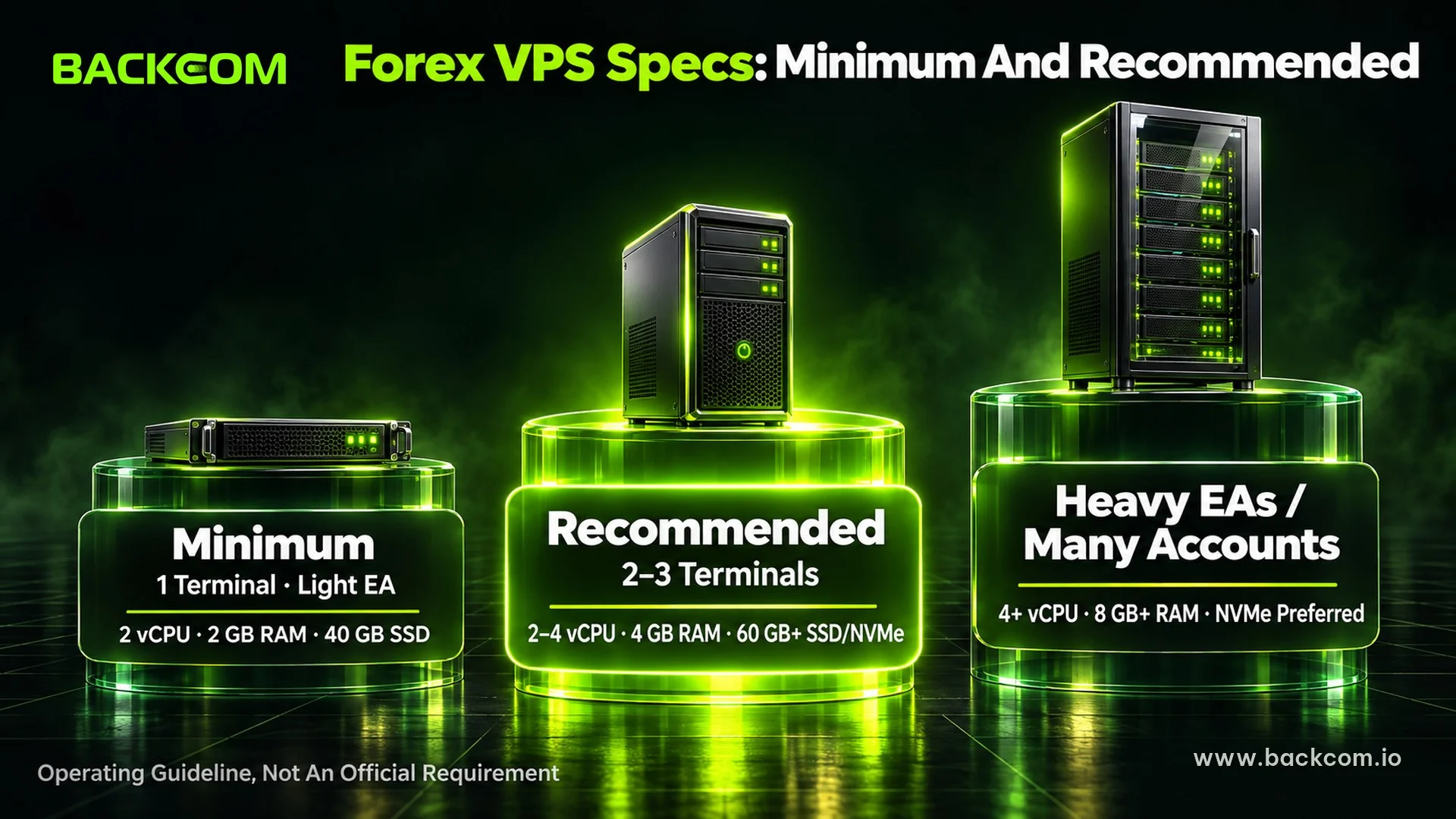
If you only run one terminal with a light EA, 2 vCPU, 2 GB of RAM and roughly 40 GB of SSD can work. For most traders running 2–3 terminals, sensible forex VPS specs are 2–4 vCPU, 4 GB of RAM and at least 60 GB of SSD/NVMe. Heavy EAs or many accounts should start at 4 vCPU and 8 GB of RAM.
MetaQuotes does not publish a fixed RAM figure for every MT5 user. The official MetaTrader 5 installation guide says hardware requirements depend on the load from running MQL5 applications and the number of active instruments and charts. The table below is therefore an operating recommendation, not an official requirement for every EA.
3 Levels Of Forex VPS Specs
| Level | CPU | RAM | Disk | Operating system | Use case |
|---|---|---|---|---|---|
| Minimum | 2 vCPU | 2 GB | 40 GB SSD | Windows 64-bit | 1 terminal, light EA |
| Recommended | 2–4 vCPU | 4 GB | 60–80 GB SSD/NVMe | Windows Server 64-bit | 2–3 standard terminals |
| Comfortable | 4+ vCPU | 8 GB+ | 80–120 GB+ NVMe | Windows Server 64-bit | Many terminals or heavy EAs |
Microsoft also stresses that real needs vary with the workload. Its Windows Server hardware requirements list 2 GB of RAM for Server 2022 with Desktop Experience (4 GB recommended for Server 2025) and 32 GB of disk as an absolute minimum, checked on 20 November 2026. So when you ask how much RAM a VPS needs, count Windows, the terminals, charts, indicators and EAs together.
Why "Minimum" Is Often Not Enough
"Minimum" only means the system can start. In live trading, RAM also has to hold price data, candle history, charts and EAs. When RAM is nearly full, Windows leans more heavily on the page file on disk, and the terminal responds more slowly.
If you are still unsure what a VPS does, read what a forex VPS is and who needs one. Server location is a separate question, because strong specs cannot make up for high ping, as the guide to choosing the best forex VPS by location and ping explains.
How Much RAM Does A Forex VPS Need? The Deciding Factor
RAM is usually the first limit you hit, well before CPU. A 2 GB VPS can open MT5, but once the operating system takes its share, little is left for the terminal. So when you work out how much RAM you need, size it to the total workload rather than counting programs.
Where Does The RAM Go?
RAM on a VPS is shared between:
- Windows and its system services.
- Each MT4/MT5 instance.
- Charts, Market Watch and price history.
- Custom indicators.
- EAs and the data they keep in memory.
- Remote Desktop and any other open software.
Two traders who both run "one MT5" can use very different amounts of RAM. A terminal with only EURUSD and a simple EA is far lighter than one with 15 symbols, many indicators and a multi-pair EA.
How Much RAM Does One MT4/MT5 Terminal Use?
There is no fixed figure. A light terminal may use only a few hundred MB, while MT5 running a complex EA with many charts and long history can approach or exceed 1 GB. With heavy workloads, 1–1.5 GB for a single terminal is possible.
Four factors push RAM up fastest:
- Number of charts: each chart keeps its own data and indicators.
- Bars of history: the more bars stored, the more memory used.
- Custom indicators: continuous calculation adds load.
- EAs and the Strategy Tester: multi-pair EAs and optimisation weigh more than a single-symbol EA.
So forex VPS specs should not rest on "each MT5 only uses 300 MB": the 300–500 MB range fits MT4 or a light MT5, not every system.
How To Measure The RAM Your Terminals Really Use
The most reliable way to learn how much RAM your VPS needs is to measure your own setup:
- Log in to the VPS with Remote Desktop Connection.
- Open every terminal, chart, indicator and EA you use when trading.
- Press Ctrl + Shift + Esc to open Task Manager.
- Under Processes, read the Memory column for each terminal.
- Measure during the London–New York overlap or another busy session.
- Add up the total and keep a RAM reserve on top.
If overall memory regularly passes 75–80%, treat it as a sign to optimise or add RAM. Weekend readings do not reflect a live market.
VPS Specs For Running EAs: Light Vs Heavy EAs
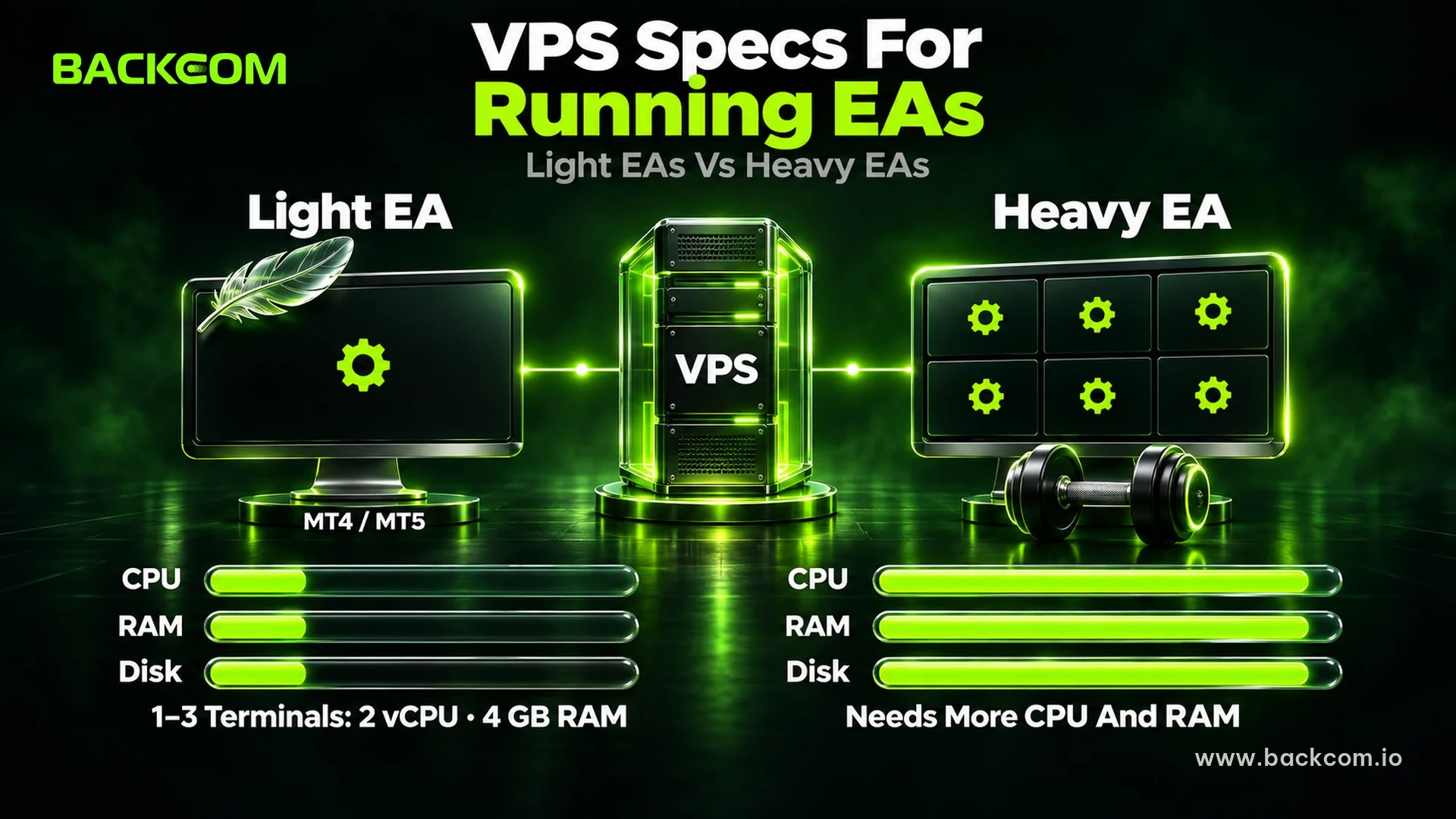
Specs for running EAs do not depend on the number of terminals alone (if you are new to EAs, see what a forex Expert Advisor is). Two bots on the same MT5 can create very different loads because of their algorithms, indicators and the number of symbols they process.
Light EAs: Modest Specs Are Enough
An EA that trades one currency pair, uses a few basic indicators and enters trades rarely does not create much load. For this group, 2 vCPU and 4 GB of RAM usually handle 1–3 terminals comfortably. A 2 GB plan can still run one light terminal, but with less headroom.
Heavy EAs: CPU Matters As Much As RAM
EAs that scan many pairs, process several timeframes, calculate indicators on every tick, manage many positions or write large logs need both RAM and CPU. Adding RAM only fixes a memory shortage; it does not make the algorithm compute faster.
For these EAs, favour a recent CPU with strong per-core performance and resources that are not heavily shared. Microsoft's server hardware performance guidance notes that when CPU is the bottleneck, one core at twice the frequency usually beats two slower cores, and adding cores does not scale performance in a straight line.
Backtesting And Optimisation: Keep Them Off Your Live VPS
The Strategy Tester can push the CPU close to 100% and starve the live EA. Run EA backtests in MT5 on a separate machine or while the market is closed, and stop the test if the live terminal slows down.
Once your specs for running EAs are settled, follow the guide on how to install MT5 and attach an EA on a VPS.
Running Multiple MT5 Terminals: How Many Can One VPS Handle?
There is no exact answer to "how many MT5 terminals can one VPS run". With multiple MT5 terminals, the limit depends on RAM, CPU, the number of charts and how heavy the EAs are. The table assumes average EAs, a moderate number of charts and no other heavy software on the VPS.
RAM By Number Of Terminals
| Terminals | Minimum RAM | Recommended RAM | Notes |
|---|---|---|---|
| 1 | 2 GB | 4 GB | 2 GB suits a light EA |
| 2–3 | 4 GB | 4–6 GB | The most common setup |
| 4–5 | 6 GB | 8 GB | Watch CPU as well |
| 6–10 | 8 GB | 12–16 GB | 4+ vCPU recommended |
| More than 10 | 16 GB+ | 16–32 GB+ | Consider splitting across VPS |
Heavy EAs can push requirements noticeably higher. Treat the table as a planning guide, not a promise that an 8 GB VPS will always run a fixed number of terminals.
Why Online Figures Vary So Much
Some providers claim small plans run many bots. The gap usually comes from:
- MT4 generally being lighter than MT5.
- Simple EAs versus multi-pair EAs with many indicators.
- Two charts versus twenty charts.
- vCPUs that are shared and may be oversold.
So when you plan multiple MT5 terminals, use real Task Manager readings. If one terminal uses 700 MB in a busy market, do not plan around a 300 MB assumption.
Ways To Reduce Load Before Upgrading
Try these steps first:
- Close charts you do not need.
- Lower Max bars in chart if your strategy does not need long history.
- Hide unused symbols in Market Watch.
- Remove indicators you no longer use.
- Avoid leaving a browser open on the VPS.
- Clear logs and history files regularly.
- Never backtest on the live VPS.
CPU, Storage And Operating System: How To Choose
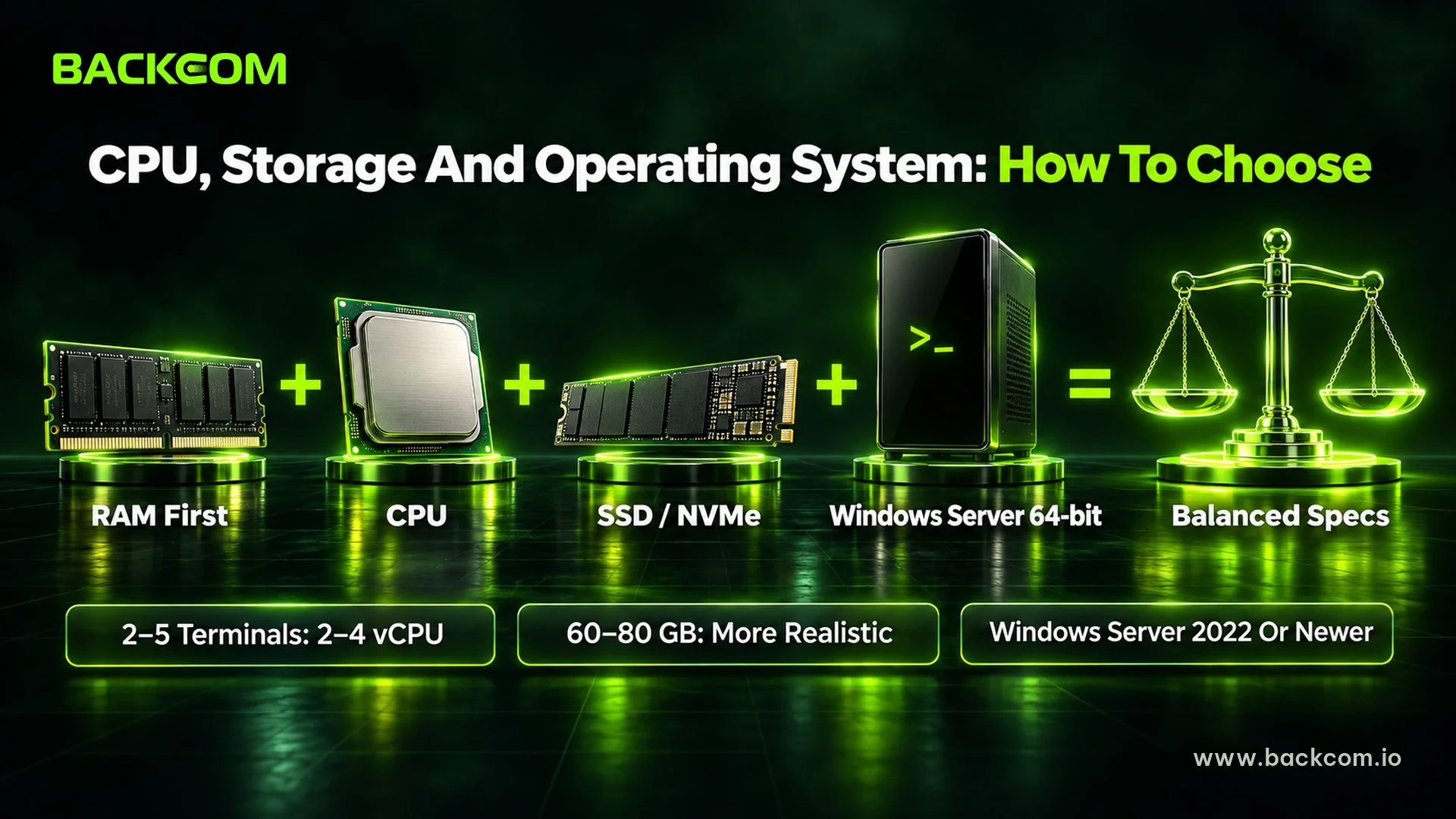
RAM comes first, but forex VPS specs still need a sensible balance of CPU, storage and operating system.
CPU: How Many Cores Is Enough?
Reference points:
- 1 terminal with a light EA: 2 vCPU.
- 2–5 terminals: 2–4 vCPU.
- 6+ terminals or heavy EAs: 4 vCPU or more.
- Backtesting and optimisation: a separate machine with many cores.
Do not look only at the vCPU count: for EAs that work hard on each tick, per-core speed and CPU sharing on the host matter too. An oversold 4 vCPU VPS can be less stable than 2 vCPU on a good host.
Storage: How Much Is Enough?
40 GB can work for a small setup, but 60–80 GB is more realistic. If you run many instances or keep long history and logs, consider 80–120 GB.
Choose SSD/NVMe over HDD. A fast drive does not lower your ping, but Windows, the terminal and price history load faster. Keep free space, because performance drops as a drive fills up.
Windows Server VPS Or Windows 10/11? Can You Use Linux?
MetaQuotes states that MT5 runs on Windows 10/11. On servers, a Windows Server VPS remains the common choice for background operation and Remote Desktop. Pick a 64-bit version that still receives security updates, such as Windows Server 2022 or a newer release your provider supports well.
Windows 10/11 also works but is less common on VPS plans. Linux can run MetaTrader through a compatibility layer, which adds another layer to troubleshoot; for a live account, a 64-bit Windows Server VPS is usually simpler.
MQL5's built-in Virtual Hosting is a specialised terminal environment rather than a full Windows VPS. Under the official MQL5 Virtual Hosting rules, paid hosting migrates up to 32 charts/EAs and free hosting up to 16, and DLLs are banned: an EA that calls a DLL is stopped.
Signs Your VPS Is Underpowered And When To Upgrade
Resource shortages usually show warning signs before an EA stops. Keep an eye on Task Manager rather than checking only after a missed trade.
Symptom, Cause And Fix
| Symptom | Likely component | How to confirm | Fix |
|---|---|---|---|
| Terminal freezes, charts go blank in volatile markets | RAM | Memory at 80–100% | Add RAM, close charts |
| EA reacts slowly, misses ticks | CPU | CPU near 100% for long periods | Add CPU, reduce load |
| Terminal takes ages to open | Disk / I/O | Disk often at 100% | SSD/NVMe, clean up data |
| Repeated disconnections | Network | Unusual ping or packet loss | Check the provider or location |
| Machine slows down week by week | Swollen history/logs | Free space shrinking | Clear history and logs |
A few seconds of high CPU proves little; what matters is sustained load, or load that returns whenever the market gets busy.
Upgrade The Plan Or Split Onto A Second VPS?
Upgrading suits a small number of terminals that are simply short of RAM or CPU. Splitting makes more sense with many accounts or groups of EAs, or when you want to isolate risk so one failing machine does not take everything down. If a group of heavy EAs is slowing down your light EAs, a second VPS is usually easier to manage than one oversized server.
If Your Budget Is Tight
Prioritise in this order:
- Enough spare RAM.
- Enough CPU for the workload.
- SSD/NVMe with free space.
- Optimising charts, indicators and history before buying more resources.
If you would rather not pay monthly yet, see the free forex VPS requirements from brokers.
Frequently Asked Questions (FAQ) About Forex VPS Specs
Can A 2 GB RAM VPS Run MT5 And An EA?
Yes. A 2 GB VPS can run one MT5 terminal with a light EA, few charts and no other heavy software. It is close to the limit, though, because Windows already uses part of the memory. If you want to know how much RAM gives more stability, 4 GB is easier to live with for most setups of 1–3 light to medium terminals.
How Many MT5 Terminals Can One VPS Run At Once?
There is no fixed number. Multiple MT5 terminals depend on RAM, CPU, charts and EA weight. With an average workload, 4 GB suits about 2–3 terminals and 8 GB usually suits 4–5. Multi-pair EAs or heavy indicators lower that number. The most accurate method is to measure each terminal in Task Manager and add a reserve.
Does A VPS For Running EAs Need A Graphics Card?
Usually not. Specs for running EAs depend mainly on RAM, CPU, storage and network stability; MT4/MT5 do not need a powerful GPU to process orders. On a fixed budget, put the money into spare RAM and a stable CPU instead. A GPU only matters for separate workloads beyond normal terminal operation.
Which Windows Server Version Should You Choose?
Choose a 64-bit Windows Server VPS that still receives security updates. Windows Server 2022 is a popular choice, and newer versions work too if your provider supports them well. Avoid very old systems just to save RAM, because the long-term security and compatibility risks outweigh the memory you save.
Conclusion: Size Your Forex VPS Specs To Your Real Workload
Minimum forex VPS specs only get the software running; the recommended level decides whether the system stays stable when the market is busy. For most traders, 4 GB of RAM, 2–4 vCPU and SSD/NVMe is a sensible starting point for 2–3 standard terminals, while heavy EAs or multiple MT5 terminals need more RAM and CPU.
Above all, measure Task Manager with the EAs, charts and trading hours you actually use. Once your VPS is ready, follow the guide to installing MT5 and attaching an EA, and consider Exness Rebates to lower your cost per lot. Backcom.io is an independent introducing broker (IB/affiliate) of Exness; rebates are paid from the commission the broker pays Backcom.io — see the risk disclaimer.
Disclaimer: The figures in this article are guidelines as at September 2026; real needs change with the platform version, EA complexity, charts and terminals. This content is for information only and is not investment advice.
Was this article helpful?
Join The Backcom.io Community
Get the latest on trading rebates, trading tips, and broker deals — and connect with thousands of traders worldwide.

Backcom App
Track Your Rebates Every Day
Every rebate is visible by broker and by day. Manage your wallet and withdrawals in one place.
Open Backcom App