Best Forex VPS In 2026: Comparing 4 Types For MT4, MT5 And EAs

Many traders searching for the best forex VPS rent a server in their own city, assuming that "closer to me must be faster". For automated trading, what matters far more is the distance from the VPS to your broker's trade server, because orders travel from MT4/MT5 on the VPS to the broker, not through your personal computer. In this article, Backcom.io compares four types of VPS, the specs to match your terminals and EAs, indicative prices and how to test a forex VPS yourself before committing long term.
"Best Forex VPS": What Does It Actually Mean?
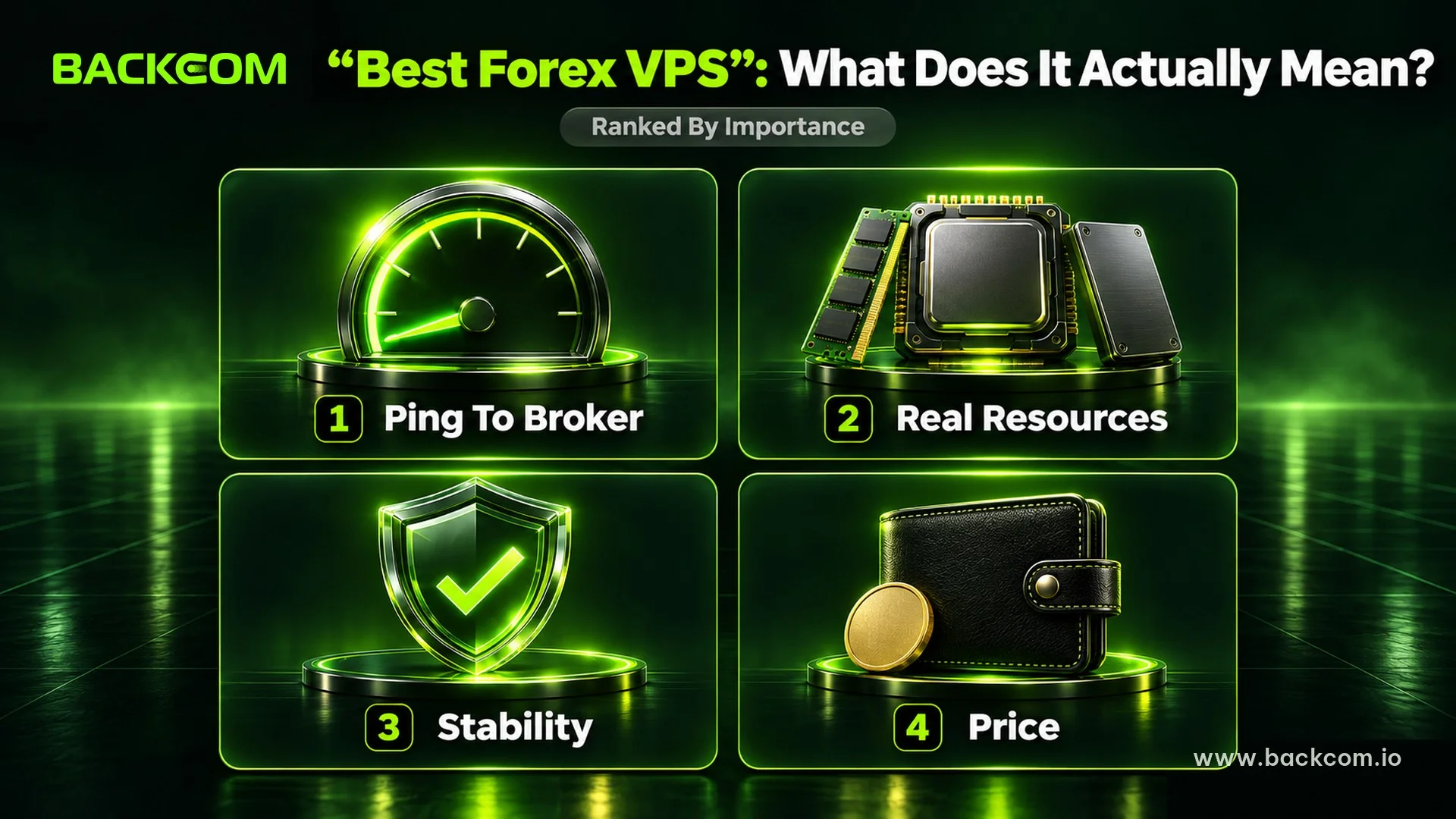
The best forex VPS is not the most powerful or the most expensive server. It is the one with low ping to your broker's server, enough resources for the terminals and EAs you actually run, and stable uptime at a price that fits your budget.
3 Deciding Factors, Ranked By Importance
In order of importance, the three factors are:
- Server location and ping to the broker: the closer the VPS sits to the trade server, the lower the order latency tends to be.
- Real resources: RAM, vCPU and disk must cover the MT4/MT5 terminals, charts and EAs you run.
- Stability: the VPS should rarely drop its connection, max out CPU or RAM, or restart without warning.
Price comes after these three. A cheap plan in the wrong region can perform worse than a mid-priced plan near the broker, while a trader who holds positions for days does not need to pay extra to shave a few milliseconds off the ping.
If you are not sure whether you need a virtual server at all, start with what a forex VPS is and who really needs one, and if automated trading is new to you, read what a forex Expert Advisor is.
Why "Top 10 VPS" Lists Are Not Always Useful
Ranking tables usually compare price, RAM or CPU, but they cannot know where your broker hosts its servers. This guide therefore does not rank brands and uses server location, ping, real workload and cost as the framework instead.
The Most Important Criterion: Server Location And Ping To Your Broker
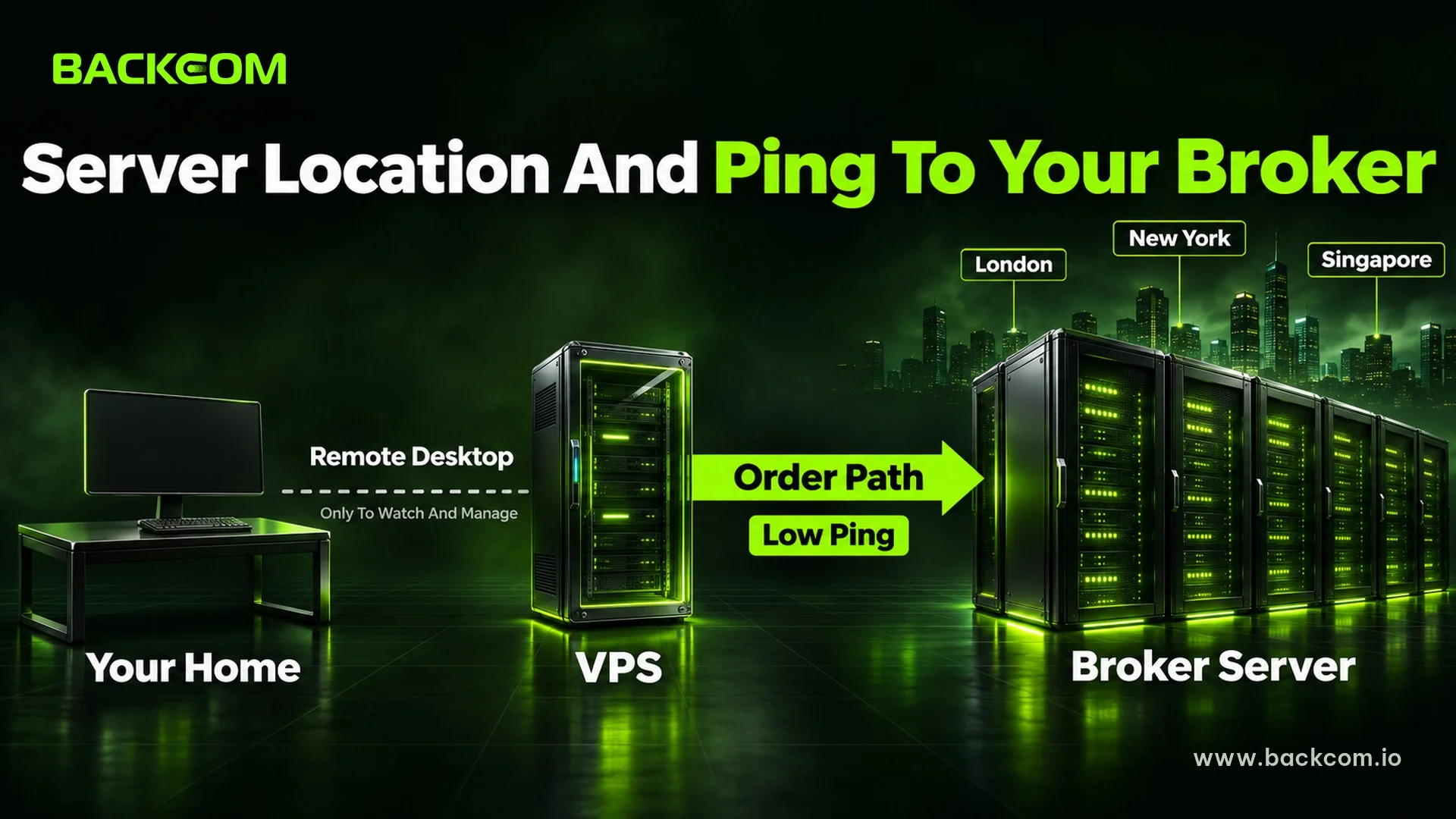
When you use a VPS for EA trading, the main signal path is simple:
EA on the VPS → MT4/MT5 → the broker's trade server
Your home computer only uses Remote Desktop to watch and manage the VPS; it is not part of the path for each order. "A VPS near home" and "a VPS near the broker" are two different things.
How Is Ping To The Broker Different From Ping To Your Home?
Suppose you live in Sydney, rent a VPS in Sydney, and your broker's trade server sits in London. Remote Desktop may feel very smooth, yet every order still travels from Sydney to London. So before you rent, ask: "What is this VPS's ping to my account's trade server?"
Where Are Broker Trade Servers Usually Located?
Much of the global trading infrastructure clusters around financial data centres such as Equinix LD4 in the London/Slough area, or the Equinix New York campus, which includes NY4 in Secaucus. Some brokers also have connection points in Singapore or Hong Kong.
A VPS in the same region as the trade server can reach a ping of a few milliseconds, while a long-distance link can climb to tens or hundreds of milliseconds. The real location still has to be checked for each broker and account server.
How To Find Your Broker's Server Location In About 2 Minutes
Use any of these three checks:
- Ask the broker's live chat which region or data centre hosts your trade server.
- Look at the server name when you log in to MT4/MT5.
- Log in on an MT5 VPS or MT4 VPS and read the ping shown in the terminal.
If a provider offers several locations, try the one closest to the broker and compare the real ping.
Should You Use A VPS In Your Own Country?
Yes, if you trade manually, want support in your own language or run EAs that are not sensitive to latency. If the trade server is on another continent, though, the connection from a local VPS still has to cover that distance.
For scalping, being close to the broker usually matters more, as the guide to scalping and its trading costs explains. For longer holding periods, a few milliseconds is rarely worth paying much more for.
VPS For EA Specs: How Much Is Enough For You?
Rather than repeating generic minimums, size your VPS for EA trading by the number of terminals and the real workload.
Specs By Number Of Terminals And EAs
| Use case | Recommended RAM | vCPU | Disk | Notes |
|---|---|---|---|---|
| 1 terminal + 1–2 light EAs | 2 GB | 1–2 | 40 GB SSD/NVMe | Basic needs |
| 2–3 terminals + a few EAs | 4 GB | 2 | 60–80 GB SSD/NVMe | Suits most traders |
| 4+ terminals or heavy EAs | 8 GB+ | 4+ | 80 GB+ NVMe | Many charts, indicators and accounts |
A single terminal can use roughly 300–500 MB of RAM, rising with the number of charts, indicators, price history and EAs, so leave spare capacity. The guide to forex VPS specs for RAM and CPU goes deeper.
Does An MT5 VPS Need More Power Than An MT4 VPS?
An MT5 VPS should have extra headroom when it runs many charts or accounts. You can cut the load by closing unused charts, reducing stored history and limiting heavy indicators.
If the terminal freezes, the EA misses ticks or RAM regularly sits above 75–80%, check Task Manager. Once the configuration is settled, follow the guide on how to install MT5 on a VPS in 5 steps.
4 Types Of Forex VPS: Which One Should You Rent?
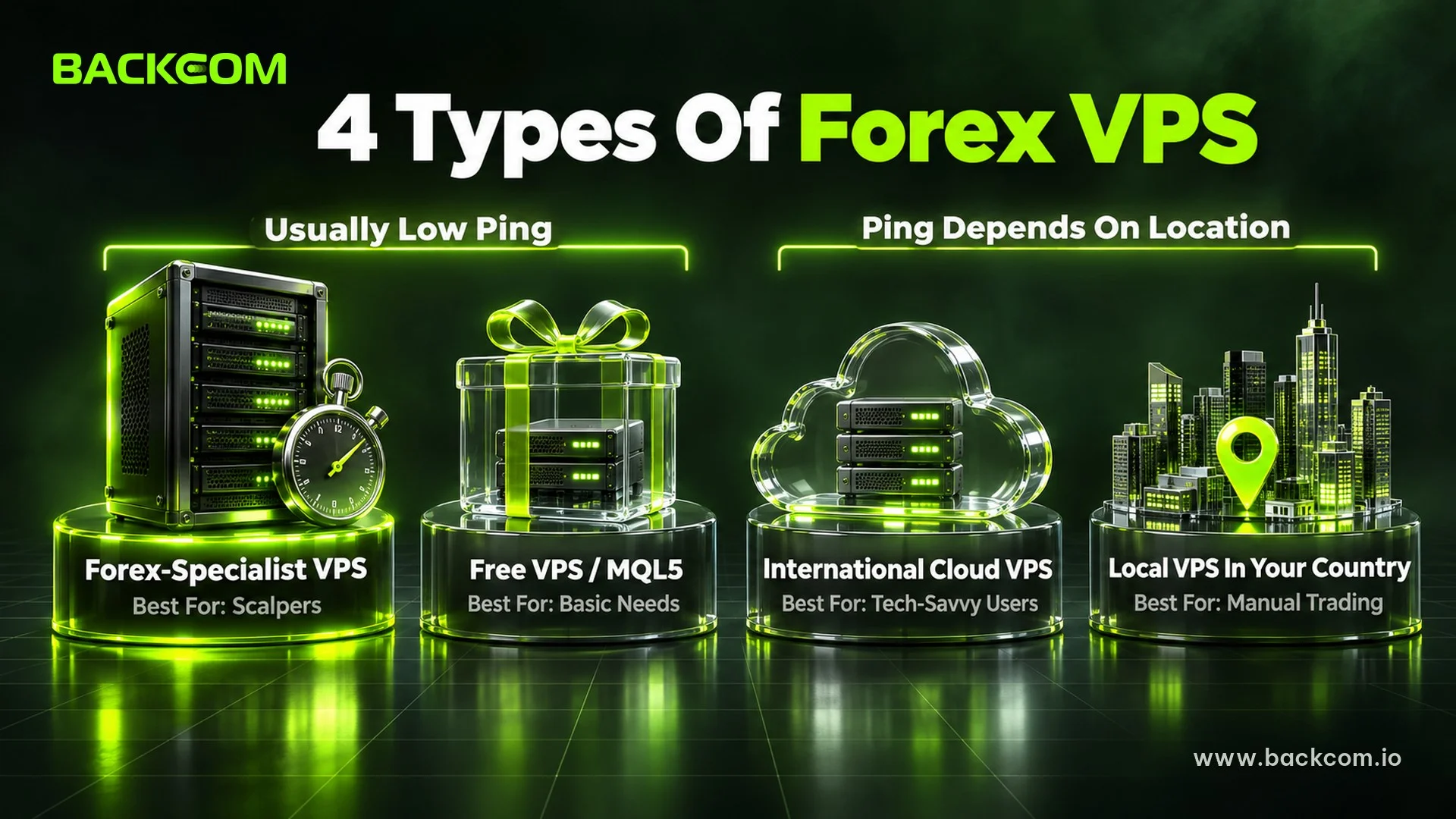
No single type suits everyone. Prices change with the configuration, the Windows licence and the billing term.
| Type | Typical location | Ping to broker | Indicative price/month | Strengths | Drawbacks | Best for |
|---|---|---|---|---|---|---|
| Forex-specialist VPS | London, New York, Singapore | Very low if the location is right | About USD 25–40+ | Built for trading, MT4/MT5 support | Higher price | Scalpers, latency-sensitive EAs |
| International cloud/VPS | Many regions | Depends on the location | About USD 10–30+ | Flexible, many data centres | Self-setup, Windows licence may cost extra | Technically confident users |
| Local VPS in your country | Your nearest city | Higher if the broker is on another continent | Depends on the local market | Easy local payment, support in your language | Far from many international trade servers | Manual trading |
| Broker or MQL5 VPS | Near the broker's network | Usually low | Free on conditions, or about USD 15 | Fast to deploy, saves money | Conditions and limits apply | Beginners, basic needs |
Indicative prices: forex-specialist and MQL5 figures checked on 20 November 2026, other ranges as at September 2026. Check each provider's current pricing before you rent.
Type 1: Forex-Specialist VPS
These providers usually offer locations near financial data centres, Windows and support staff who know MT4/MT5. In the right region, this type is often the strongest candidate for the best forex VPS for scalpers. The trade-off is price, and a "Forex VPS" label does not guarantee low ping to your own broker.
Type 2: International Cloud Or General-Purpose VPS
You get many locations, flexible pricing and easy upgrades, but you install Windows and MT4/MT5 yourself. Advertised prices sometimes exclude the Windows licence, backups or management, so compare the total cost, not just the virtual machine.
Type 3: A Local VPS In Your Own Country
A local VPS makes payment, support and Remote Desktop sessions convenient, and suits manual trading or EAs that are not latency-sensitive. If your broker is in London or New York, being "close to you" does not shorten the route to the broker, so measure the ping first.
Type 4: Free VPS From Brokers And MQL5
Some brokers provide a free VPS once an account meets a balance or volume condition. MetaQuotes also offers Virtual Hosting built into MetaTrader, which picks a server by latency to your broker. It is not a full Windows VPS: the MQL5 Virtual Hosting rules forbid DLL calls, so check your EA first. Paid MQL5 hosting cost USD 15 a month on a one-month plan, or USD 10 a month on a 12-month plan, on 20 November 2026.
To go this way, see the guide to free forex VPS requirements.
Is A Cheap Forex VPS Worth It?
Yes. A cheap forex VPS can work well if the data centre is in the right place, the resources are sufficient and the server is stable. The problem is not the low price but what you give up to get it.
What Is A Reasonable Forex VPS Price?
Compare prices within the same type. Differences in forex VPS price usually come from:
- Data centre location.
- Real, dedicated resources.
- The Windows licence.
- Backups.
- Uptime guarantees (SLA).
- Support quality.
A cheap forex VPS is not automatically a bad one, as long as these factors still meet your needs.
3 Traps Of Ultra-Cheap Plans
Watch for these warning signs:
- Oversold resources: too many virtual machines share one host, so CPU and RAM drop at peak times. The tell-tale sign is a terminal that is fine in a quiet market but stutters when it gets busy.
- Vague uptime: no clear SLA, or frequent maintenance and restarts that interrupt your EA.
- A data centre far from the broker: good specs on paper but high ping, which hurts scalping EAs most.
What Is Actually The Cheapest Option?
If you meet a broker's conditions, its free VPS may be the cheapest choice. If not, pick a monthly plan or one with a trial, and never pay for a year upfront before measuring ping and uptime.
How To Test The Best VPS Yourself Before Paying Long Term
Rather than trusting advertising tables, test your best forex VPS candidate with your own account in four steps:
- Ask the broker which region hosts your trade server.
- Choose the same region for the VPS data centre.
- Buy a short plan: a trial or one month, not a full year.
- Measure and run: log in on MT4 or an MT5 VPS, note the ping and run your real EA for 5–7 days.
If connecting to a server is new to you, see the guide to opening Remote Desktop Connection and connecting to a VPS.
What Ping Should You Accept?
There is no single threshold. Scalping EAs need the lowest ping possible, and a few milliseconds is a reasonable target when the VPS sits beside the trade server. Longer-term EAs and manual trading can tolerate far more. The rule is: do not pay for latency your strategy does not need, and compare different locations against the same broker server.
Test Uptime With Your Own EA
After 5–7 days, read the Journal and logs for dropped connections, unexpected restarts or a stopped EA, and watch RAM and CPU in Task Manager during volatile hours. Keep a VPS for EA trading only if it passes all three tests: suitable ping, spare resources and stable uptime.
Frequently Asked Questions (FAQ) About Choosing A Forex VPS
Which Country Should The Best Forex VPS Be In?
There is no fixed country for the best forex VPS. The right location is the region closest to your broker's trade server. If the broker hosts its systems in London, try London; if the server is in New York or Singapore, favour that region. Ask the broker's support team and measure the real ping before signing a long contract.
How Much Does It Cost To Rent A Forex VPS Per Month?
The forex VPS price depends on the service type, configuration, location and Windows licence. As indicative prices in September 2026, international cloud plans started at roughly USD 10–30+, forex-specialist plans at about USD 25–40+ (checked on 20 November 2026), and local VPS prices depend on your country's market. A broker VPS can be free if you meet its conditions.
How Many EAs Can One VPS Run?
It depends on RAM, vCPU, the number of terminals and how heavy each EA is. A 2 GB plan may suit one terminal with a few light EAs, while several terminals or multi-pair strategies call for 4–8 GB or more. On an MT5 VPS, watch Task Manager and keep spare capacity instead of running close to the limit.
Is A Cheap Forex VPS For A Few Dollars A Month Worth Using?
A cheap forex VPS can be fine for testing if you can verify its location, resources and uptime policy. With a live account, be careful when the low price comes from oversold hardware, a weak configuration or a server far from your broker. Rent short term, measure ping and review the logs for a few days before paying for longer.
Conclusion: The Best Forex VPS Is The One That Passes Your Own Test
There is no single best VPS for every trader. The best forex VPS sits close to your broker's trade server, has enough resources for your accounts and EAs, and stays connected reliably. Ping to the broker matters more than ping from your home, and every choice deserves a short test before a long commitment.
If you are unsure whether you need a VPS at all, read the overview of what a forex VPS is; to save on rental, look at a free forex VPS from your broker.
Running an EA also costs spread and commission. Part of that can be offset through rebates such as Exness Rebates, but treat it as a separate cost factor, not a substitute for the right VPS. Backcom.io is an independent introducing broker (IB/affiliate) of Exness; rebates are paid from the commission the broker pays Backcom.io — see the risk disclaimer.
Disclaimer: Prices and service details are indicative (September to November 2026) and may change. This content is for information only and is not investment advice or an endorsement of any VPS provider.
Was this article helpful?
Join The Backcom.io Community
Get the latest on trading rebates, trading tips, and broker deals — and connect with thousands of traders worldwide.

Backcom App
Track Your Rebates Every Day
Every rebate is visible by broker and by day. Manage your wallet and withdrawals in one place.
Open Backcom App