What Is A Forex VPS? How To Use A VPS To Run EAs On MT4 And MT5 24/7

If your computer loses power, drops offline or restarts for an update while an Expert Advisor is managing trades, the automated system simply stops. That risk is why many traders start asking what is a forex VPS, and whether renting a dedicated server is really necessary to run an EA around the clock.
Put simply, a forex VPS keeps MT4 or MT5 running 24/7 on a virtual server that does not depend on your personal computer. Not every trader needs one, though, and a bigger configuration is not automatically a better fit.
In this article, Backcom.io walks you through:
- How a forex VPS works and when it is worth paying for.
- How to choose specs, server location and ping.
- How to set up an MT4 VPS or MT5 VPS to run EAs 24/7.
- How a Windows VPS differs from MQL5 Virtual Hosting.
- Legitimate free VPS options, and the risks to avoid.
What Is A Forex VPS?
What is a forex VPS? It is a virtual server running in a data centre that lets you install MT4 or MT5 and keep the trading platform online 24/7 without relying on your own computer. Your EA, trading bot or copy trading setup keeps working even when your PC is switched off, loses power or drops offline.
VPS stands for Virtual Private Server. You connect to it through Remote Desktop (RDP) and use it much like a Windows computer that happens to sit somewhere else.
What sets a forex VPS apart is stable operation, high uptime and a server that can sit close to your broker's, which shortens order delays.
How Is A VPS Different From Leaving Your Own PC On?
You can leave MT4/MT5 running on your own computer, but that setup has more weak points than a VPS.
| Criterion | Personal computer | Forex VPS |
|---|---|---|
| Runs 24/7 | Depends on your power supply, internet and hardware | Can run continuously in a data centre |
| Power cut or dropped connection | The EA may stop | Largely unaffected by the power and internet at your home |
| Latency to the broker's server | Depends on your location and internet provider | You can choose a server location near the broker |
| Uses your machine's resources | Yes | No impact on your own computer |
| Remote management | More limited | Accessible through Remote Desktop |
| Suitability for EAs | Workable but less stable | Better suited when an EA must run 24/7 |
Imagine you run an EA on MT5 and Windows installs an update, then restarts the computer: the terminal may close. The EA stops processing its strategy until someone opens MT5 again.
An MT4 VPS or MT5 VPS, by contrast, keeps the terminal running even when your laptop is closed or your PC is off.
Who Needs A Forex VPS, And Who Doesn't?
A VPS only earns its monthly fee when your trading style needs the platform running all the time.
| Needs a forex VPS | Does not necessarily need a VPS |
|---|---|
| Runs EAs or trading bots 24/7 | Manual traders who place a few trades a week |
| Copy trading that needs the terminal online at all times | Swing traders who set Stop Loss and Take Profit in advance |
| Scalping EAs that need consistent processing speed | Traders who mainly watch the market and place orders by hand |
| Runs several MT4/MT5 accounts at once | No EA, bot or automated system in use |
| Regularly keeps automated systems running overnight | No need for a computer that stays on 24/7 |
If you only trade manually, open a handful of positions a week and always set Stop Loss and Take Profit, paying an extra monthly fee for a forex VPS may not be necessary.
For traders using EAs, copy trading or bots, the value is much higher, because the terminal must stay open to receive data, process signals and run an EA as programmed.
Treat a VPS as a layer of infrastructure that earns its cost only when your strategy truly needs continuity, stability and low latency.
Why Run An EA On MT4/MT5 From A VPS?
An EA only works while MT4/MT5 is open and connected to the internet. If you are new to automated trading, start with what a forex Expert Advisor is. If you want to run an EA continuously, a VPS is usually more stable than leaving a personal computer switched on 24/7.
There are three main reasons:
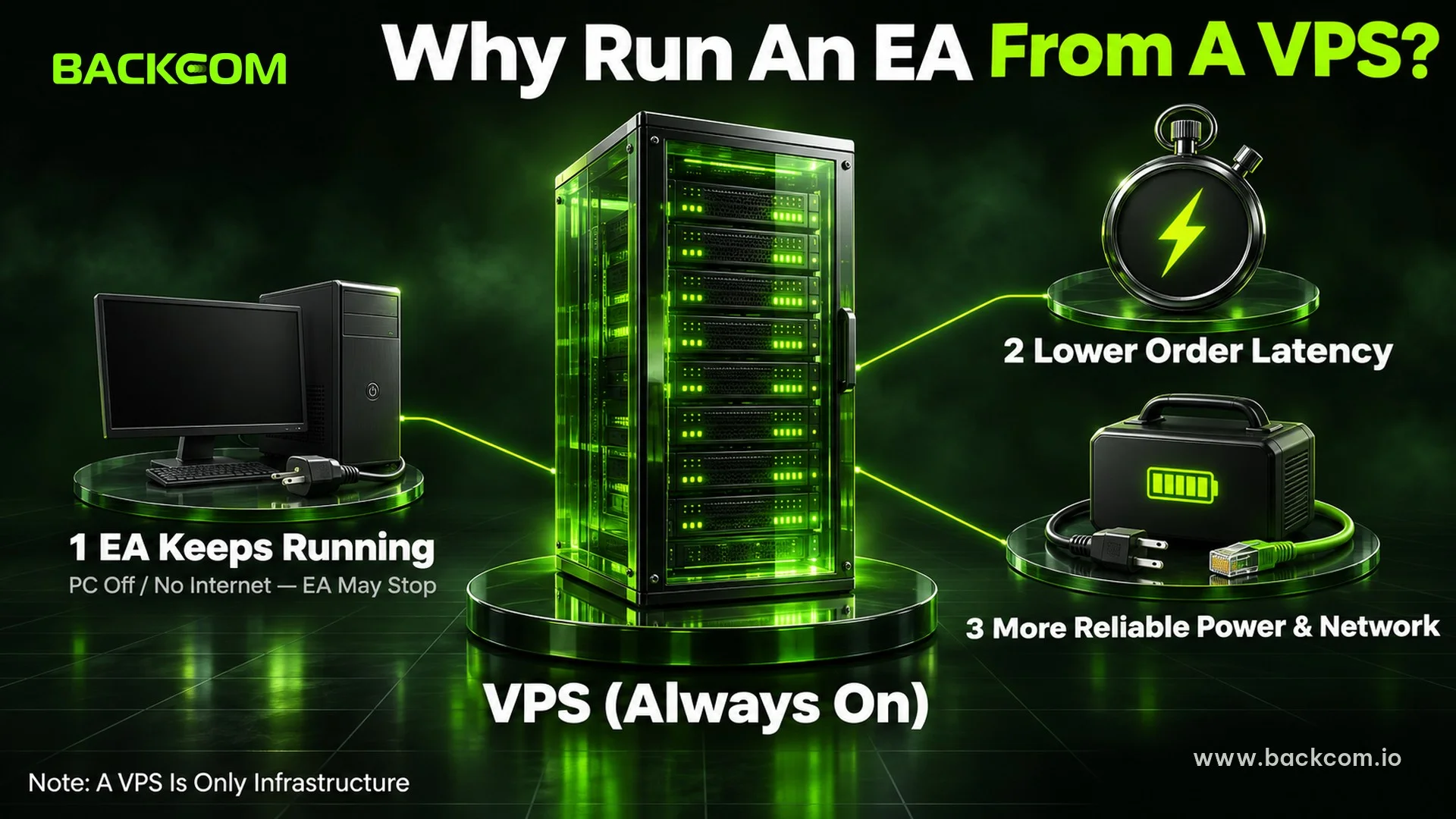
- The EA is not interrupted when your own computer goes off. If your PC loses power, drops offline, goes to sleep or restarts by itself, the EA can stop. With a forex VPS, MT4/MT5 keeps running on the server.
- Orders reach the broker with less delay. A VPS can sit close to the broker's server, which reduces ping and latency. This matters most for fast EAs and scalping, and the guide to scalping and its cost maths shows why execution speed and spread shape the result.
- Power and connectivity are more reliable. Data centres usually run backup power and redundant network links, so the system stays online more consistently than a computer at home.
That said, a VPS for MT4/MT5 is only supporting infrastructure and cannot turn a weak EA into a profitable strategy. Check the EA's logic, money management, spread, slippage and risk before leaving it to run for long periods.
How To Choose A Forex VPS: Specs And Criteria
When choosing a forex VPS, prioritise sufficient specs, high uptime and a server near your broker over raw power.
| Criterion | Reference level |
|---|---|
| CPU | 2 vCPU |
| RAM | At least 2 GB |
| SSD | 40 GB or more |
| Operating system | Windows Server |
| Uptime | 99.9% or higher |
| Server location | Close to the broker's trade server |
| Indicative price | Around USD 10–30 a month |
Indicative figures as at September 2026 (MQL5 Virtual Hosting price checked on 20 November 2026). VPS prices vary by provider, location and Windows licence.
A single MT4/MT5 terminal rarely needs a high-end configuration. For a single terminal with a light EA, 2 GB of RAM may be enough; for two or three terminals, plan on 4 GB, and add more RAM and CPU if you run several accounts or EAs at once. The forex VPS specs guide has the full table.
More importantly, check the ping to your trading server. If your broker hosts its servers in London or Singapore, a VPS in the same region usually beats one far away, as the guide to the best forex VPS by location and ping explains.
Regular Windows VPS Vs MQL5 Virtual Hosting: What's The Difference?
The main difference is how much control you get:
- Regular Windows VPS: you access it through Remote Desktop and can install several MT4/MT5 terminals plus other software.
- MQL5 Virtual Hosting: you rent it directly inside MetaTrader; setup is simpler, but you have little control over the operating system.
MetaQuotes runs its own Virtual Hosting service for MT4/MT5, described on the official MetaTrader VPS page.
If you only need to run an EA on one account, MQL5 Virtual Hosting may be enough. If you need several terminals or supporting software, a Windows VPS is the more flexible choice.
How To Use An MT4 VPS Or MT5 VPS: Step-By-Step Setup
There are two common ways to use an MT4 VPS or MT5 VPS: rent a Windows VPS and access it with Remote Desktop, or use the Virtual Hosting built into MetaTrader.
A Windows VPS suits traders who want flexibility and several terminals. If you just want to run an EA without server administration, MQL5 Virtual Hosting is easier.
Route 1: A Standard VPS Through Remote Desktop
With a Windows VPS, the basic process takes five steps.
Step 1: Rent A Windows VPS
Choose a configuration that matches the number of terminals and EAs you plan to run. After you sign up, the provider usually sends the IP address, username and password you need to connect.
Step 2: Connect To The VPS With Remote Desktop
On Windows, open the Remote Desktop Connection app, enter the VPS IP address and log in with the credentials you were given. On a phone or tablet, Microsoft's Windows App does the same job.
If you have never used the tool before, follow the walkthrough on opening Remote Desktop Connection on Windows 10 and 11.
Step 3: Install MT4 Or MT5 On The VPS
Inside Windows Server, open the browser, download MT4/MT5 from your broker's official website and install it as you would on any PC.
Step 4: Log In And Attach Your EA
Open the terminal, log in to your trading account, drag the Expert Advisor onto a chart and switch on AutoTrading (MT4) or Algo Trading (MT5).
Step 5: Close Remote Desktop, Don't Shut Down The VPS
When everything is set up, simply close the Remote Desktop window. The forex VPS keeps running and the EA carries on as normal.
Closing Remote Desktop does not switch the VPS off, a common beginner mix-up. The terminal and EA only stop if you choose Shut down or the server itself stops.
For a more detailed walkthrough, see the guide on how to install MT5 on a VPS step by step (MT4 included).
Route 2: Rent Virtual Hosting Inside MT4/MT5
MetaTrader also lets you rent Virtual Hosting straight from the terminal, without managing a separate Windows machine.
The basic process:
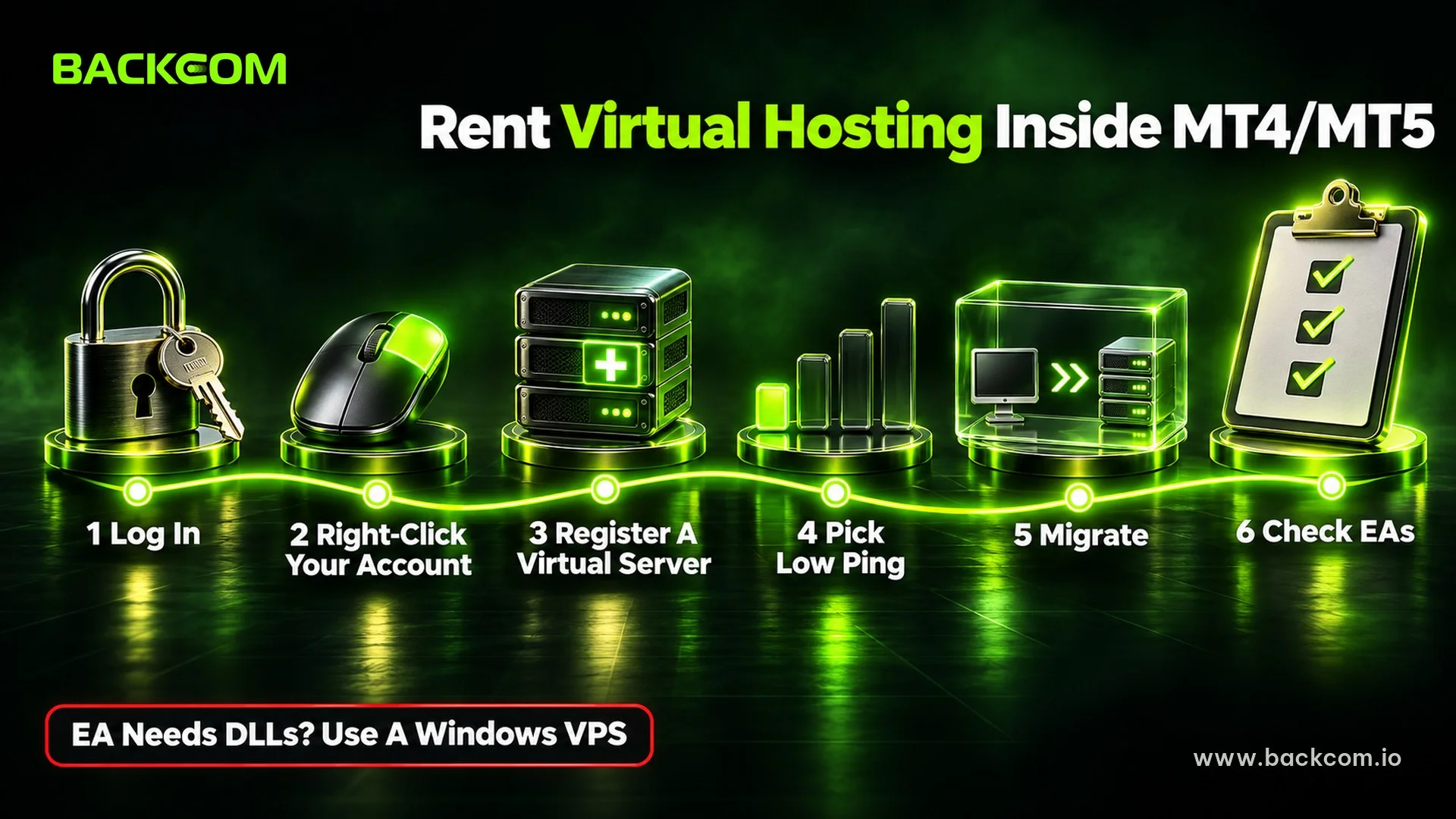
- Log in to your trading account in MT4/MT5.
- Right-click the account in the Navigator window.
- Select Register a Virtual Server.
- Pick a server with suitable ping; the terminal suggests the one closest to your broker.
- Set up and migrate your trading environment to the virtual server.
- Check the EAs, indicators and settings once the migration is complete.
The full procedure is in the official MetaTrader Virtual Hosting guide.
This route suits traders who:
- Do not want to manage Windows Server themselves.
- Only use MetaTrader.
- Want the quickest possible setup.
- Simply need the system online to run an EA or follow trading signals.
However, if your EA needs DLLs, external software or special system settings, a regular Windows VPS is more flexible. The MQL5 Virtual Hosting rules state that DLL calls are not allowed on a virtual terminal.
Check That Your EA Keeps Running After You Log Out
After setting up an MT4 VPS or MT5 VPS, confirm that the EA really is working.
A few simple checks:
- Confirm that the EA icon or the Algo Trading status shows as active.
- Look at the Experts and Journal tabs for log entries and errors.
- Log back in to the VPS later and check the terminal.
- See whether the EA keeps updating data and follows its logic.
- With Virtual Hosting, check the migration log and the server status in MetaTrader.
Do not assume the EA is running just because the VPS is online. AutoTrading switched off, the wrong chart or a configuration error can leave the system idle, so review the terminal on your forex VPS before leaving it unsupervised. Stops that trail price automatically, such as a trailing stop on MT5, also need the terminal online.
Free VPS Options: 2 Legitimate Sources And 1 Trap To Avoid
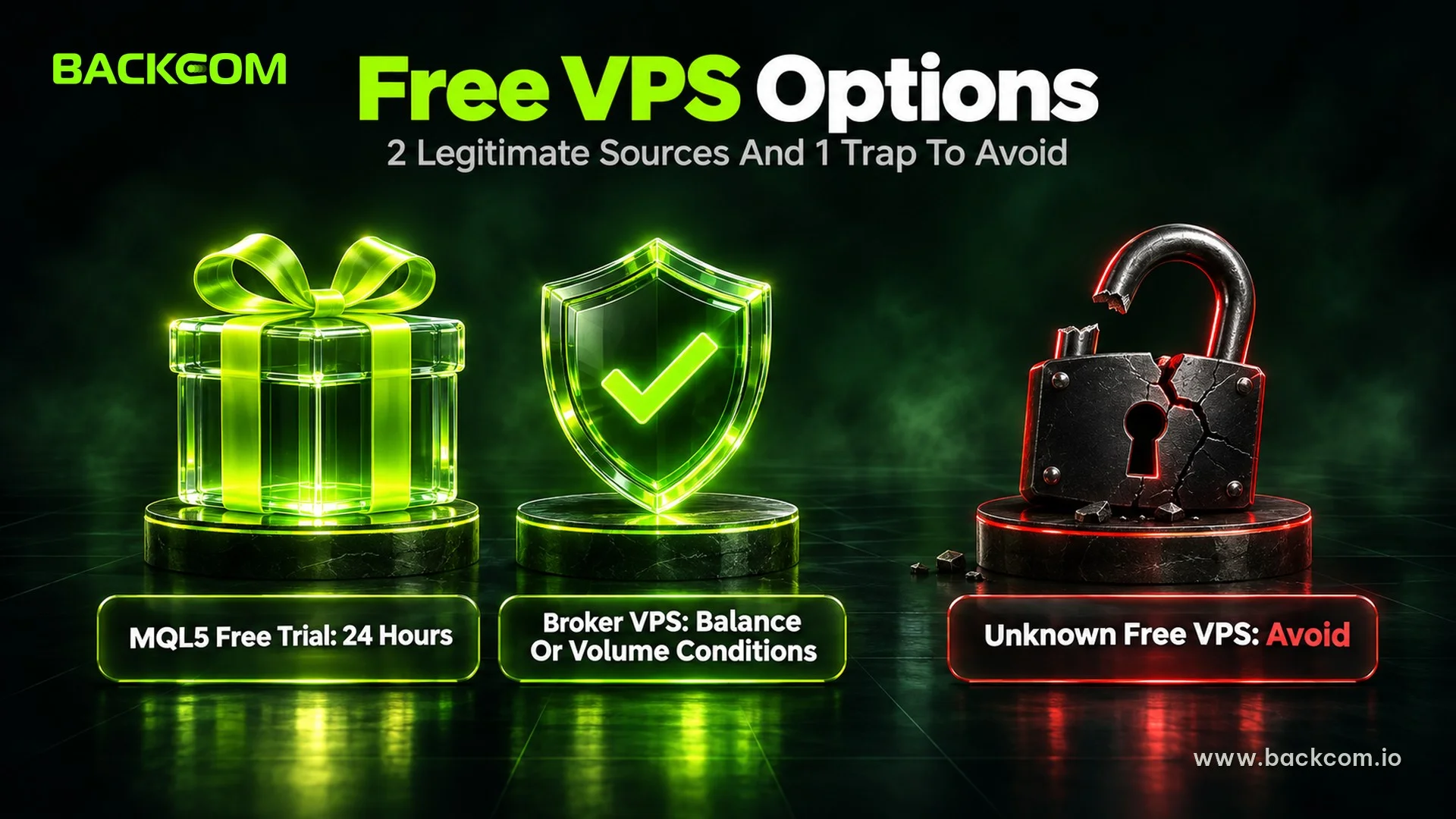
If you are not ready to pay yet, you can try a free VPS from MQL5 or a broker programme. Stick to official sources to protect your account; the real requirements for a free forex VPS are covered in a separate guide.
The MQL5 Free Trial
MetaTrader currently offers a 24-hour free trial of Virtual Hosting, which equals 1,440 minutes. That window is enough to test migration, ping and whether you can run an EA properly before renting for longer.
Paid plans then cost USD 10–15 a month depending on the term (MQL5 VPS page, 20 November 2026), and the trial switches to the paid plan automatically after 24 hours.
Free VPS From Your Broker Based On Trading Conditions
Some brokers sponsor a VPS when clients meet certain conditions. Exness currently offers a free VPS, but the balance and/or trading volume criteria can differ from one account to another, so check them directly in your Personal Area.
To keep the VPS, Exness also applies activity and volume requirements measured over 30, 90 or 180-day periods. The details are in the official Exness VPS setup guide.
Beware Of Free VPS Offers From Unknown Sources
Avoid any VPS whose login is shared publicly or whose operator you cannot identify. Other people could reach the terminal that holds your trading account.
For a free VPS, prefer MQL5, your broker or a provider with a clear security policy.
Frequently Asked Questions (FAQ) About Forex VPS
If I Turn Off My Computer, Does The EA On The VPS Keep Running?
Yes. A VPS runs independently of your personal computer, so you can shut down your PC or laptop and the EA keeps working. The system only stops if the VPS itself is shut down, the service is suspended, or MT4/MT5 on the VPS is closed.
Where Should A Forex VPS Be Located For Low Ping?
Choose a forex VPS located close to your broker's trade server. Ask the broker's support team where its servers are hosted, then pick a VPS in the same region, usually London, New York, Singapore or another major data centre hub.
Is A Free Forex VPS Good Enough?
A free VPS is usually enough for one or two terminals or a few light EAs. If you need to run several accounts, multiple EAs or a resource-hungry system, a paid VPS with suitable CPU and RAM will be more stable and more flexible. Broker-sponsored plans also come with balance, volume and activity conditions.
Conclusion: When A Forex VPS Is Worth Paying For
Once you know what a forex VPS is, it is easier to judge when the infrastructure is worth paying for. It suits traders who run an EA, a bot or any automated system that needs MT4/MT5 online 24/7.
When choosing an MT4 VPS or MT5 VPS, prioritise:
- A server close to your broker to keep ping low.
- Specs that match the number of terminals and EAs you actually run.
- High uptime and a reputable provider.
- A free trial from MQL5 or your broker before you rent long term.
If you trade with Exness, check whether you qualify for its free VPS and look at Exness Rebates to trim your trading costs further. Backcom.io is an independent introducing broker (IB/affiliate) of Exness; rebates are paid from the commission the broker pays Backcom.io — see the risk disclaimer.
Note: VPS prices and free VPS policies change, so check official information before you sign up.
Disclaimer: This content is compiled by Backcom.io for information only and is not investment advice. Trading forex and CFDs with leverage carries a high risk of loss.
Was this article helpful?
Join The Backcom.io Community
Get the latest on trading rebates, trading tips, and broker deals — and connect with thousands of traders worldwide.

Backcom App
Track Your Rebates Every Day
Every rebate is visible by broker and by day. Manage your wallet and withdrawals in one place.
Open Backcom App