EA Overfitting: What It Is And How To Spot A Backtest That Looks Great But Loses Live

Summary
EA overfitting is a robot whose parameters fit one stretch of past data so closely that the results do not repeat on new data, often after many optimization runs kept the prettiest curve. Check for it with a forward test on data the EA was not optimised on, and check that nearby parameter values still hold up.

A robot shows a steadily rising equity curve in its backtest, then collects losing trades within two weeks of going live. Many traders blame a sudden change in the market, but the more common cause sits earlier in the process: EA overfitting happens when a robot's parameters are tuned until they match every detail of one stretch of old data.
In this article, Backcom.io explains what EA overfitting is, why it comes from the optimization step itself, and 5 warning signs that a robot may have been forced to fit. The last sections show how to check whether an EA is overfitted with forward testing and parameter stability. The mechanics of the Strategy Tester are already covered in how to backtest an EA in MT5, so this guide stays on the overfitting trap. Every tool description below comes from the official MetaTrader 5 documentation, checked on 27 November 2026.
1. What Is EA Overfitting And Why Does It Make A Backtest Look Great?

EA overfitting is a robot whose parameter set fits one stretch of past data so closely that the results do not repeat on new data. The robot has stopped learning how the market behaves and has memorized movements that already happened. Three terms describe the same thing:
- Overfitting: the statistical term, stressing that the model fits the sample too closely.
- Curve fitting: the trader's term, stressing that the equity curve was bent into shape.
- Over-optimization: stressing that the cause is the optimization step.
Picture a student who memorizes the answers to last year's exam. The mock score looks excellent, but the real exam changes a few numbers and the student fails. In trading, last year's exam is the price history used for optimization, and the real exam is tomorrow's market.
Overfitting does not need anyone to cheat. An honest seller can fall into it by running optimization many times and keeping the parameter set with the prettiest curve, so you should treat it as a process error, not automatic fraud. Deliberately presenting a backtest as live results is a separate problem, covered in 6 checks to run on a trading robot before you buy. If you are new to the topic, start with what a forex Expert Advisor is.
2. What Is EA Curve Fitting And How Does Parameter Optimization Create It?

EA curve fitting is another name for overfitting, and its mechanism sits inside the MetaTrader 5 optimizer. The MT5 documentation describes optimization as running a strategy several times with different parameter sets so you can select the most appropriate combination. The two main algorithms are:
- Slow complete algorithm: tests every combination of the selected parameter values. It is the most precise but takes a long time.
- Fast genetic algorithm: much faster with almost the same quality, and it requires an optimization criterion such as Balance max, Profit Factor max or Drawdown min.
Reference: MetaTrader 5 optimization types.
The phrase "most appropriate" is where the trouble starts. MT5 ranks the runs by the criterion you choose, so the top row is simply the set that fits that specific stretch of data best. The usual criteria are:
- Balance max: the run with the highest final balance.
- Profit Factor max: the run with the best ratio of gross profit to gross loss.
- Drawdown min: the run with the lowest relative drawdown.
Whichever criterion you pick, the ranking only reflects the old data.
A quick calculation shows the scale. Suppose a robot has 4 parameters and you test 20 values of each. That is 20 × 20 × 20 × 20 = 160,000 combinations. Test that many on one data set and it is very likely that some combinations will look excellent purely by chance. MT5 shows the total number of combinations under the parameter list, and it is the number you should read before pressing start.
Three habits make overfitting worse:
- Optimizing too many parameters at once, especially small ones such as bar counts, indicator thresholds and entry hours.
- Re-running optimization until the curve looks right, then stopping.
- Using one data set both to choose parameters and to judge the result.
The third habit is exactly what forward testing is built to block, as section 4 explains.
3. Backtest Looks Great But Loses Live: 5 Signs To Check
A backtest that looks great but loses live rarely gives itself away through the profit figure. It shows in the shape of the results. You can check five signs before giving any robot real capital.
Sign 1: An equity curve that is too smooth. Real markets have sideways stretches and losing streaks. A curve that is almost a straight line for years, with almost no drawdown, is a reason to doubt rather than celebrate.
Sign 2: An oddly specific parameter set. If the robot only works when one parameter equals exactly 37 and loses at 35 or 40, the set is clinging to a very narrow patch of data.
Sign 3: Too many parameters for the number of trades. A backtest with a few dozen trades but a dozen tuned parameters cannot separate skill from luck.
Sign 4: Good in one pair, one session, one period only. If the curve collapses in another quarter or a similar pair, the robot probably fits one segment.
Sign 5: No forward period. The seller shows one report on the full data, with no split between the part used to choose parameters and a part never touched.
These signs show risk, not proof. The only way to reach a conclusion is to run a test on new data, as the next two sections show. Maximum drawdown should also be read next to profit, and what drawdown is and how to calculate it covers the method.
4. What Is Forward Testing For An EA And How Do You Run It In MT5?
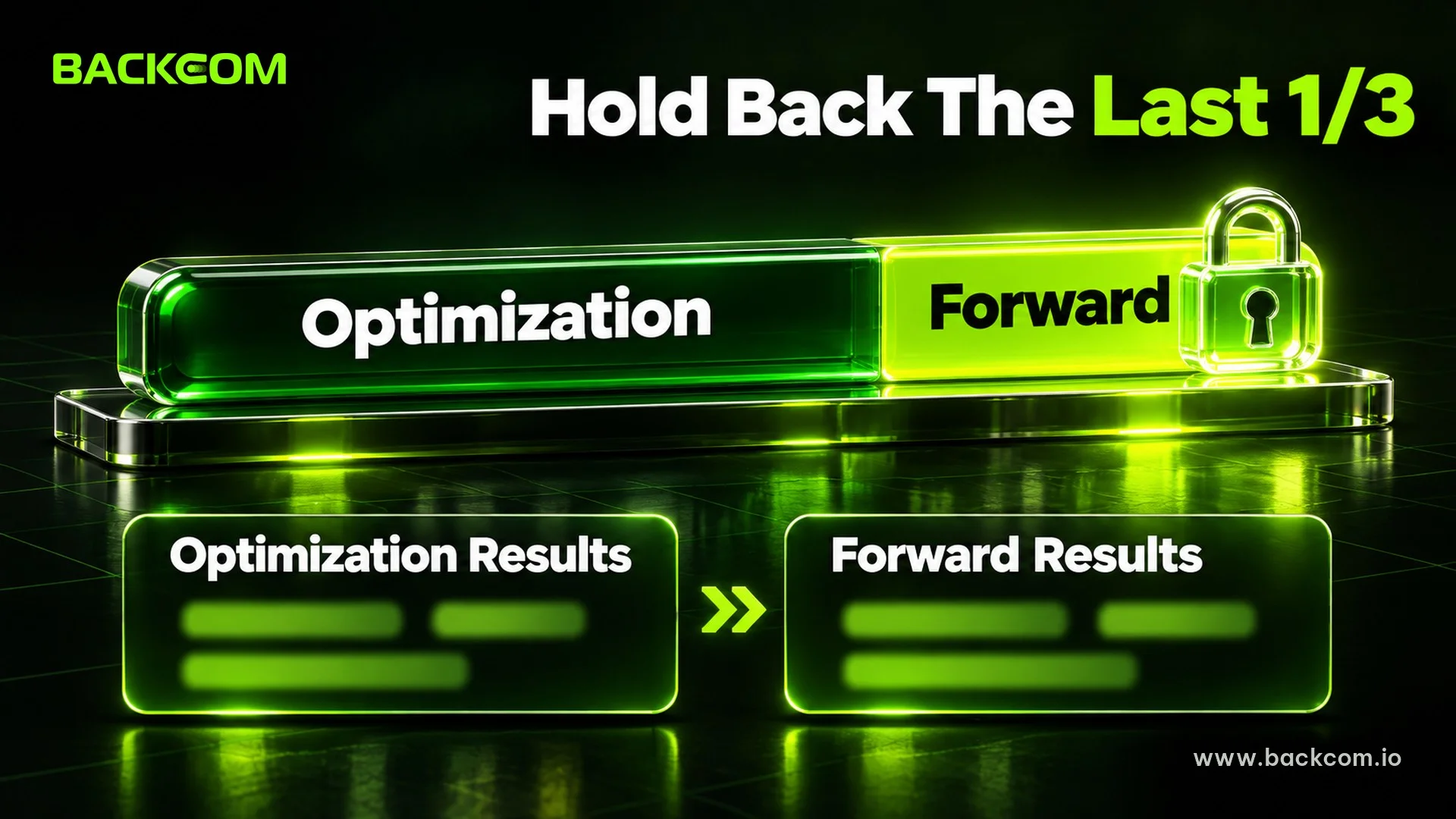
Forward testing for an EA means running the robot again on a different time period from the one used for optimization. The MetaTrader 5 documentation says this feature helps you avoid fitting parameters to certain areas of historical data. It is a test built into MT5 that costs nothing extra.
In the Strategy Tester, the Forward setting has five choices: No, 1/2, 1/3, 1/4 and Custom. The period you choose is split into two parts, and MT5 always takes the second, latest part for the forward test. Choosing 1/3 reserves the final third of the period, and it is never used to choose parameters.
With forward testing enabled, MT5 handles the optimization results like this:
- Optimization runs on the data of the first period.
- MT5 selects the best 10% of runs with the full search, or 25% with the genetic algorithm.
- The selected runs are tested again on the forward period.
- The Optimization Results and Forward Results tabs let you compare both periods.
Reference: MetaTrader 5 strategy optimization.
Reading the two tables is practical. A good parameter set has forward results that stay reasonably close to the optimization period, and they do not need to look better. If the top 10 runs of the first period all show strong profit but the same sets lose or break even on the forward period, that is the clearest sign of overfitting.
Note: Forward testing only works if you do not go back and tweak parameters after seeing the forward result. Once you adjust to make the forward period look better, that period becomes optimization data and the test loses its value. To test again, you need a fresh stretch of data, or a real-time run on a demo account.
5. How To Check If An EA Is Overfitted With 4 Tests
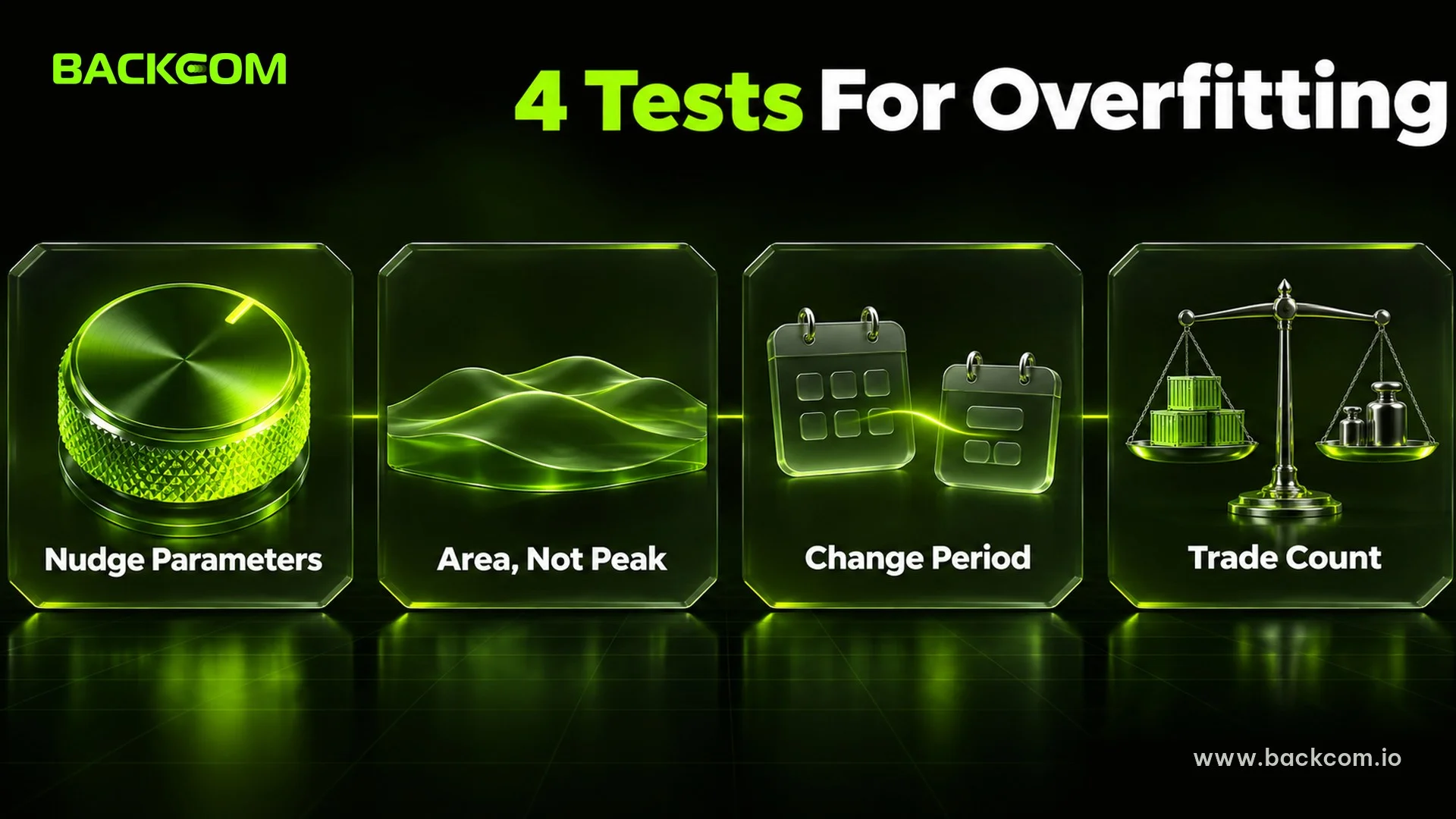
After forward testing, four more tests can be run. All of them work with the Strategy Tester itself, with no outside software.
Test 1: Nudge each parameter. Take the best parameter set and raise or lower each parameter by about 10–20%, then run again. A robust robot gives results in the same range. An overfitted one often turns to a loss as soon as one parameter moves a single step.
Test 2: Look at the area, not the peak. In the Optimization tab, sort the results and look at the neighbours of the best set. A single isolated peak among losing combinations is more suspicious than a wide area where many combinations make a moderate profit.
Test 3: Change the period and a similar pair. Run the same parameters on a different year and, if the logic is not tied to one pair, on a pair with similar behavior. It does not have to earn as much, but it should not collapse.
Test 4: Compare trades with parameters. The more trades a backtest has relative to the number of optimized parameters, the more weight its conclusion carries. A robot with 8 hand-tuned parameters and a few dozen trades almost certainly does not give enough data to draw a conclusion.
A sensible order for a new robot is: ask the seller which parameters were optimized and how many combinations were tested, run the forward test yourself, nudge the parameters, and only then run a real-time demo. For that last step you can leave the robot on a forex VPS running MT5 around the clock and watch it for several weeks.
6. How Can Real Trading Costs Ruin A Great Backtest?
Besides overfitting, a second group of causes makes a backtest look good but lose live: costs and delays the test ignored. The two can appear together, so you need to separate them to fix the right problem.
The MT5 Strategy Tester has a Delays setting that emulates network delays during EA operation. The documentation lists three modes: No Delay (orders execute at requested prices without requotes), Random Delay and Fixed Delay. It also notes that delays only apply to trades performed by an EA, such as placing orders or changing stop levels.
The table below helps separate the two groups of causes when a robot profits in a backtest but loses live:
| Cause | What it looks like | How to check |
|---|---|---|
| Overfitting | Forward results far worse than the optimization period | Enable Forward, nudge parameters |
| Ignored delay | Backtest set to No Delay, live fills are slower | Re-run with Random Delay or Fixed Delay |
| Assumed spread and fees | Profit per trade is tiny compared with real costs | Use the broker's own data and set commission in the advanced settings |
| Slippage-sensitive strategy | Scalping entries worth a few pips | Test on a demo account at the same broker |
Based on the MetaTrader 5 Strategy Testing documentation as at 27 November 2026. Features may change with software updates, so check again on the version you use.
A robot with a thin profit per trade and frequent entries is the most sensitive to these costs. Before deciding that a robot is overfitted, re-run the backtest with four realistic settings:
- Delays: choose Random Delay or Fixed Delay instead of No Delay.
- Spread: run on the data of the same broker and account type, then read the spread in the report.
- Trading fees: add commission if the account charges it.
- Volume: use the exact lot size you will run, because margin, commission and drawdown change with lot size. The Strategy Tester does not simulate slippage by volume, so check that on a demo account.
Doing so avoids fixing the wrong thing. Reference: MetaTrader 5 strategy testing.
Frequently Asked Questions (FAQ) About EA Overfitting
What Is EA Overfitting In Short?
EA overfitting is when a robot's parameters fit one stretch of past data so closely that results do not repeat on new data. The robot looks good in a backtest because it was tuned for that exact stretch. The fastest check is to enable Forward in the Strategy Tester and compare the two periods.
How Is Forward Testing Different From A Backtest?
A backtest runs on the period used to choose parameters, while a forward test runs on a different period that was not used for that choice. In MT5 the forward part is always the latest part of the chosen range. This separation is what exposes overfitting, because the robot was never tuned for that data. A forward test still runs on historical data, not in real time.
Is A Backtest That Looks Great But Loses Live Always Overfitting?
No. Overfitting is one cause, but delayed order execution, spread and unrealistically low assumed fees also make live results worse than a backtest. You should check both groups of causes, starting with a forward test and then re-running the test with realistic delays and costs.
Can Overfitting Be Removed Completely?
No. Any process that selects parameters on past data carries some risk. You can only reduce it with fewer parameters, more trades, a separate forward period and a real-time demo run. A robot that passes every test can still lose when the market changes its behavior.
Conclusion
EA overfitting is a common reason a robot looks excellent in a backtest and then loses in live trading, and it comes from the optimization step itself. You need to look at three things together: how many combinations were tested, how stable the results stay when parameters move slightly, and what happens on a period never used to choose parameters.
The routine fits in one line: ask how many combinations were optimized, enable Forward in the Strategy Tester, nudge each parameter, re-run with realistic delays and costs, and watch a demo before committing capital. A robot that cannot survive one of these steps is not ready for real money.
Once the checks are done, you can compare technical conditions in forex brokers for EA trading. If you run EAs on a live account, you can also see how trading with EAs and bots still earns rebates.
Disclaimer: This content is compiled by Backcom.io for information and reference only and is not investment advice or a trading recommendation. Trading forex and using trading robots carry a risk of losing capital, and past test results do not guarantee future results. Check the official documentation and take responsibility for your own decisions.
Was this article helpful?
Join The Backcom.io Community
Get the latest on trading rebates, trading tips, and broker deals — and connect with thousands of traders worldwide.

Backcom App
Track Your Rebates Every Day
Every rebate is visible by broker and by day. Manage your wallet and withdrawals in one place.
Open Backcom App