Binance Withdrawal Fees: How Network Fees Work And How To Lower Them


Every time you move coins off Binance to another wallet or exchange, a fee comes out of the amount you send. That fee is not a hidden charge: it is a flat amount per withdrawal that moves with the blockchain you choose and with how busy that blockchain is. This guide explains Binance withdrawal fees from the source: who receives them, why the number changes, where to read the live figure before you confirm, and which habits keep the cost down. In this article, Backcom.io also separates withdrawal costs from trading fees, because the two are often confused.
Binance shows the live fee on its withdrawal screen and its public fee table, and both can change without notice. So instead of copying a number that may be stale by tomorrow, this article shows you how to read the current one.
What Are Binance Withdrawal Fees, And Who Actually Charges Them?
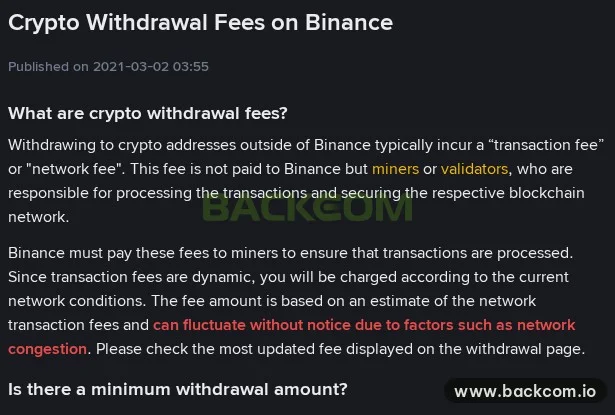
Binance withdrawal fees are network fees: the amount deducted when you send crypto to an address outside Binance. According to the Binance help page on crypto withdrawal fees, this fee "is not paid to Binance" but to the miners or validators who process transactions and secure the blockchain.
Two details from the official pages matter in practice:
- Deposits are free. The Binance fee table states that Binance does not charge deposit fees.
- The withdrawal fee is flat. The same table says that for each withdrawal, a flat fee is paid by users to cover the transaction costs of moving the cryptocurrency out of the Binance account.
- The fee is dynamic. The help page says the fee reflects current network conditions and "can fluctuate without notice due to factors such as network congestion", and tells users to check the amount displayed on the withdrawal page.
The consequence is simple. A figure you saw last week, in a blog post or a screenshot, is a reference at best. The number on your own withdrawal screen, at the moment you confirm, is the only one that counts.
Binance Network Fee: Why The Number Moves From Hour To Hour
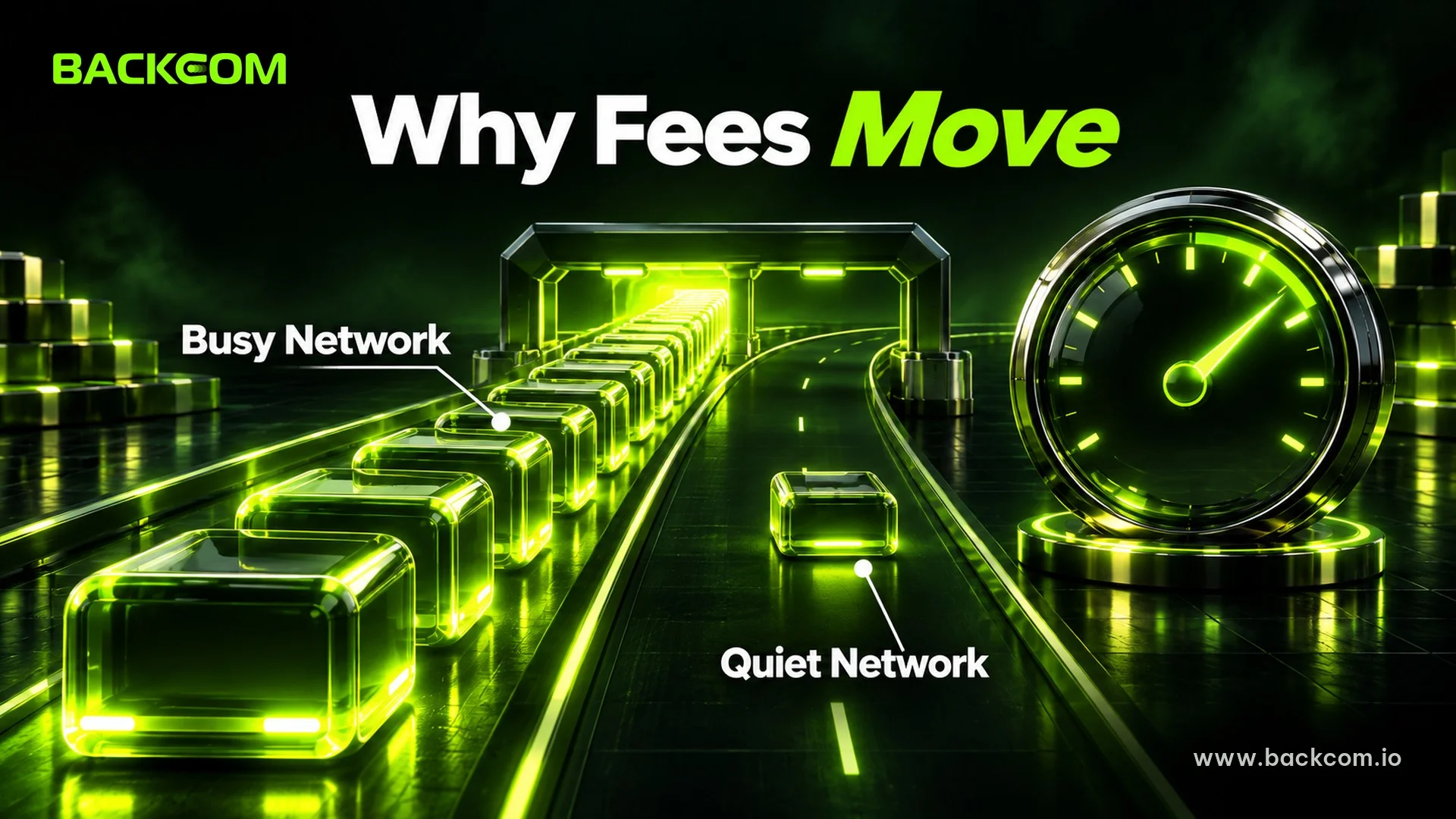
A Binance network fee follows the cost of the underlying blockchain. Each chain prices block space differently, and the price rises when more people compete for the same space.
Bitcoin: The Fee Follows Transaction Size
The Bitcoin developer documentation states that transactions pay fees based on the total byte size of the signed transaction, not on the amount sent. It adds that the fee per byte is set by current demand for space in mined blocks, with fees rising as demand increases. Sending a small amount and a large amount therefore costs about the same, which is why small Bitcoin withdrawals feel expensive.
Ethereum: Base Fee Plus Priority Fee
Ethereum splits its fee in two. The ethereum.org gas documentation describes the total as units of gas used multiplied by the base fee plus the priority fee. The protocol sets the base fee, and it can rise or fall by a maximum of 12.5% per block. The priority fee is a tip that depends on network usage when you send. Ethereum also charges the fee whether the transaction succeeds or fails.
Other networks use different fee models, which is why the same coin can show very different fees from one network to the next. On the Binance fee table, the 1M x BABYDOGE token shows a withdrawal fee of 68 on BNB Smart Chain, 1,746 on Ethereum and 1,439 on Solana, all in that token's own units, so the network you pick changes the cost far more than the amount does.
Why A Copied Fee Table Goes Stale
The fee is flat for each withdrawal, but Binance resets it as the underlying costs move and warns that fees can change without notice. A copied table of "USDT costs X on network Y" would be wrong within days. That is why the sections below focus on reading the live figure and choosing the right route, not on memorising numbers.
How To Check The Binance Withdrawal Fee USDT Before You Confirm
The Binance withdrawal fee USDT is the figure most traders look for, because USDT moves across several networks. The method below works for any coin.
- Open the withdrawal page for the coin from your Binance wallet.
- Choose the network that matches where the funds are going. Do not choose by price yet.
- Enter the address and, if the receiving platform requires one, the memo or tag.
- Type the amount. According to the Binance deposit and withdrawal guide, the screen then shows the network fee and the amount you will actually receive.
- Compare that net amount with what the receiving side expects before you confirm.
Run the same steps on two networks if the receiving platform supports both, and compare the displayed fee and the net amount. The cheaper route is only the better one if the receiving platform accepts it.
Do not pick a network because it is cheapest. The Binance guide is blunt on this point: select the network that is compatible with the external platform, and note that a wrong network selection may leave your funds lost and unrecoverable.
If you want a broader comparison across exchanges before you decide where to hold funds, our guide to crypto withdrawal fees explained covers the general mechanics, and the stablecoin guide explains how USDT and USDC differ.
Binance Minimum Withdrawal: Why Small Amounts Get Stuck
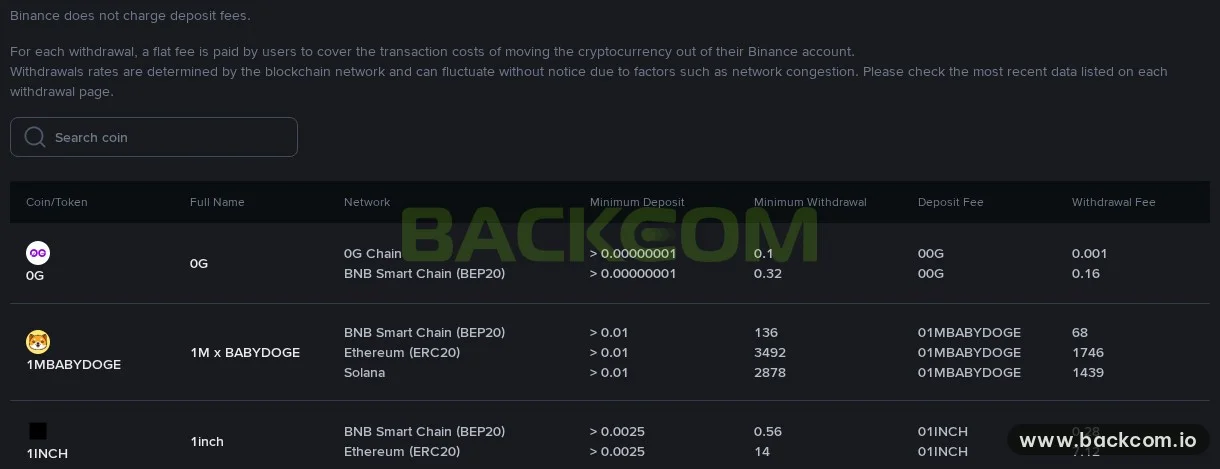
Every coin and network has a Binance minimum withdrawal. The official help page states that there is a minimum amount for each withdrawal request, and that both the minimum and the fee change depending on the network you use. If the amount is too small, you cannot submit the request at all. On the Binance fee table, for example, the 1M x BABYDOGE token has a minimum withdrawal of 136 on BNB Smart Chain, 3,492 on Ethereum and 2,878 on Solana, in that token's own units.
The minimum matters for two reasons.
- It blocks very small balances. A leftover balance below the minimum for a coin cannot be withdrawn until you add to it or convert it.
- It interacts with the fee. Even above the minimum, a flat network fee takes a large share of a small transfer.
Here is a purely illustrative calculation, with invented figures. If the screen showed a 1 USDT fee on a 20 USDT withdrawal, 5% of the amount would go to the network. The same 1 USDT fee on a 1,000 USDT withdrawal would be 0.1%. The percentage is fee divided by amount, so the sooner you consolidate, the less the fee weighs.
Fee share (%) = Network fee ÷ Withdrawal amount × 100
Check the actual minimum and fee for your coin on the withdrawal page or the Binance deposit and withdrawal fee table. The Binance help page also points out that the minimum can change without notice, so a screenshot from an old guide is not a safe basis for planning.
Binance Free Withdrawal: When An Internal Transfer Costs Nothing
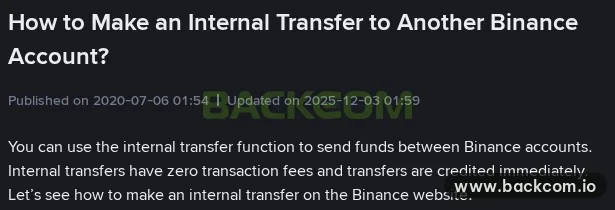
A Binance free withdrawal exists in one situation: sending funds to another Binance account. The official internal transfer guide says that internal transfers have zero transaction fees and are credited immediately. It also states that the network fee is charged only for withdrawals to non-Binance addresses, and that the exemption applies only when the recipient address belongs to a Binance account.
Practical points from that guide:
- You can send by the recipient's Binance ID, email or phone number.
- The transfer does not create a blockchain transaction ID, and the history shows it as an internal transfer.
- If the address does not belong to a Binance account, you are back to a normal withdrawal with a network fee, because the exemption covers only recipients on Binance.
Internal transfers do not help when the destination is a hardware wallet, a DeFi protocol or another exchange.
Seven Ways To Lower What You Pay To Withdraw
You cannot negotiate a network fee, but you can control how often you pay it and which route you use.
- Withdraw less often, in larger amounts. Binance charges a flat fee per withdrawal and the Bitcoin fee depends on transaction size, so one consolidated transfer usually costs less than several small ones.
- Compare supported networks. If the receiving platform accepts two networks for the same coin, check both fees and the net amount, then choose the compatible and cheaper one.
- Avoid busy periods when the transfer is not urgent. Because fees follow congestion, waiting can lower the cost on networks like Ethereum, where the base fee moves with demand.
- Use internal transfers where they apply. Paying a friend or moving between your own Binance accounts costs nothing in fees.
- Keep the amount comfortably above the minimum. This avoids rejected requests and failed attempts to move residual balances.
- Double-check address, network and memo. The Binance help page warns that a wrong address or wrong memo may lose your funds, and Binance cannot recover funds sent without a memo to an external platform, per its unsuccessful withdrawals FAQ.
- Test a small amount first for new destinations. Paying the fee twice costs less than losing a large transfer.
For related checklists, see our Binance deposit and withdrawal and P2P safety rules and the Binance account security checklist.
What To Do When A Withdrawal Is Slow
Slow is not the same as lost. The Binance help page on delayed withdrawals describes three stages: the request on Binance, confirmation on the blockchain, and crediting on the receiving platform. It says a transaction ID is typically generated within 1 to 30 minutes, and gives typical confirmation times per block of about 10 to 60 minutes for Bitcoin, about 5 minutes for Ethereum and about 3 minutes for BNB and TRON. If no transaction ID appears after 6 hours, the guide tells you to contact Binance Support with a screenshot of your withdrawal history.
For a "network busy" error, the unsuccessful withdrawals FAQ suggests waiting 15 to 30 minutes and trying again, or choosing a different network if the receiving platform supports it.
Withdrawal Fees Versus Trading Fees: Where Binance Rebates Fit
Withdrawal fees and trading fees are different costs with different owners. The network fee goes to miners or validators. The trading fee is what Binance charges on each Spot or Futures order, and it is the one that grows with your activity. Our Binance trading fees guide lists the spot and futures rates by VIP level, and the Binance futures fees explainer covers maker, taker, funding and the BNB discount.
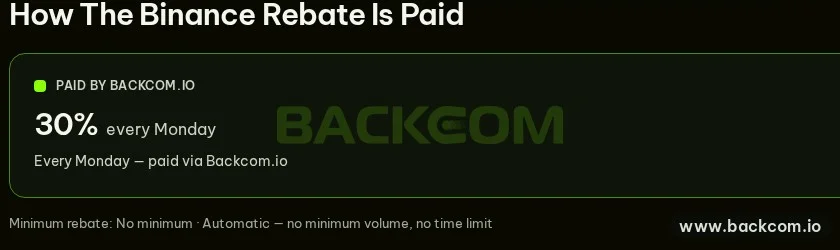
A rebate programme applies to the trading fee, not to the withdrawal fee. On the rebate page for Binance, the programme returns a share of the trading fees on Spot and Futures to traders who register through the referral link and link their exchange UID in the rebate dashboard. The page shows up to 30% of trading fees returned every Monday, with no minimum, and was last updated on 16 November 2026. It does not reduce what you pay to withdraw. If you trade often, that is where costs add up faster than a few network fees.
Check the current terms and the eligibility rules for existing accounts on the Binance Rebates page before you decide.
Backcom.io is an independent introducing broker (IB/affiliate) of Binance; rebates are paid from the commission Binance pays Backcom.io. See the risk disclaimer for details. Crypto trading is high risk, and a rebate lowers your cost but does not make a losing strategy profitable.
Frequently Asked Questions (FAQ) About Binance Withdrawal Fees
Does Binance Charge A Fee To Withdraw Crypto?
The fee you see is a network fee. The Binance help page says it is paid to miners or validators, not to Binance, and that it varies with network conditions. You see the exact amount on the withdrawal screen before you confirm.
Why Is The Binance Withdrawal Fee Different For Each Network?
Each blockchain prices its own transactions. Bitcoin charges by transaction size and demand for block space, while Ethereum combines a protocol-set base fee with a priority tip. The same coin on two networks can therefore show two different fees. Pick the network your destination supports, then compare the displayed fee.
Is There A Free Way To Withdraw From Binance?
Only an internal transfer to another Binance account, which Binance describes as zero-fee and instantly credited. Sending to any external address carries a network fee. The exemption applies only when the recipient address belongs to a Binance account.
What Is The Minimum Binance Withdrawal Amount?
It depends on the coin and the network, and it can change without notice. The withdrawal page and the Binance fee table show the current minimum. Below it, the request cannot be submitted.
Can I Get My Withdrawal Fee Back?
Do not plan on one: the network fee goes to miners or validators, not to Binance. Ethereum, for example, charges its fee whether a transaction succeeds or fails. Check the address and network carefully before you confirm.
Conclusion: Read The Live Fee, Choose The Right Network
Binance withdrawal fees are network fees that move with congestion, so the number on your own screen at the moment you confirm is the one to trust. Choose the network your destination supports before you compare prices, keep amounts above the minimum, consolidate transfers, and use internal transfers when the recipient is on Binance. Treat trading fees as a separate cost with their own tools, including the rebate programme described above.
Disclaimer: This content is compiled by Backcom.io for information only and is not investment advice. Fees, minimums and terms change without notice; always check the current figures on the Binance withdrawal page. Crypto assets are volatile and carry a high risk of loss.
Was this article helpful?
Join The Backcom.io Community
Get the latest on trading rebates, trading tips, and broker deals — and connect with thousands of traders worldwide.

Backcom App
Track Your Rebates Every Day
Every rebate is visible by broker and by day. Manage your wallet and withdrawals in one place.
Open Backcom App