Margin Call Vs Stop Out: What They Mean And How To Avoid Both

A trade is only slightly red, then a warning flashes on the terminal, and a few minutes later the positions are gone and the balance is close to zero. That sequence is what margin call vs stop out is really about: two alert levels sitting on the same gauge, the margin level.
Many traders assume a margin call means the account is already blown, or that the broker will give hours of notice. In practice every broker sets its own levels, and the gap between the two can be only a dozen pips or so.
In this article, Backcom.io will cover what traders look up most often:
- What is a margin call, and how it differs from stop out on the same margin level formula.
- What is the stop out level, and why no single number applies to every broker.
- A worked example that counts the pips left before a warning or a forced close, by lot size.
- How to read the levels on Exness and XM, plus 6 ways to avoid margin call trouble.
What Is A Margin Call? The Warning Before Positions Are Closed
A margin call is a warning from the broker that the account's margin level has fallen below a set threshold, which means the remaining equity is no longer a safe cushion for the open positions. No position is closed at this point, but the account has entered a danger zone.
The key point is that a margin call is only a signal. Depending on the broker, it may appear as a terminal alert, an email or a message, and some brokers send nothing beyond a colour change on the account line. You should not wait for a notice before acting.
According to the MQL5 account information reference, the margin call level is stored in the ACCOUNT_MARGIN_SO_CALL property and can be expressed in percent or in money. See the MQL5 AccountInfo documentation for the exact wording.
Keep three points in mind when you hear the term:
- A margin call is a warning, not an order to close positions.
- The threshold is set by the broker, not by MetaTrader.
- After a margin call, if price keeps moving against you, the account reaches stop out.
If you are not sure how margin is built, read how to calculate margin in forex first, because every figure in this article starts from margin.
What Is Stop Out? The Level Where The Broker Closes Trades
Stop out is the margin level, lower than the margin call level, at which the broker automatically closes positions so that losses cannot exceed the margin held. Unlike a margin call, this is an action rather than a reminder.
When the stop out level is hit, the system usually closes the most heavily losing position first, then rechecks the margin level. If it is still below the threshold, the next position is closed, until the margin level is back above the stop out level. This is how many MetaTrader platforms work, but the exact closing order still depends on each broker's setup.
The stop out level is stored as ACCOUNT_MARGIN_SO_SO, and shares the percent-or-money mode with the margin call level, as the MQL5 documentation explains.
Note: A stop out closes at the market price of that moment. When the market gaps or liquidity thins out around major news, the closing price can be worse than the calculated level. That is why you should never treat the stop out level as your own stop loss.
Margin Level Forex: What It Is And How It Is Calculated
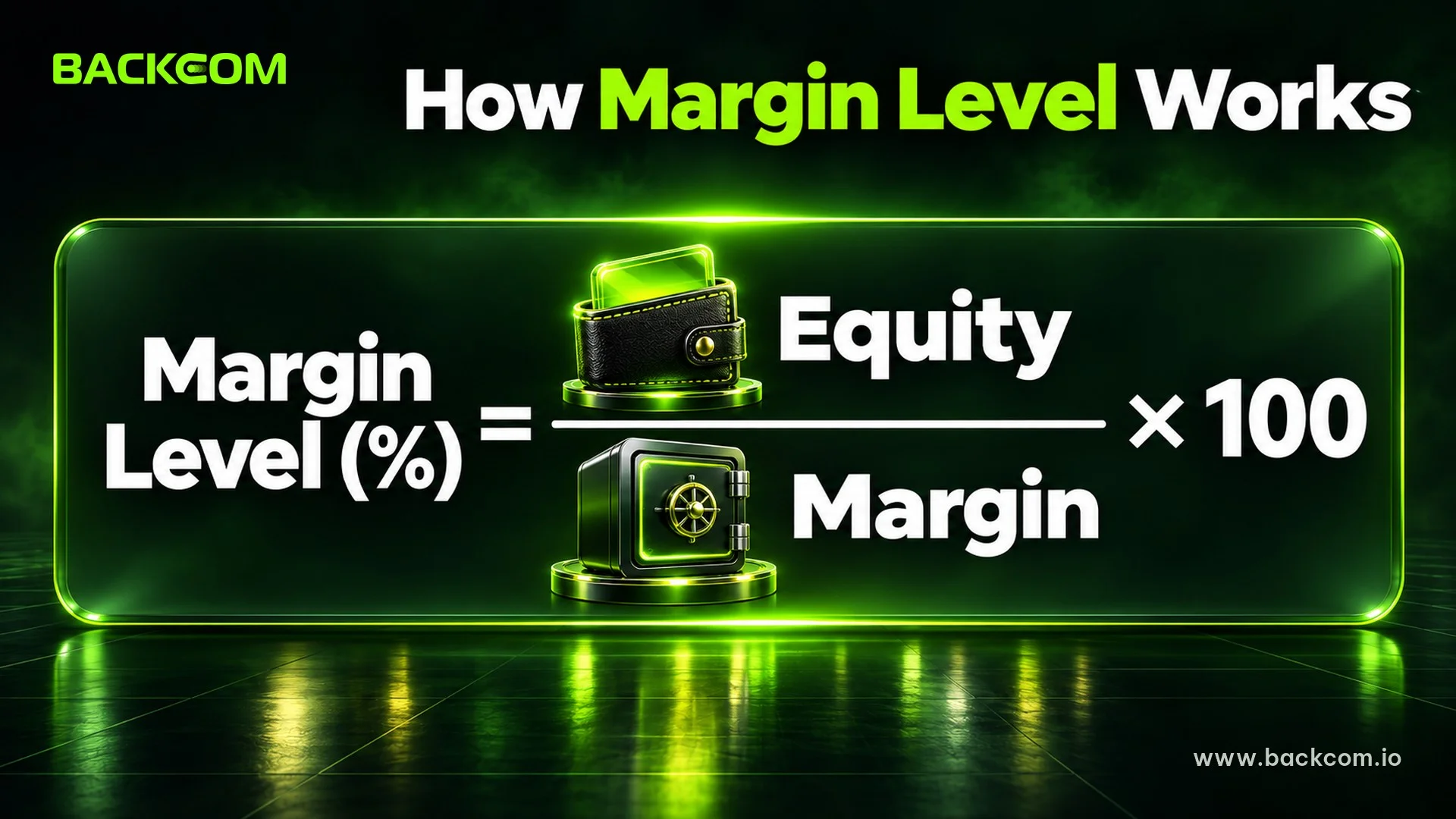
Margin level in forex is the percentage ratio between equity and the margin currently held for open positions. Both the margin call and the stop out are compared against this number.
Margin level (%) = Equity ÷ Margin used × 100
In the formula, equity is the balance plus floating profit or loss, and margin is the collateral held for open trades. MetaTrader calculates forex margin as lot volume times contract size divided by leverage, as shown in the MetaTrader 5 forex margin help page.
Three points help you read margin level correctly:
- Floating profit or loss changes equity every second. Margin level therefore moves with price and never stands still.
- Opening another trade raises margin. Margin level falls even before price moves against you.
- A high margin level is not automatically safe. An account at 800% can still drop fast if the lot size is too large for the balance.
Watch the Margin Level line on the Trade tab in MT5 instead of looking only at profit and loss. While price is running, that figure tells you how much cushion is left.
What Margin Level Triggers A Stop Out?
There is no universal answer to what margin level triggers a stop out. The threshold depends on the broker, the account type and the legal entity you registered with, so 20%, 30%, 50% or 100% can each be right in one place and wrong in another.
One clear reference point comes from European regulation. According to the ESMA announcement of 1 June 2018, providers must close a retail client's CFDs once margin falls to 50% of the minimum required margin, and opening leverage is capped from 30:1 down to 2:1 depending on the product. This applies to retail clients within the European scope, not automatically to every entity of a broker.
The table below shows three places where you can read your own thresholds:
| Where to look | What it shows | What to watch |
|---|---|---|
| The broker's account specification page | Margin call and stop out for each account type | Pick the right legal entity and account type |
| The MT4/MT5 terminal of your own account | The levels actually applied | The Trade tab shows margin level; ask support if the levels are not visible |
| The client agreement | The broker's right to close positions | Levels can be changed with notice |
Reference for how to read the levels as at 9 November 2026. Brokers can change levels by account type, leverage or regulation, so check again before you trade.
This article deliberately does not publish a line such as "broker A stops out at 20%, broker B at 50%". Such figures appear widely on third-party blogs but contradict each other, and they could not be verified from each broker's official page in this update.
Margin Call Vs Stop Out: Side-By-Side Comparison
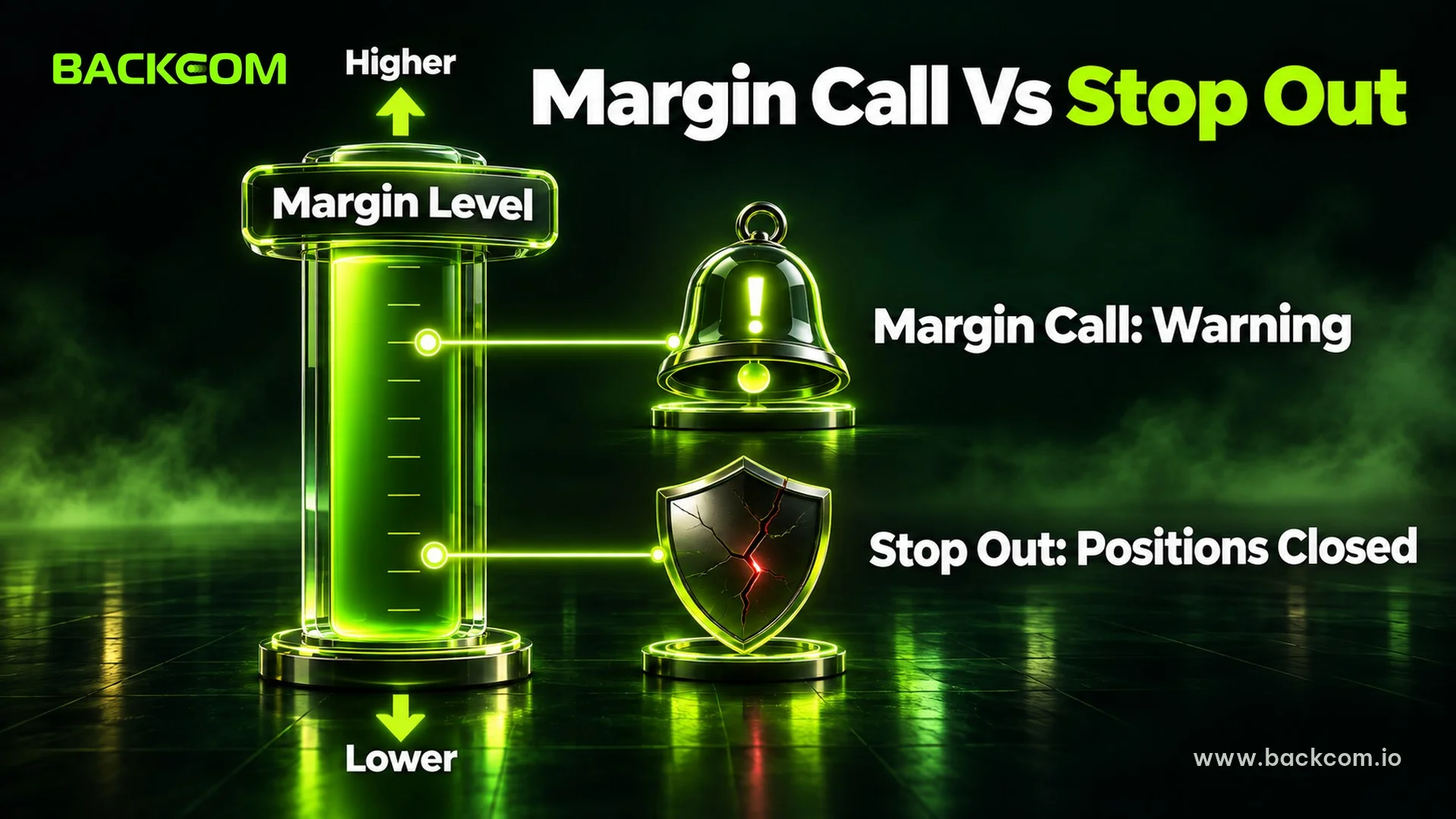
The two terms are often mixed up, so the table puts them next to each other on four criteria:
| Criterion | Margin call | Stop out |
|---|---|---|
| Nature | Warning | Automatic closing of positions |
| Margin level | Higher | Lower |
| What you can still do | Add funds, close some trades, cut lot size | Almost nothing, the system has already acted |
| Result | No position lost yet | Positions closed at market price, loss realised |
Some brokers do not send a separate margin call at all. The account goes straight to stop out, so silence from the broker should never be read as a sign of safety.
Worked Example: Pips Left Before Margin Call And Stop Out
The example below uses assumed thresholds of 100% for margin call and 50% for stop out, only to show the method. They are not the levels of any broker. Suppose you have a 1,000 USD balance, 1:500 leverage, buy EUR/USD at 1.1000, hold margin fixed at its opening value, and ignore spread, swap and other positions.
With 1 lot, the margin needed is 100,000 EUR divided by 500, which is 200 EUR, about 220 USD. The starting margin level is 1,000 divided by 220, about 455%. Each pip is worth 10 USD.
- Margin call (100%): equity must fall to 220 USD, a loss of 780 USD, which equals 78 pips.
- Stop out (50%): equity falls to 110 USD, a loss of 890 USD, which equals 89 pips.
Only 11 pips separate the two levels. On a pair like EUR/USD, that distance can pass in minutes around news.
The table shows how the same account changes with lot size:
| Lot size | Approx. margin | Pips left to margin call | Pips left to stop out |
|---|---|---|---|
| 1.0 lot | 220 USD | 78 pips | 89 pips |
| 0.5 lot | 110 USD | 178 pips | 189 pips |
| 0.2 lot | 44 USD | 478 pips | 489 pips |
Illustration using assumed figures, not real trading data. Real thresholds, prices and costs differ by broker, so recalculate with your own account figures before you trade.
One point matters a great deal: high leverage does not bring a margin call sooner. What brings it sooner is a lot size that is too large for the balance. Leverage only makes it easier to open a larger lot. See what is leverage in forex for more.
Margin Call On Exness And XM: How To Read Each Broker's Levels
When you search for a margin call on Exness or XM, you will find different level tables across articles. The reason is that each broker has several account types and several legal entities, while third-party posts often copy each other without dates.
A safer approach is to check three things directly:
- Open the specification page of the exact account type (Standard, Pro, Raw Spread or Zero) and find the margin call and stop out entries.
- Match the legal entity you are registered with, because levels and leverage can differ by region.
- Open a demo account of the same type and look at the levels shown in the terminal before using real money.
Two comparison articles already exist: Exness account types and XM account types. They describe the general conditions of each account but do not state margin call or stop out levels, so you still need to confirm those on the official page.
For each broker, see also the Exness page and the XM page.
6 Ways To Avoid Margin Call And A Blown Account
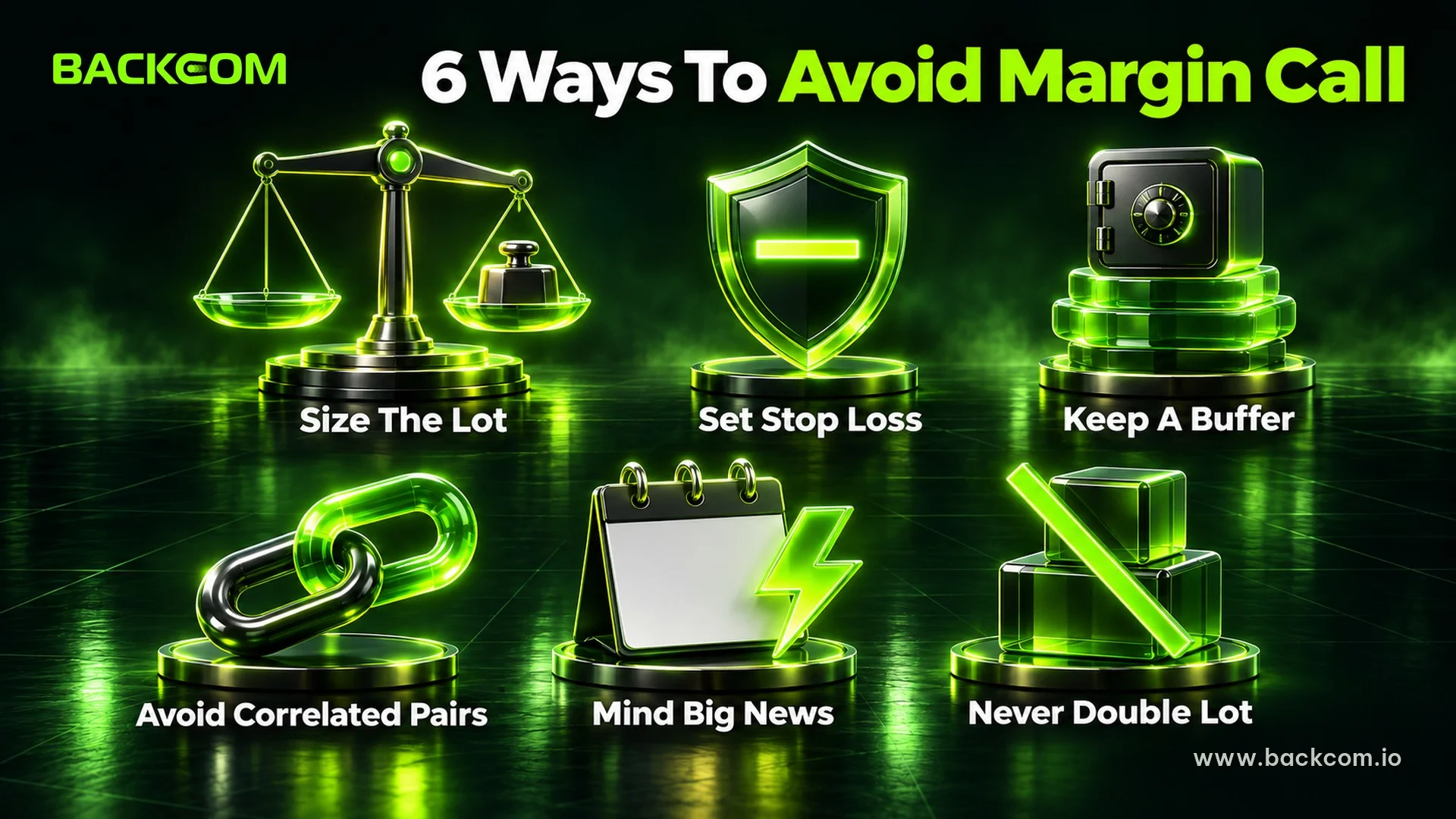
The best way to avoid margin call alerts is to fix the lot size, because most come from oversized lots, not from a wrong analysis. The six habits below focus on keeping a cushion.
1. Size the lot from risk, not from free margin
Many traders open a lot based on the margin still available, and that is the fastest way to push margin level down. Size the lot from the percentage of capital you accept to lose, then check margin. The position size calculator helps with this step.
2. Put a stop loss on every trade
A trade with a stop loss closes before the account reaches the warning zone. For placement, see how to set a stop loss.
3. Keep a high margin level as a buffer
Some traders set a personal floor, for example never letting margin level fall below 1,000% when several trades are open. That figure is a personal rule, not a broker rule.
4. Avoid stacking same-direction trades on correlated pairs
EUR/USD and GBP/USD often move together. Opening both in the same direction can double the risk without you noticing.
5. Be careful around major news and weekends
A gap closes positions at a worse level than the calculated one. Cut the lot size or stay out ahead of events such as NFP and rate decisions, and before the weekend close.
6. Never average down a losing trade with double the lot
Adding lots to a loser raises margin exactly when equity falls. It is the shortest road from a losing trade to a stop out. To see why this loop is dangerous, read pyramiding in forex vs averaging down.
The framework and formulas behind all six sit in forex money management and the 1% rule.
What To Do When A Margin Call Arrives
When the alert appears, you usually have minutes, not hours. Follow this order:
- Stop opening new trades. Every new trade adds margin and pushes margin level down.
- Close the worst losing trades or reduce lot size. This lifts margin level faster than waiting for price to return.
- Add funds only with a plan. Topping up to keep a wrong trade alive does not fix the cause.
- Record the cause after the session. Log the lot size, leverage and entry reason in a journal so it does not repeat.
Frequently Asked Questions (FAQ) About Margin Call And Stop Out
Is A Margin Call The Same As A Blown Account?
No. A margin call is only a warning, and no position has been closed. The account loses positions only at stop out, or when you close them yourself. Still, if price keeps moving against you and the lot is large, the gap between the two levels can be a dozen pips or so. Treat a margin call as a signal to cut risk at once.
What Stop Out Percentage Is Safe?
No stop out level is "safe" for every broker, because the threshold is set by the broker and differs by account type. What you control is your own margin level, not the broker's threshold. Read the level on the account specification, then keep your margin level far above it.
Does The Broker Warn Before Stop Out?
It depends on the broker. Some send a notice at the margin call level, some only show a terminal alert, and some send nothing. So do not wait for a message before reducing lots. The safer habit is to watch margin level yourself and set a stop loss from the start.
Does High Leverage Make A Margin Call More Likely?
High leverage makes margin per lot smaller, so it does not pull a margin call closer directly. The risk is that cheap margin makes it easy to open a bigger lot. For the same loss in pips, a larger lot drains equity faster and reaches the threshold sooner.
Are Margin Call And Stop Out Different On MT4 And MT5?
Both platforms rely on margin level and on two thresholds configured by the broker. The meaningful difference lies in how the broker sets the levels and whether it uses percent or money mode, not in MT4 versus MT5. Check the levels of the exact account you trade.
Conclusion: Know Both Levels Before You Open A Trade
Margin call vs stop out comes down to margin level: a margin call is the warning at the higher level, and a stop out is the forced close at the lower one. You need to look at three things together: the broker's thresholds, the lot size relative to the balance, and the cushion measured in pips.
Before entering a trade, read the thresholds for your exact account type, calculate the pips left to both levels, and place the stop loss well before that zone. If the cushion is thin, reduce the lot until it is wide enough.
If you are starting from zero, go back to how to calculate margin and lot size in forex before opening a live trade.
Disclaimer: This content is compiled by Backcom.io for information only and is not investment advice, a trading recommendation or legal advice. Leveraged trading carries a risk of losing capital. See the Backcom.io risk disclaimer.
Was this article helpful?
Join The Backcom.io Community
Get the latest on trading rebates, trading tips, and broker deals — and connect with thousands of traders worldwide.

Backcom App
Track Your Rebates Every Day
Every rebate is visible by broker and by day. Manage your wallet and withdrawals in one place.
Open Backcom App