Exness Deposit And Withdrawal: Payment Methods, Processing Time, Limits And Common Errors

The Exness interface may label a withdrawal method as "instant", yet the money is not necessarily in your bank yet. That is why Exness deposit and withdrawal needs to be understood through three things: the methods available to you, the rule that withdrawals go back to the funding source, and the processing time on both sides.
This guide covers the main Exness deposit methods, how to withdraw from Exness, the real Exness withdrawal time, and how to deal with Exness withdrawal problems. In this article, Backcom.io shows where to find your limits, the steps to follow and what deposits and withdrawals mean for your rebates.
Exness Deposit Methods And Limits: What You Will See In The Personal Area
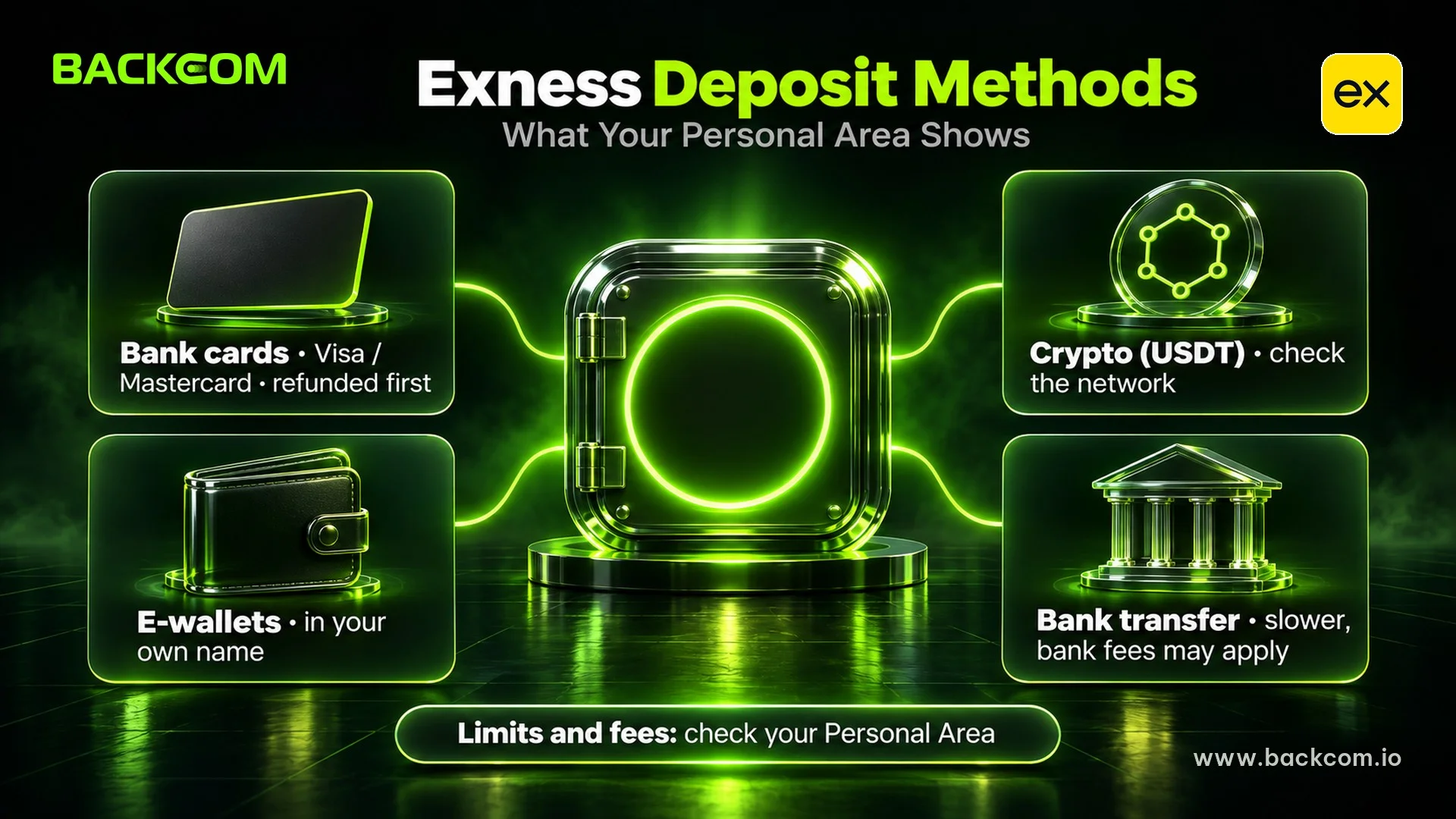
Exness deposit and withdrawal means moving money into or out of a trading account through a method shown in your Personal Area. According to the Exness Help Center, the list depends on your country of registration, your verification status and the payment provider's current availability.
| Method type | Typical use | Limits, fees, time | Points to check |
|---|---|---|---|
| Bank cards (Visa, Mastercard) | Deposits with 3D Secure, withdrawals as refunds | Shown under each method in the Personal Area | Card deposits must be refunded first. Prepaid cards must carry your exact name |
| E-wallets | Fast deposits and withdrawals where offered | Shown under each method | The wallet must be in your own name |
| Cryptocurrency (e.g. USDT) | Deposits and withdrawals to your own wallet | Shown under each method | Check the wallet address and network |
| Bank transfer | Larger amounts | Usually slower, bank fees may apply | The account holder's name must match |
| Local methods | Country-specific options | Only visible in some regions | Availability changes with the provider |
Summary based on the Exness Help Center and the Exness deposits page, checked on 20 November 2026. Methods, limits and times vary by account, so this table does not rank one method over another.
Exness says most payment methods have no deposit fee, but many set a minimum amount. See the official Exness deposits and withdrawals page for the current overview. For USDT, network choice and specific risks are covered in depositing USDT to a forex broker.
Exness Deposit And Withdrawal Limits: Four Layers To Check
Check these four layers before moving money:
- Method limits: the minimum and maximum per transaction and the fee shown under each method.
- Verification level: many methods show "Verification Required" until your profile is complete. The steps are in how to open an Exness account.
- Withdrawable balance: open positions use margin, so not all of your equity can be withdrawn.
- Bank or provider limits: your bank app or wallet may cap daily transfers.
Note: Exness does not accept third-party payments, and rules on funding overseas trading accounts differ by country of residence. Use only accounts in your own name and check the rules where you live before large transfers.
How To Make An Exness Deposit Step By Step
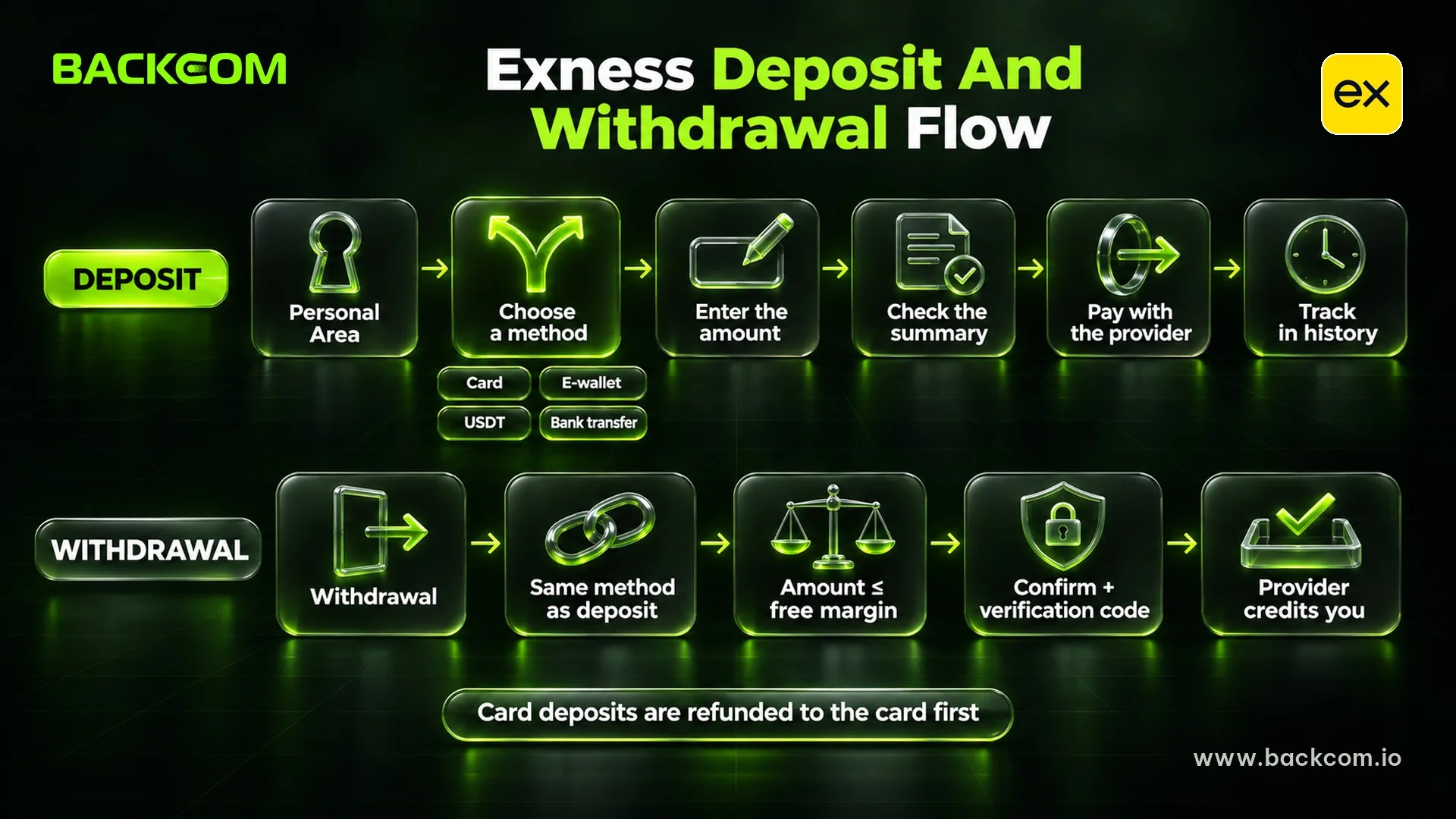
An Exness deposit means choosing a method in your Personal Area, entering the amount and completing the payment on the provider's page. Button names can differ slightly depending on the interface language.
- Open Deposit: log in to the Personal Area on the web and open the deposit section.
- Choose a method: pick a card, e-wallet, crypto or bank option from the list shown for your region.
- Enter the amount: select the right MT4/MT5 account, then read the minimum, maximum, fee and time before typing the amount.
- Check the summary: the system opens the payment page after you confirm.
- Complete the payment: finish the card 3D Secure check, approve the payment in your wallet, or send crypto to the exact address and network displayed.
- Track the transaction: use the transaction history to check the deposit status.
Note: the card, wallet or bank account used for an Exness deposit must be in the same full name as your Exness profile. Only pay through details generated in your Personal Area, never through payment details sent by message.
How To Withdraw From Exness And The Same-Source Rule
To withdraw from Exness, you create a request in the Personal Area, and the funds then pass through the payment method before your bank, card issuer or wallet credits them. According to the Exness Help Center, the steps are:
- Open Withdrawal: log in to the Personal Area and choose Withdrawal.
- Choose a method: pick an available method that you used to deposit.
- Enter the details: select the MT4/MT5 account, currency and amount, then continue.
- Check the summary: confirm the method and amount before you press Confirm.
- Enter the verification code: use email, SMS, push notification or an authenticator app, depending on your security type.
- Complete the receiving details: if asked for bank details, enter an account in the same full name as your profile.
The Exness Withdrawal Rules That Apply To Every Request
Five rules matter on every withdrawal:
- Same method as the deposit: Exness allows withdrawals only to methods used for deposits. If that method is unavailable, support can offer an alternative and may ask for extra documents.
- Bank cards first: card deposits must be refunded to the same card before profit can go out by another route.
- Same currency: the currency chosen at deposit is used for the withdrawal, and the exchange rate at the time applies.
- Matching name: the receiving account must carry the full name registered with Exness.
- No cancellation after submitting: a submitted request cannot be cancelled, according to Exness' withdrawal cancellation article, so check the method, currency, amount and destination before you confirm.
The most you can withdraw at any moment equals your free margin, the part of equity not used as margin for open positions:
Maximum withdrawal = Equity − Margin used by open positions
Deposited With Two Methods? A Worked Example
The Help Center sets out the same-method principle, but how a withdrawal is split across two non-card methods is shown in the Personal Area at the time of the request.
Suppose you deposited $200 by e-wallet and $100 in USDT, then made $60 profit. You want to withdraw $360 in total:
| Split (illustration) | To the e-wallet (USD) | To the USDT wallet (USD) | Profit sent separately (USD) |
|---|---|---|---|
| In proportion to deposits (2/3 and 1/3) | 240 | 120 | 0 |
| Refund each deposit first, profit last | 200 | 100 | 60 |
This is an illustration, not an Exness rule. The actual split follows what the Personal Area shows, so ask support before a large withdrawal if anything is unclear.
Exness Withdrawal Time: How Long Does It Take, Including Weekends And Holidays?
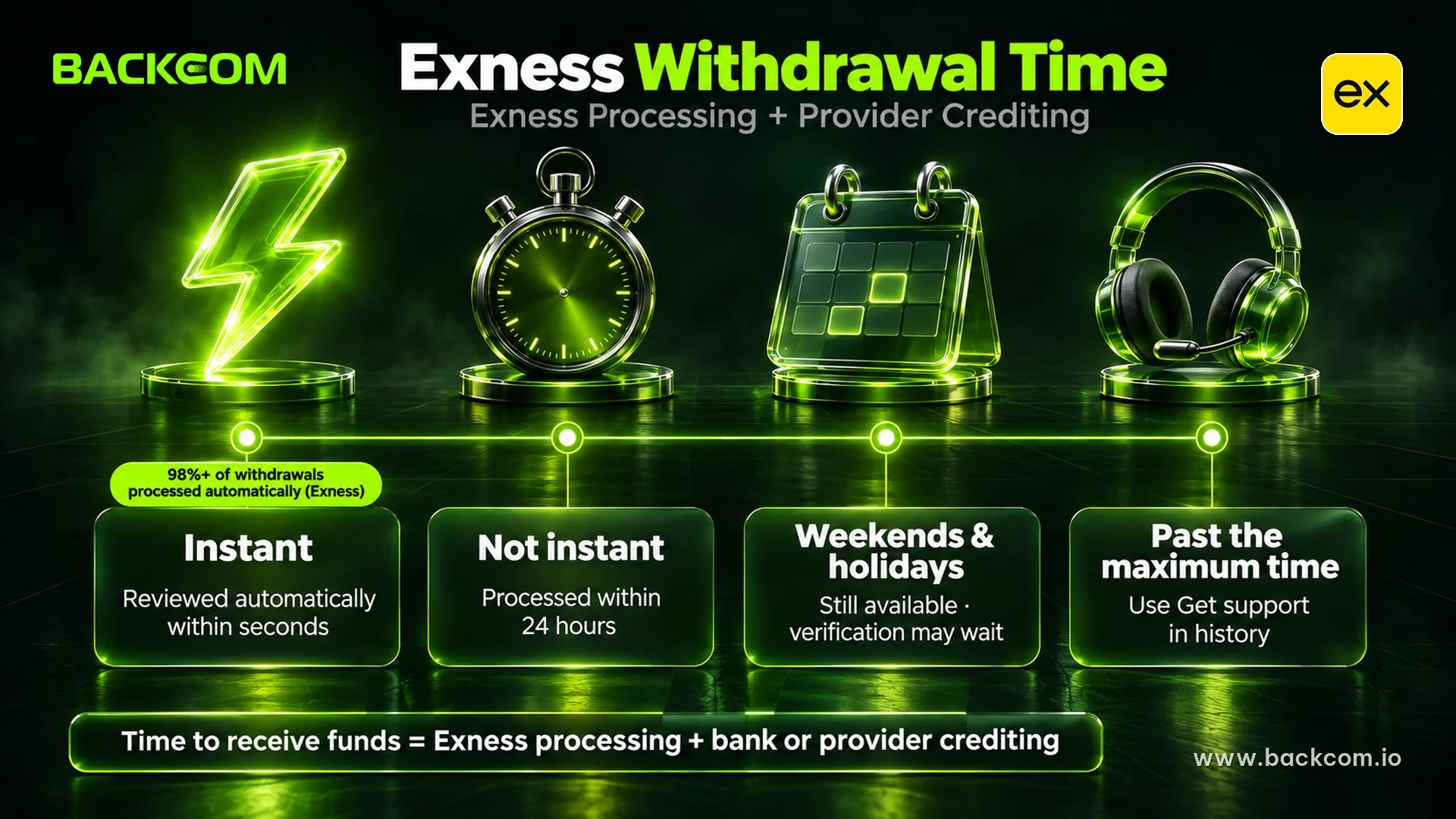
Exness withdrawal time depends on the method. According to Exness, a transaction that is not instant is processed within 24 hours, and the average and maximum time for each method appear in the Personal Area.
"Instant" only means the request is reviewed automatically within seconds, without manual processing by the payments team. Exness states that more than 98% of withdrawals are processed automatically.
The time until money reaches you has two stages:
Time to receive funds = Exness processing time + Bank or provider crediting time
| Situation | What Exness states | What you should do |
|---|---|---|
| Labelled "instant" | Processing starts within seconds | Wait for your bank, card issuer or wallet to credit |
| Not instant | Processed within 24 hours | Check the maximum time for the method |
| Weekends and holidays | Deposits, withdrawals and internal transfers still work | Allow extra time if verification is needed |
| Weekend maintenance | A method may be paused | Read the notices in the Personal Area |
| Past the maximum time | You can request help | Use Get support in the transaction history |
Processing terms as stated on the Exness deposits page and Help Center on 20 November 2026. Times vary by method and region, so check the method page in your Personal Area.
Card refunds can take longer to appear on your statement because the card network and issuing bank add their own processing time.
Exness Withdrawal Problems: Delays, Rejections, Name Mismatches And Fixes
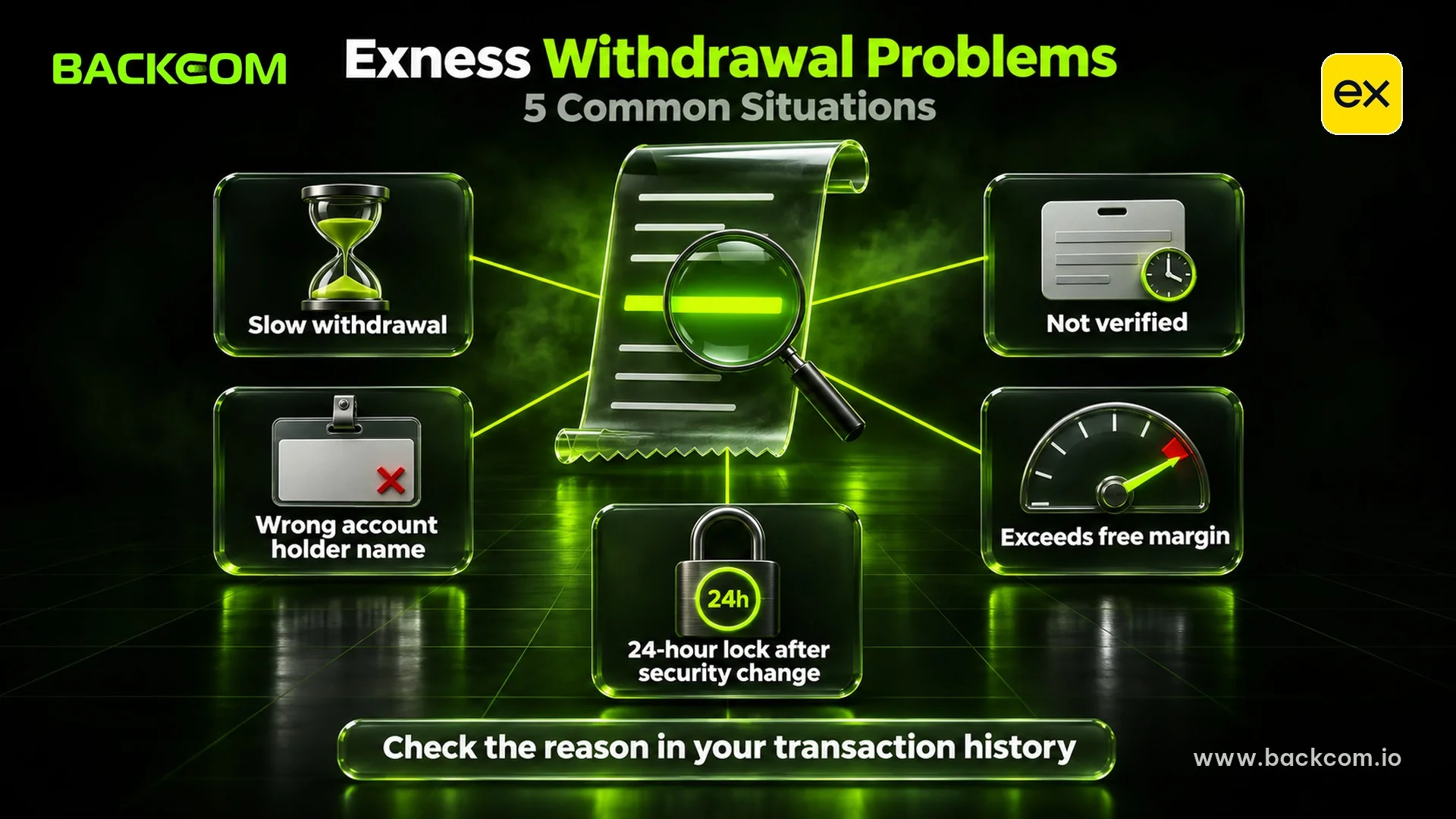
Exness withdrawal problems should be matched to the cause shown on the transaction itself. Based on the Exness Help Center:
| Problem or symptom | Cause given by the Help Center | Fix |
|---|---|---|
| Slower than the stated time | Delay at the bank or payment gateway | Press Get support |
| Rejected for a wrong name | Receiving account in another name | Use an account in your own name |
| Asked to contact support | Funding account not yet verified | Send a statement if requested |
| Account not shown for withdrawal | Archived or unverified | Check My Accounts |
| "Insufficient funds" | Amount exceeds free margin | Lower the amount or close positions |
| Withdrawals blocked for 24 hours | Security type recently changed | Wait the full 24 hours |
| Deposit method blocked | Withdrew by another method without trading | Contact support |
| Face verification requested | Extra identity check required | Refusing blocks the method |
Work through Exness withdrawal problems in this order:
- Read the status: open the transaction in the history to see the reason or the request.
- Fix the cause: check the name, verification and amount before resubmitting.
- Use Get support: send a statement showing your name and deposits if asked.
- Follow up in the Support Hub: open a ticket if the maximum time has passed without a result.
Warning: anyone posing as support who asks for a fee, tax or deposit to "unlock a withdrawal" is not following the process described in the Help Center. Similar red flags appear in the signs of a forex broker scam.
Do Exness Deposits And Withdrawals Affect Your Rebates?
Exness deposits and withdrawals do not directly raise or reduce your rebate, because rebates are calculated per lot. According to the Exness Rebates page on 20 November 2026, rebates are based on trades closed on real accounts linked to the right partner, win or lose. Backcom.io is an independent introducing broker (IB/affiliate) of Exness; rebates are paid from the commission the broker pays Backcom.io — see the risk disclaimer.
Read how Exness rebates are calculated, then check four points:
- The right account under code backcomio: link your Exness account in the Backcom.io App, or use the Rebate filter in your Personal Area transaction history.
- Payout timing: rebates are paid daily, usually in the early morning (UTC), into the trading account where the trades were closed.
- Minimum: there is no minimum on the rebates page, although Exness does not pay amounts below $0.01.
- Withdrawal rules: rebates in your balance still follow the same-method rule and the free margin limit.
Frequently Asked Questions (FAQ) About Exness Deposit And Withdrawal
Does Exness Charge Fees For Deposits And Withdrawals?
Exness says most methods carry no deposit fee, and the Personal Area shows any commission for each withdrawal method. Banks, card issuers and payment providers can still charge their own fees, and currency conversion can change the amount you receive. Read the fee line under the method before you confirm.
Can You Withdraw From Exness On Saturday And Sunday?
Yes. According to Exness, deposits, withdrawals and internal transfers keep working at weekends and on holidays. Transactions that need verification can wait until a working day, and maintenance can pause a method. For large amounts, a weekday request leaves more room to resolve any check.
Can You Deposit To Exness With A Bank Card?
Yes, where cards are available for your region. Exness supports major cards such as Visa and Mastercard with 3D Secure, and prepaid cards only if they carry your exact name. Card deposits must be refunded to the card before profit is withdrawn by another method, so plan your withdrawal route in advance.
What Is The Minimum Exness Deposit?
There is no single minimum for every method. Your first deposit must meet the higher of the account type minimum and the method minimum. The Help Center states that Pro, Raw Spread and Zero accounts start from $200, depending on the region. Check the amount shown in the Personal Area before you transfer.
Can You Cancel An Exness Withdrawal After Submitting It?
No. According to the Exness Help Center, a submitted withdrawal cannot be cancelled, even while it is being processed. If you are using a method for the first time, consider a small test withdrawal within the displayed limits to confirm the receiving details work.
Conclusion: Exness Deposits And Withdrawals Start With The Right Name And The Right Source
For Exness deposit and withdrawal, look at three things together: the methods in your Personal Area, the same-source and matching-name rules, and the time your bank or provider needs to credit the money.
When you withdraw from Exness, match the method you deposited with and the maximum time shown if you are worried about Exness withdrawal time. If you hit Exness withdrawal problems, fix the actual cause before you open a support request.
Before your next deposit, check that the account is linked to the right partner code.
Disclaimer: This content is compiled from the Exness Help Center, the Exness deposits page and the Exness Rebates page linked above for information only, and is not investment advice. Methods, limits and processing times can change. Leveraged forex and CFD trading can lose you your entire capital.
Was this article helpful?
Join The Backcom.io Community
Get the latest on trading rebates, trading tips, and broker deals — and connect with thousands of traders worldwide.

Backcom App
Track Your Rebates Every Day
Every rebate is visible by broker and by day. Manage your wallet and withdrawals in one place.
Open Backcom App