Before joining any promotions or trading rebate programs, it is important to check which referral code your BingX account is linked to. Many users created their accounts long ago and are unsure which referral they are under, resulting in missing out on rebates or incentives.
This guide will show you how to check your BingX referral code in a simple, accurate, and easy-to-follow way.
What Is A BingX Referral Code?
BingX Referral Code (Referral Code / Inviter) is a code assigned to your account when you register on BingX through a partner/IB link or referral code.
The referral code determines:
- Which partner your account belongs to
- Whether you are eligible for rebate/promotional programs hay không
- Who receives the commission/rebate from your trading activity
A BingX account can only be linked to one referral code and cannot be changed after registration.
Why Should You Check Your BingX Referral Code?
You should check your referral code if:
- You don’t remember which link you used to register
- You want to join cashback programs
- You suspect your account is linked to another partner
- You want to verify if your account is eligible for referral/rebate programs
Checking early helps you avoid missing out on long-term trading benefits.
How to Check Your BingX Referral Code
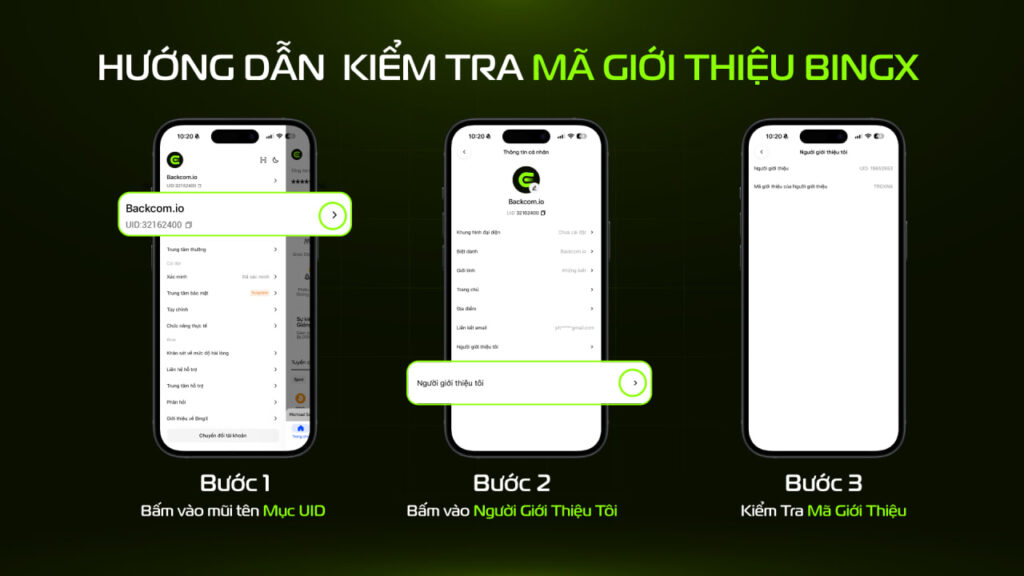
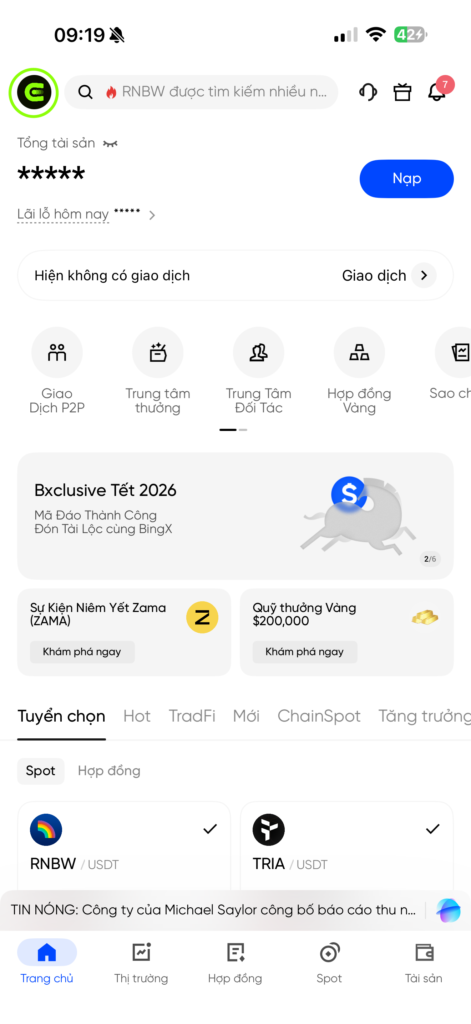
Step 1: Log In to Your BingX Account
- Open the BingX app
- Log in to the account you want to check
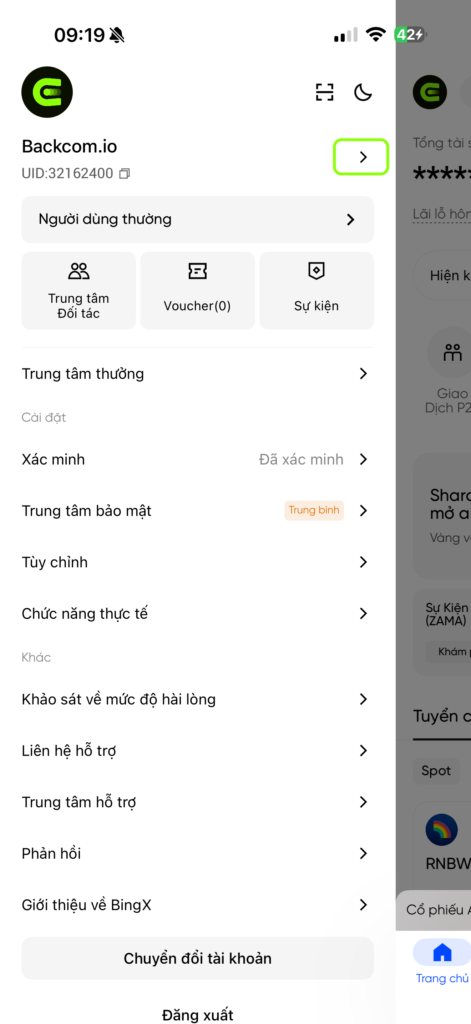
Step 2: Go to Your Profile
- Tap on your avatar (top corner)
- Select the “Profile”
Step 3: Check Referral Information
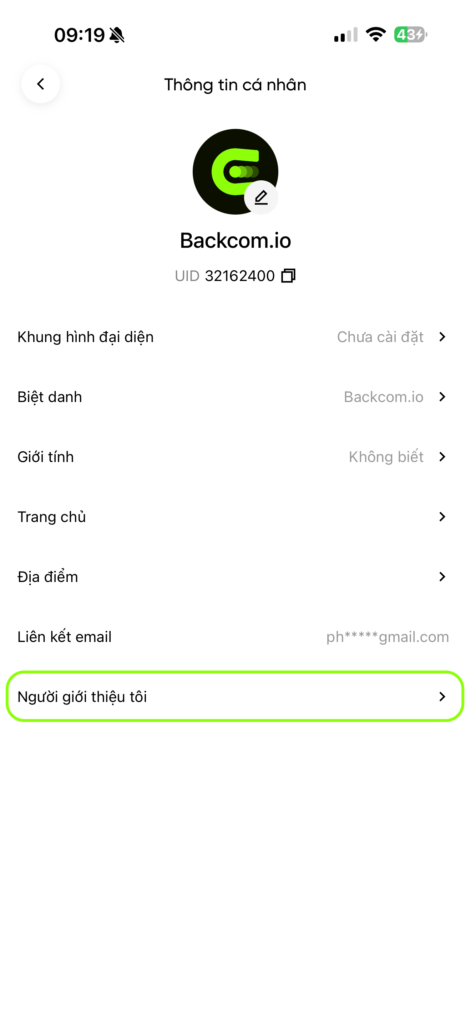
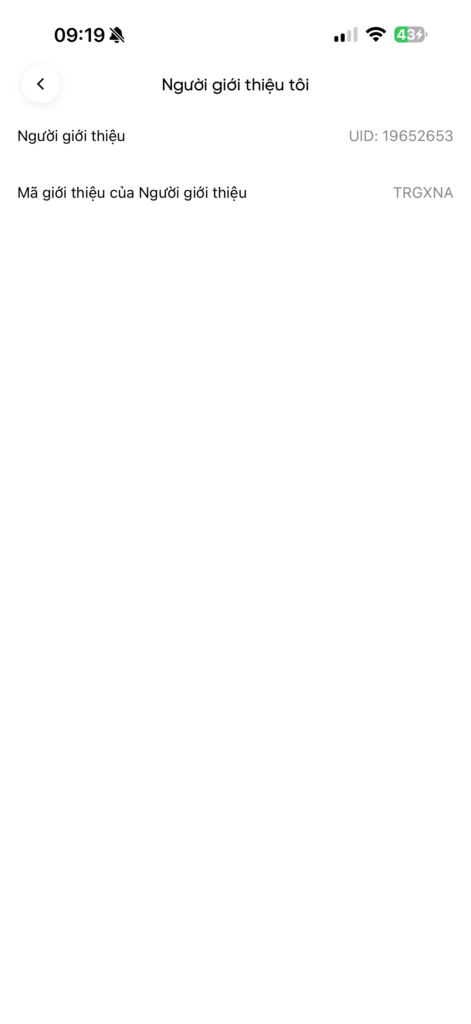
On the profile page, look for the section: “My Referrer.”
If it shows:
- A UID / partner name → your account is already linked to a referral code
- Blank or not displayed → your account is not linked to any referral code
Case: No Referral Information Found
If you do not see any referral information, it may be due to:
- Your account was created without a referral link
- Your account was created a long time ago and not linked to any referral
- The app/web interface has not fully displayed the information
In this case, you can:
- Contact BingX Support
- Or send your account UID to a partner support team (e.g., Backcom.io) for assistance
Important Notes About BingX Referral Codes
- Referral codes cannot be changed once assigned
- Each account can only be linked to one referral code
- You can only check which referral your current account is under
- If already linked to another partner, you cannot switch to a new code (unless creating a new account or changing identity)
When Should You Create a New BingX Account?
You should consider creating a new BingX account if:
- Your current account is already linked to another referral code
- You are not eligible to relink your account
- You want to join BingX rebate programs or specific partner promotions
In this case, you can:
- Create a new account using the correct referral link
- Or use BingX’s KYC account transfer feature (if eligible)

Conclusion
The Checking your BingX referral code is an important step to determine which partner your account is linked to and whether you are eligible for promotions or rebate programs. It only takes a few minutes but can help you avoid missing out on long-term benefits, especially if you trade frequently.
If you are unsure about your referral status, make sure to check it before continuing to trade or registering for any rebate programs.