Backcom XM Checker
Nhập ID tài khoản XM (MT4/MT5) để kiểm tra tài khoản đã kích hoạt Backcom hay chưa và theo dõi số tiền hoàn phí theo ngày, tuần, tháng.

How To Use The Backcom XM Checker
Notes Before Using:
- This tool only applies to users who registered via Backcom.io’s partner link
- Please enter the correct MT5 Login ID to receive accurate results
- Backcom.io data is synced with partner systems and may be delayed by 30–60 minutes
- Some newly opened trades may not appear immediately
- Displayed data is for reference only and may vary depending on market conditions (spreads)
- If no data is shown, please check whether your account is properly linked to Backcom
1. Check ID Function
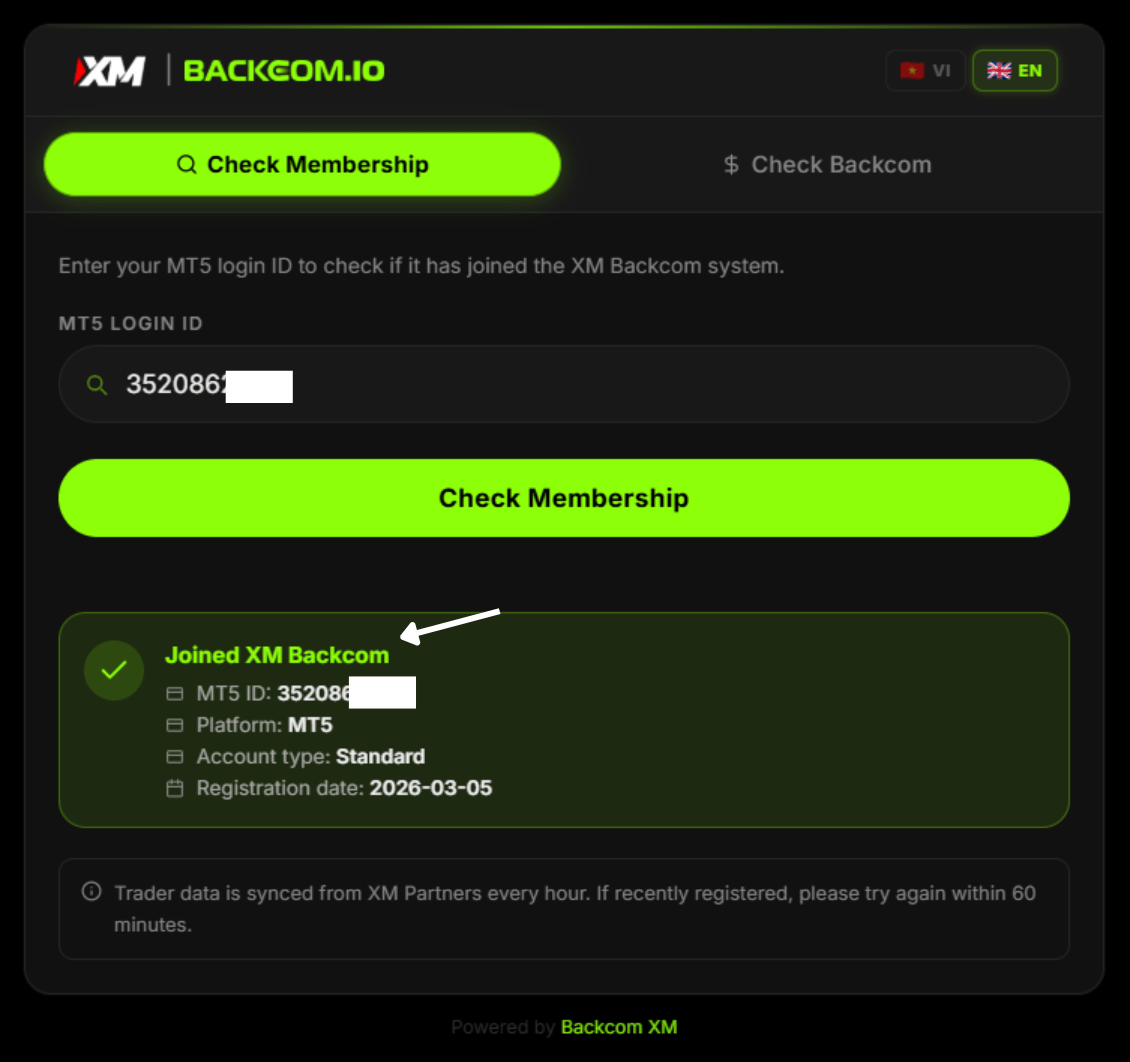
The Check ID feature allows users to verify whether their XM MT5 account has been activated for Backcom.
To use it, simply enter your MT5 Login ID into the “MT5 Login ID” field and click Check Now
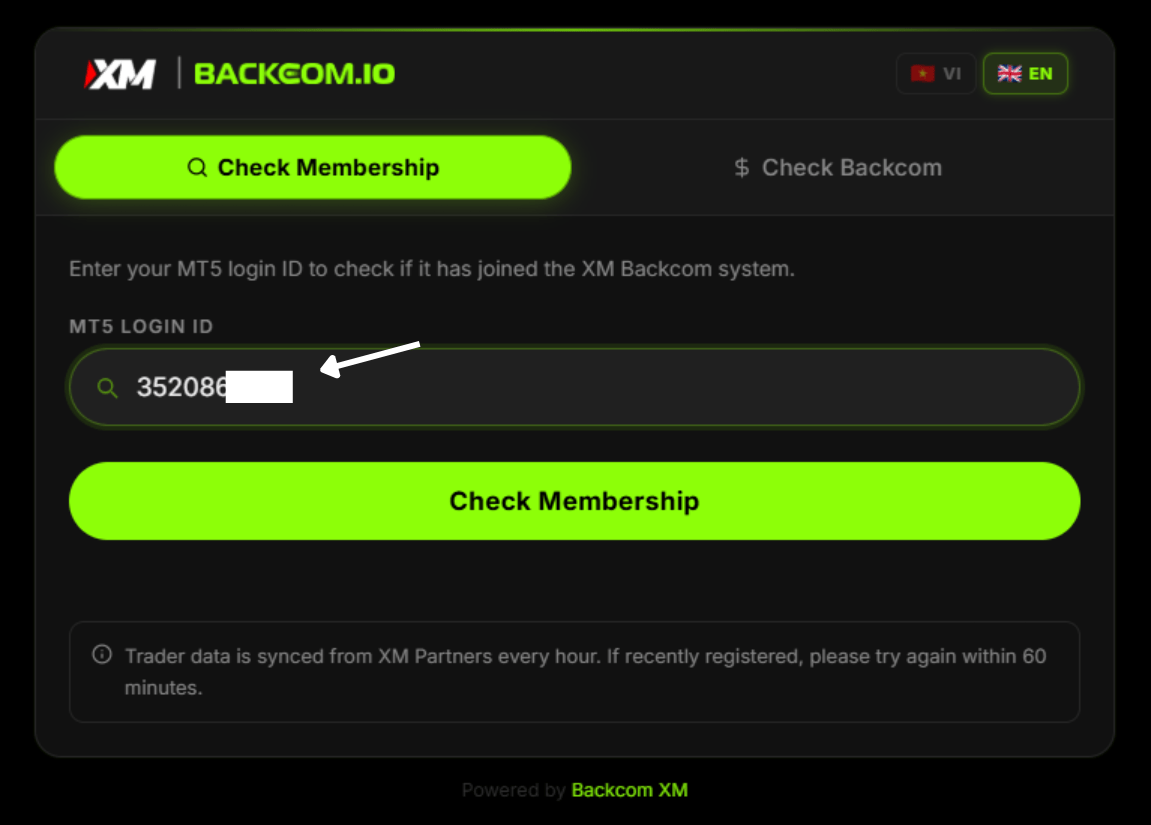
If the result shows “Not Joined Backcom XM,” it means your account is not registered under Backcom.io’s partner code. In some cases, the system may not have synchronized yet, so please check again after one hour.
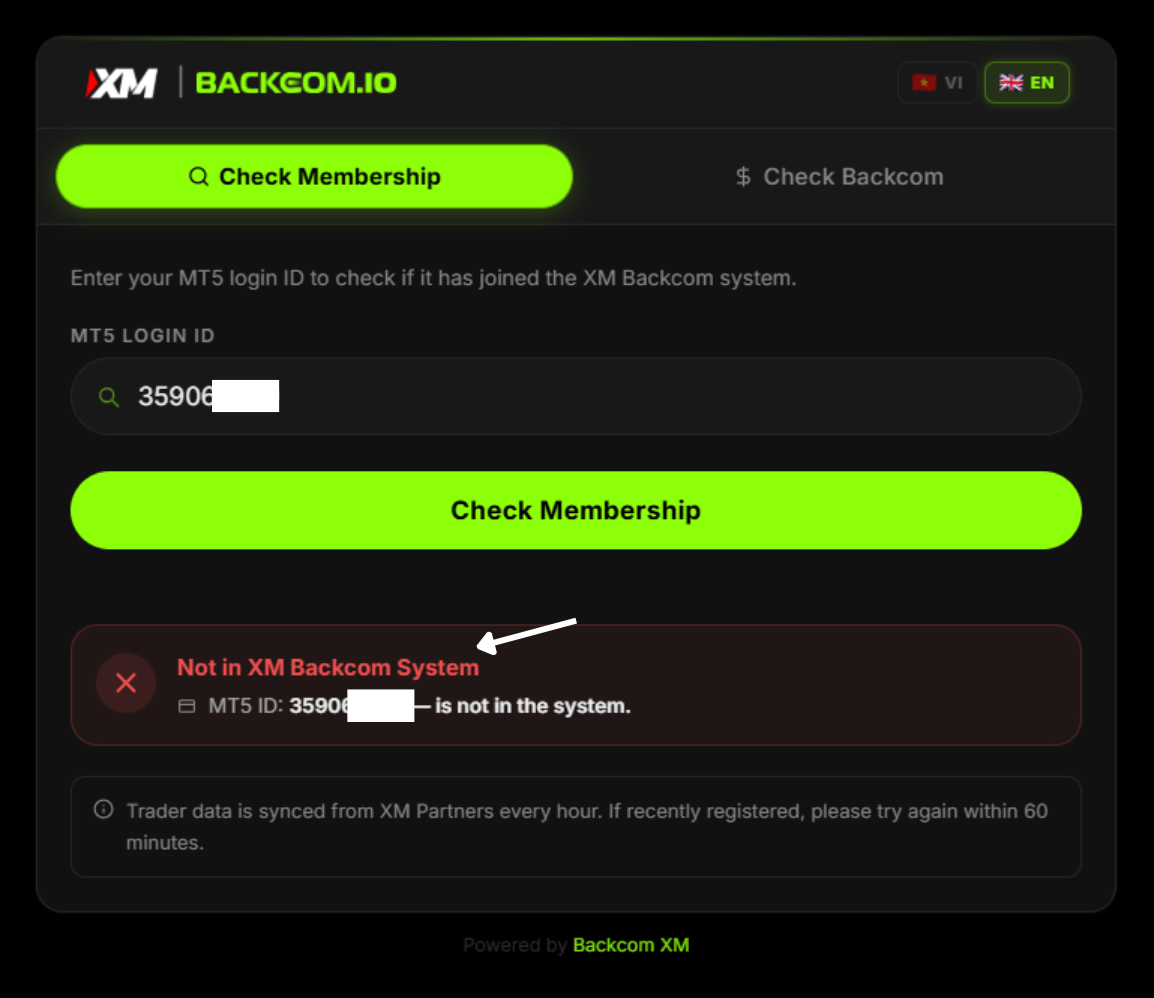
If the result shows “Not Joined Backcom XM,” it means your account is not registered under Backcom.io’s partner code. In some cases, the system may not have synchronized yet, so please check again after one hour.
If the system shows “Joined Backcom XM”, Congratulations! you have successfully activated Backcom XM.
2. Backcom XM Check Function
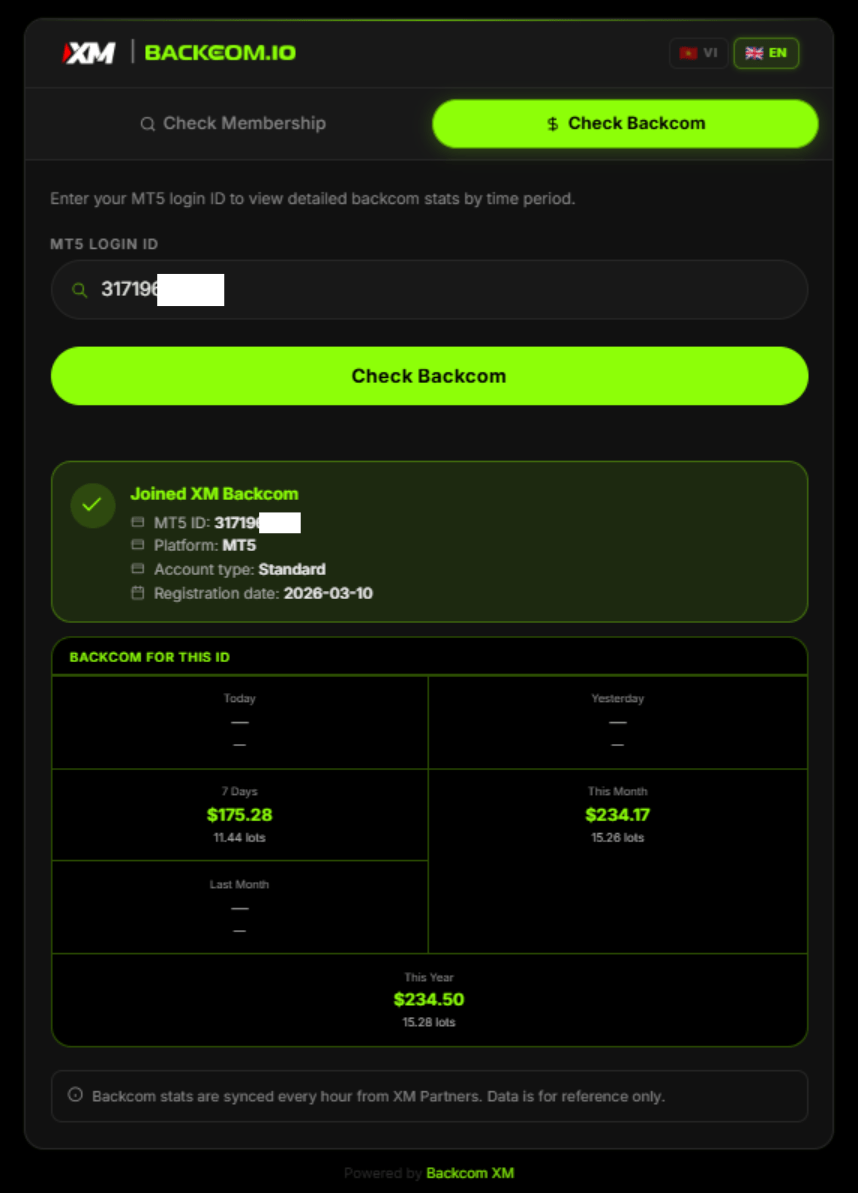
The Backcom XM checker allows you to track your rebate amounts in real time, with detailed daily breakdowns to help you monitor and optimize your trading profits. Simply enter your MT5 ID, and all Backcom data will be displayed clearly and transparently as shown below.